


Change App install location registry
Hi,
I am deploying the Creative Cloud App in my enterprise using the self-service package (users can install adobe apps without admin permissions). The problem is that by default the apps that the user installs are installed in their userprofile. It's possible to change it manually in the app (for example to C:\Program Files(x86)) but I need to do this for all my users, without them having to do anything. Is it possible to change the install location in other ways? Like a registry key, config file or something else that I can easily deploy through Group Policies?
From my understanding, using the setup.exe switch --ADOBEINSTALLDIR only installs the CC App in that location, right?
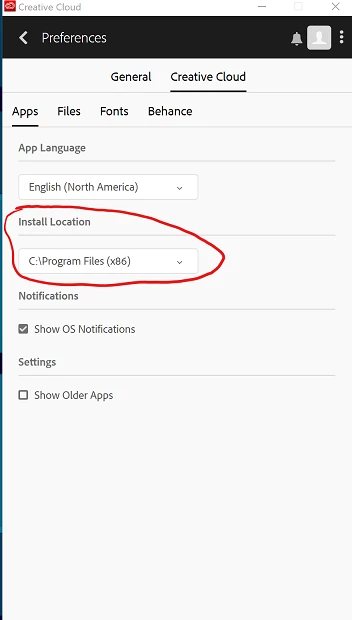
The setting in the screenshot below is the one I want to change.
We are deploying this on machines running Windows 10 x64.
Thanks in advance,
Robin
 AdChoices