


Known Participant
July 12, 2024
Answered

Creative Cloud Licensing error for new user accounts on Mac OS 14.5

  • July 12, 2024
  • 3 replies
  • 1656 views

Problem: Adobe creative suite will not license for new user accounts on our MacOS 14.5 computers.

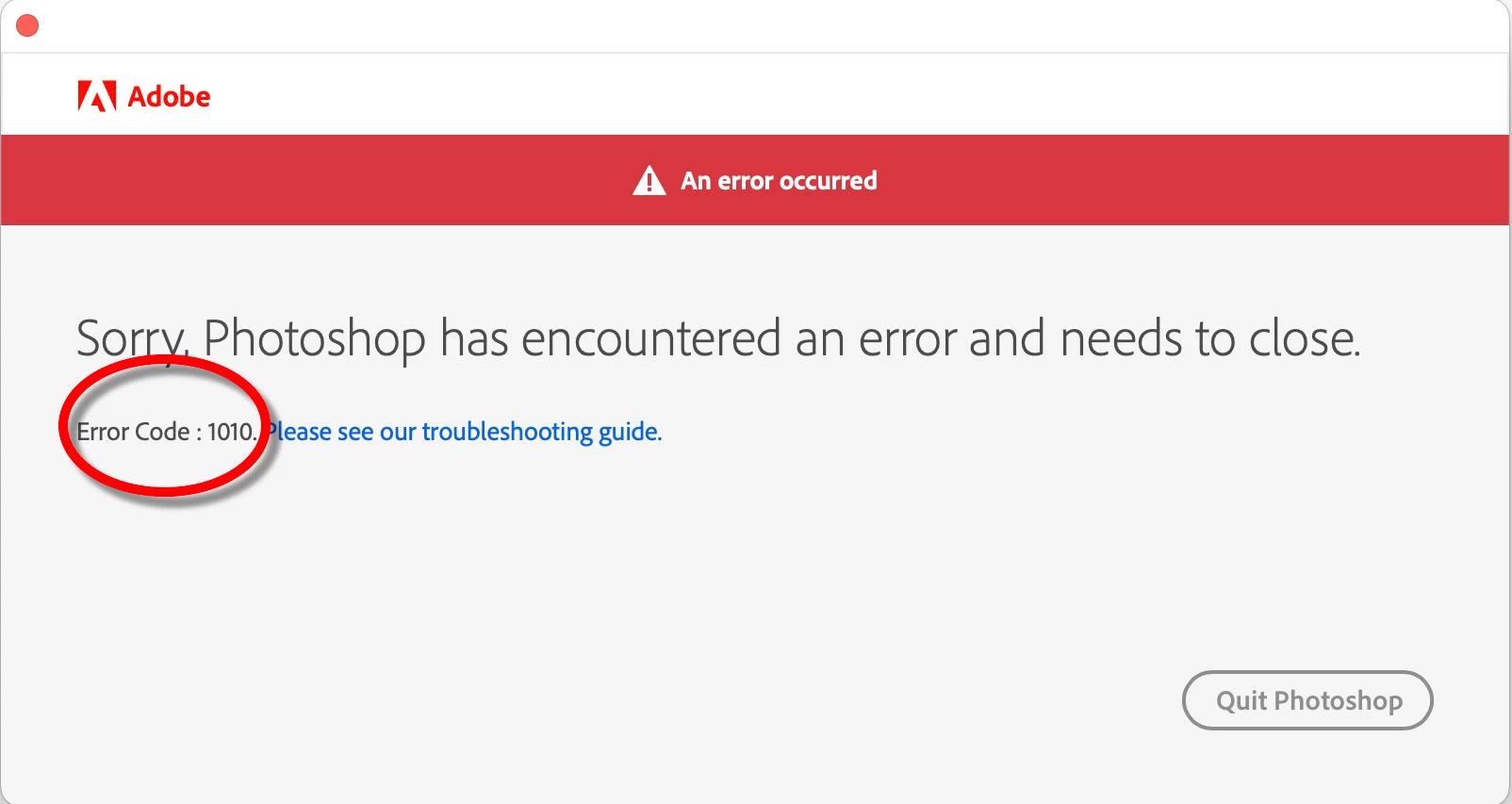
• When lauching an Adobe product, users can enter thier Adobe Account sign-in details, but the sign-in fails because of an Adobe 1010 error. (screen grab below)

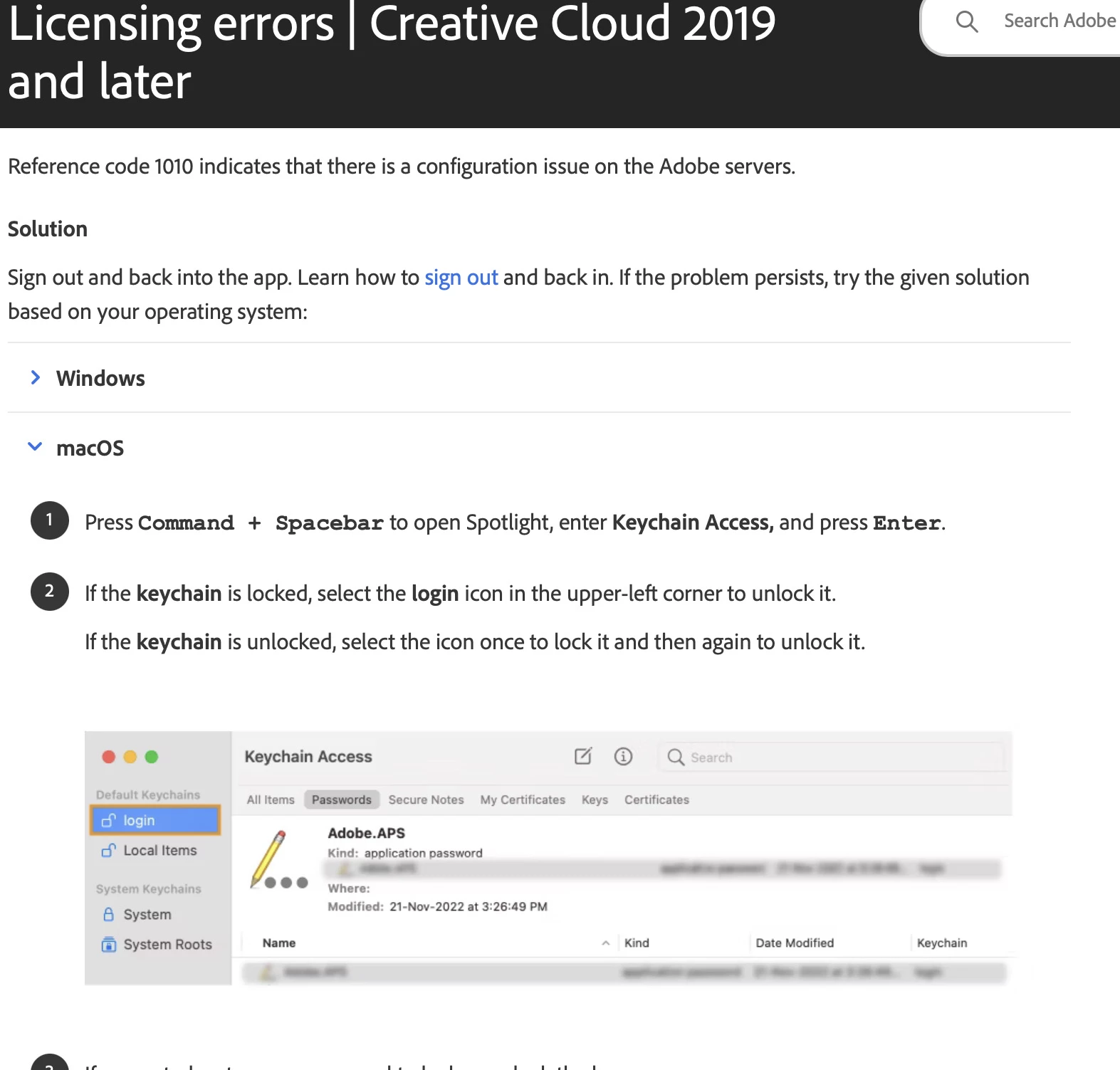
• Following the Adobe 1010 error link, this turns out to be a keychain problem with Adobe Suite trying to write to the "login" folder in Keycain Access.


Cause:

• Newly minted user accounts in MacOS 14.5 no longer make a "login"  keychain folder for the users account. So Creative suite is unable to write to it and so gives the user an Adobe 1010 error and suts down the application.

• NOTE: Using a Terminal script to manually make a "login" keychain folder on the user account fixes the 1010 Adobe licensing error and Creative Suite licenses without error.


_____ some screen grabs_____

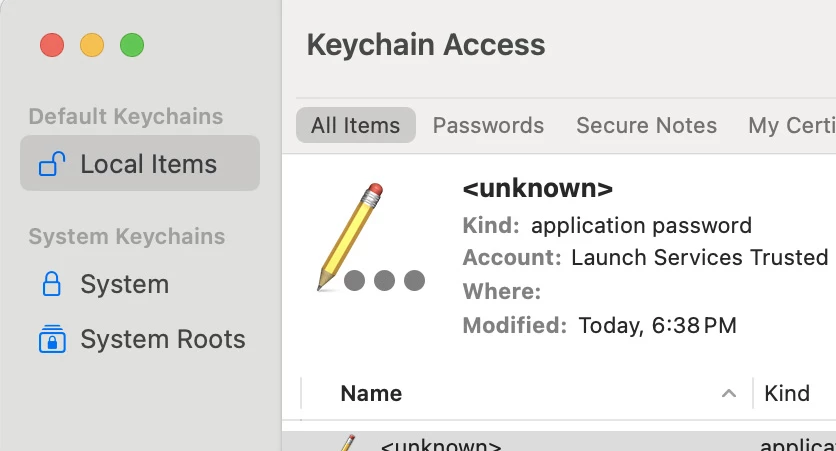
New user accounts on MacOS 14.5 no longer make a "login" keychain folder for the user.
The absense of a "login" keychain folder causes Adobe creative Suite licensing to fail with an Adobe 1010 error.
The Adobe 1010 error  indicates that the "login" keychain folder is critical for licensing Adobe CS.


This topic has been closed for replies.
Correct answer Hamish244844361zj3

Adding to this issue, as I have been working with peterm34359157 to debug.

A login.keychain-db file is created in the following scenarios:
 • new manually created local account
 • fresh login to an AD account when the Mobile Accounts option is disabled.
The issue presents itself when logging into a AD account for the first time & 'create Mobile Accounts' option is enabled in Directory Utility (standard in computer lab environments, where we are both working).

Which leads me to think this is an oversight/bug in Apple's corner with Mobile Accounts.
 
I have managed to work around it with a login item that simply creates a new login.keychain-db file in the ~/Library/Keychains folder.
or
disabling Mobile Accounts (downside is AD users won't be able to login if network connectivity is lost to the Mac, which is extremely slim in a lab context).

The Terminal command to make a new login keychain is:

security create-keychain login.keychain


This does prompt for a password to be set, however in my testing as a login script, it creates the file anyway without complaint.

3 replies

kglad
Community Expert
Community Expert
July 12, 2024
kglad
Community Expert
Community Expert
July 12, 2024

in the future, to find the best place to post your message, use the list here, https://community.adobe.com/

p.s. i don't think the adobe website, and forums in particular, are easy to navigate, so don't spend a lot of time searching that forum list. do your best and we'll move the post (like this one has already been moved) if it helps you get responses.


<"moved from cc desktop bugs">
Hamish244844361zj3Correct answer
Participant
July 12, 2024

Adding to this issue, as I have been working with peterm34359157 to debug.

A login.keychain-db file is created in the following scenarios:
 • new manually created local account
 • fresh login to an AD account when the Mobile Accounts option is disabled.
The issue presents itself when logging into a AD account for the first time & 'create Mobile Accounts' option is enabled in Directory Utility (standard in computer lab environments, where we are both working).

Which leads me to think this is an oversight/bug in Apple's corner with Mobile Accounts.
 
I have managed to work around it with a login item that simply creates a new login.keychain-db file in the ~/Library/Keychains folder.
or
disabling Mobile Accounts (downside is AD users won't be able to login if network connectivity is lost to the Mac, which is extremely slim in a lab context).

The Terminal command to make a new login keychain is:

security create-keychain login.keychain


This does prompt for a password to be set, however in my testing as a login script, it creates the file anyway without complaint.

Participant
September 9, 2024

Hi,


Good job debuging this one. Do we know if this problem still exist in 14.6?


Best regards,

Kristian

Participant
September 9, 2024

Probably answering my own question: https://support.apple.com/en-us/109030 , first bulletpoint gives a hint that it should be fixed in 14.6 🙂


Thanks to "foigus" on macadmins slack that pointed me to the correct place.