


New Participant
May 9, 2023
Answered

Has Adobe changed the Activation exceeded dialogs?

  • May 9, 2023
  • 2 replies
  • 1577 views
I am trying to confirm whether or not Adobe has recently changed the behavior associated with exceeding your activation limit for Acobat DC. In the past you would see a dialog that indicates which machines are logged in (with green checkmarks) and you have an option to deactivate one device to login to the 3rd.
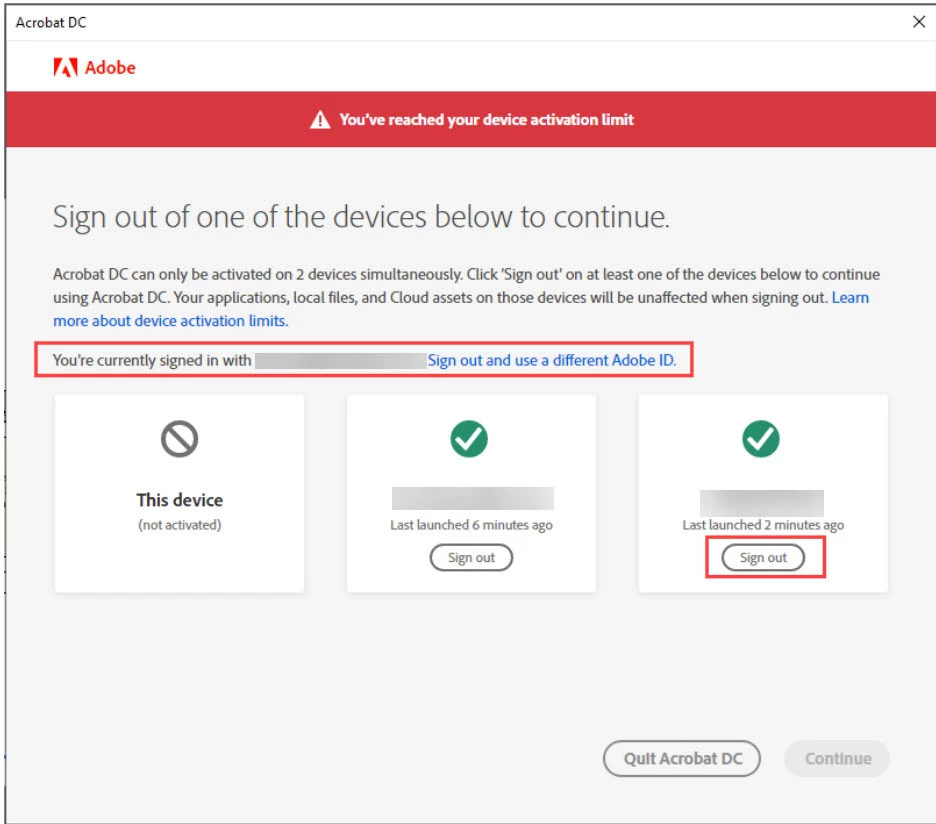


Now random users are reporting instead of seeing the old dialog, they are getting a similar dialog but now are presented with a button to "Resolve at Adobe.com"
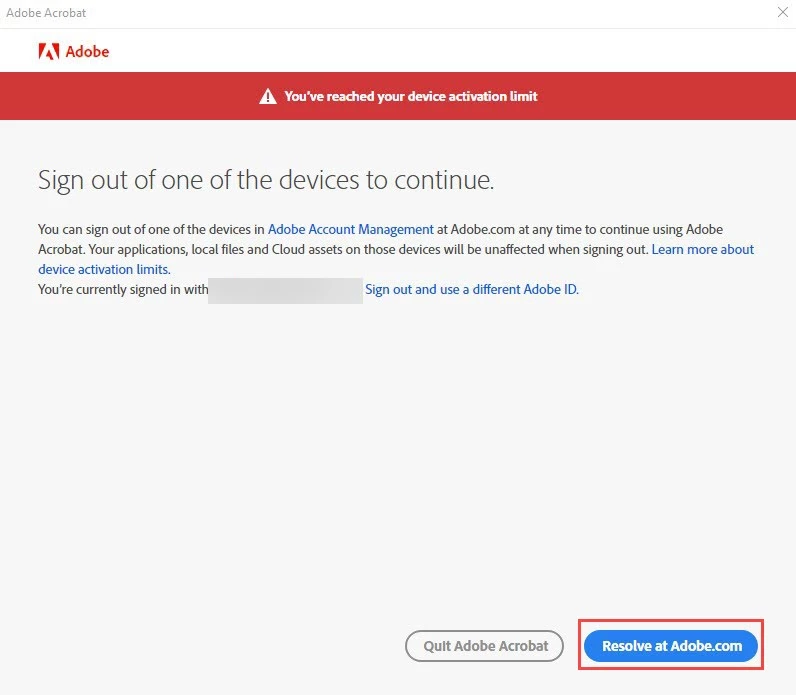


Does anyone have any information regarding this new dialog?

This topic has been closed for replies.
Correct answer SuJoshi

Yes we see that prompt particularly in the Citrix environment, where before everyone say the same prompt.


Thank you


I think you should check how to configuring roaming profile to fix this issue: https://www.adobe.com/devnet-docs/acrobatetk/tools/VirtualizationGuide/citrix.html

2 replies

Brainiac
May 11, 2023

Adobe constantly change things and don't tell us. Sometimes they are changed as a random sample/trial. Of course this is not helpful for people who have given detailed procedures/changing.  What actually happens when the user clicks "Resolve at Adobe.com"? Are they taken directly to a page where they can do the same thing, or somewhere else?

New Participant
May 11, 2023

When they click on the Resolve button they are brought to the Adobe.com account overview page, which gives absolutely no infomation about the devices or even an indication of where to go to get device information.  Users have to go to Plans and Payments, then drill down to Activated Devices. It's very frustrating and yes you are correct, documentation has been provided that explained the previous dialog and what to do, now we have to revamp everything to correct it, AND on top of that explain to IS Management why we're seeing an uptick in calls over something that should be a non-issue

Community Manager
July 3, 2023

@sfullerton1285 I checked with the concerned team, and there were no changes made in the backend. Please check with the users again if they are still getting the same prompt/modal.

kglad
Adobe Expert
May 9, 2023

check your account (https://account.adobe.com) to see activated devices?

New Participant
May 9, 2023

Yes, the issue is this is a change from previously documented behavior and I want to confirm this is by design and when it occurred.

kglad
Adobe Expert
May 11, 2023

@sfullerton1285 


this looks more like a misstep than anything else.  the problem for you, if you change instructions, is that this adobe change is so undesirable that it will trigger other complaints inducing adobe to revert to its original (superior imo) dialogue.


therefore, if you make any changes in your instructions to users, account for both dialogues so if adobe reverts back to the original you don't have to waste more time.