



Issues with recent Creative Cloud Desktop Application update prompting Windows UAC at launch
Hi,
I'm an IT Administrator at medium sized business. We run a fully manage environment and users do not have local administrative access to their own workstations. All of our Adobe Creative Cloud deployments are automated and created through the Adobe packaging tool. These packages are created with all self service capabilities disabled to allow version control across the business for maximum compatiblity.
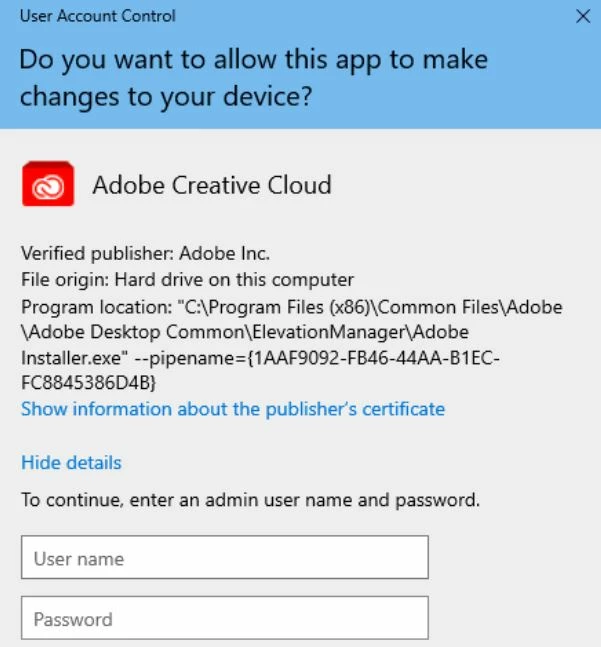
Something has occured within the past months where users will recieve a UAC prompt when rebooting their workstations and launching Creative Cloud Desktop application. Originally there was a mismatch between what was available via the automatic update and what was available in the packing tool. We're already aware that there is a delay between the standard release versus the package tool release so decided to wait assuming the new update would fix it.
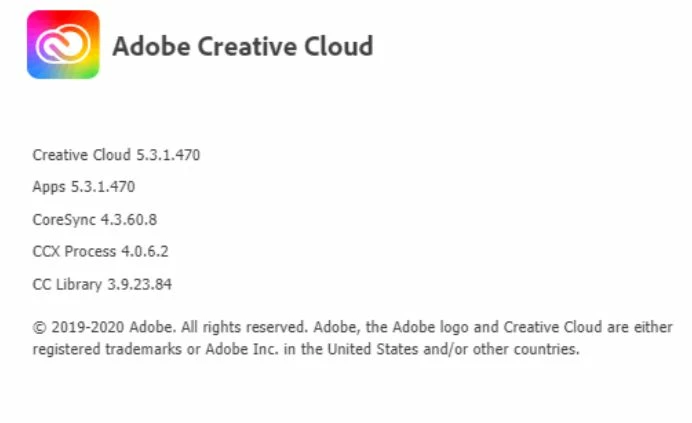
Late last week the new version was made available (5.3.1.470) but installing this does not fix the issue and UAC prompts continue to occur. We've also tried deploying this on a completely clean system that has never had an Adobe product installed previously. Please note - Clicking no on the UAC prompt still allows the Creative Cloud Desktop application to load, as well as all other Adobe apps but the prompt is frustrating many of our users. If I allow it by entering administrator credentials the prompt disappears for good but the version remains as 5.3.1.470.
Below is a screenshot of the UAC prompt.
Is anyone else experiencing this or have any ideas?
Thanks
 AdChoices