Participant
May 15, 2023
Answered

Unable to access Adobe Admin console: 'You Don’t Seem to Have Access' Error

  • May 15, 2023
  • 8 replies
  • 12391 views

Hi,
I have Adobe Pro (purchased with this acount) and can't access to the admin console! 
I am the purchaser and should be the admin.
It shows the following message:

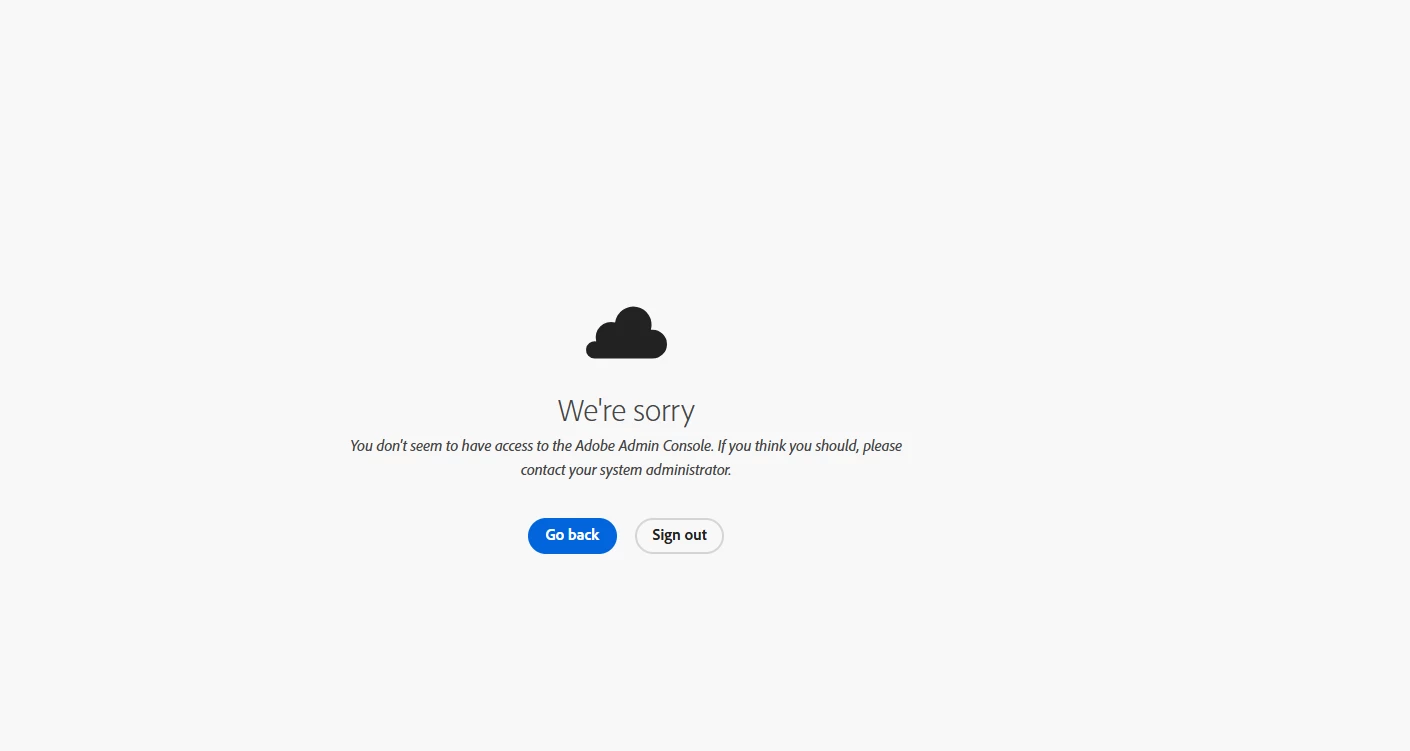
We're sorry.

You don't seem to have access to the Adobe Admin Console. If you think you should, please contact your system administrator.


Correct answer Anshul_Nautiyal

Welcome to the Enterprise & Teams community


Are you seeing this message when trying to access the Admin Console?


"We're sorry. You don't seem to have access to the Adobe Admin Console. If you think you should, please contact your system administrator."


If so, follow the steps below to help resolve the issue.

  1. Admin console access requirements
    The Admin Console is only available to Enterprise and Teams plans. If you’re on an individual subscription, you won’t have access. Make sure you're assigned an admin role under a valid Teams or Enterprise contract.
  2. Confirm your sign-in email
    Ensure you're using the correct work or school email associated with your organization’s Adobe plan. Signing in with a personal or unrelated email may result in restricted access.

  3. Choose the correct profile
    If your Adobe ID is linked to multiple profiles:
  • Select the Business or School Profile when prompted.
  • If access is denied, try the Personal Profile, as your access may be tied to it based on your account configuration.

  1. Browser troubleshooting steps
  • Use a private/incognito window.
  • Clear cache and cookies, then restart your browser.
  • Update your browser to the latest version.
  • Try a different browser or device.
  • Disable extensions, like ad blockers or privacy tools.
  • For Chrome/Edge: go to Settings > Reset Settings.

  1. Network and security settings
  • Check that firewalls, proxies, or security software aren’t blocking Adobe services.
  • Temporarily disable antivirus/firewall software to test.
  • Try accessing from a different network (e.g., hotspot).
  • Confirm your environment allows access to Adobe services by referring to the following network endpoint guide:
    Adobe Network Endpoints
  • For more help:
    ENTD Access Error Info


Try accessing the Admin Console now before continuing.

If you still can't access the Admin Console, please check with other admins in your organization to see if they can.

  • If they can access it, request that they remove and reassign your admin role. This often helps resolve access permission issues. For detailed instructions, refer to this guide:
    Admin Role Management – Adobe Help Center
  • If no other admins can access the Admin Console or if you are the only admin on the contract, please respond to this thread or post your issue in our Enterprise & Teams Community. Based on the details provided, we will assist you as appropriate.


Regards,

^AN 

8 replies

Anshul_NautiyalCommunity ManagerCorrect answer
Community Manager
May 14, 2025

Welcome to the Enterprise & Teams community


Are you seeing this message when trying to access the Admin Console?


"We're sorry. You don't seem to have access to the Adobe Admin Console. If you think you should, please contact your system administrator."


If so, follow the steps below to help resolve the issue.

  1. Admin console access requirements
    The Admin Console is only available to Enterprise and Teams plans. If you’re on an individual subscription, you won’t have access. Make sure you're assigned an admin role under a valid Teams or Enterprise contract.
  2. Confirm your sign-in email
    Ensure you're using the correct work or school email associated with your organization’s Adobe plan. Signing in with a personal or unrelated email may result in restricted access.

  3. Choose the correct profile
    If your Adobe ID is linked to multiple profiles:
  • Select the Business or School Profile when prompted.
  • If access is denied, try the Personal Profile, as your access may be tied to it based on your account configuration.

  1. Browser troubleshooting steps
  • Use a private/incognito window.
  • Clear cache and cookies, then restart your browser.
  • Update your browser to the latest version.
  • Try a different browser or device.
  • Disable extensions, like ad blockers or privacy tools.
  • For Chrome/Edge: go to Settings > Reset Settings.

  1. Network and security settings
  • Check that firewalls, proxies, or security software aren’t blocking Adobe services.
  • Temporarily disable antivirus/firewall software to test.
  • Try accessing from a different network (e.g., hotspot).
  • Confirm your environment allows access to Adobe services by referring to the following network endpoint guide:
    Adobe Network Endpoints
  • For more help:
    ENTD Access Error Info


Try accessing the Admin Console now before continuing.

If you still can't access the Admin Console, please check with other admins in your organization to see if they can.

  • If they can access it, request that they remove and reassign your admin role. This often helps resolve access permission issues. For detailed instructions, refer to this guide:
    Admin Role Management – Adobe Help Center
  • If no other admins can access the Admin Console or if you are the only admin on the contract, please respond to this thread or post your issue in our Enterprise & Teams Community. Based on the details provided, we will assist you as appropriate.


Regards,

^AN 

Participant
April 7, 2025

I am trying to login to the admin console, however it keeps asking me to select the organization I want to view. I click my companys and it keeps refreshing to the same page. I am stuck in a loop and I am unable to get past this screen.


Please help, I have cleared my browser/cache/cookies.


Thank you.

kglad
Community Expert
Community Expert
April 7, 2025

in the future, to find the best place to post your message, use the list here, https://community.adobe.com/

p.s. i don't think the adobe website, and forums in particular, are easy to navigate, so don't spend a lot of time searching that forum list. do your best and we'll move the post (like this one has already been moved) if it helps you get responses.


<"moved from using the community">
Participant
March 12, 2025

Hi there - 

 
In Sept. 2024, we requested and were granted Adobe Express for Education. I was granted access to the admin console and setup access to Adobe Express for Education in our Google Workspaces console. When I tried to roll it out further a few weeks ago, we ran into some issues with the testing where teachers were unable to create new accounts using our Google SAML. 
 
I tried to troubleshoot and look at the Adobe Admin Console, but am encountering a permissions issue that states: "You don't seem to have access to the Adobe Admin Console. If you think you should, please contact your system administrator.
 
I'm sure I have Admin Console Access (I have the Your administrator rights for the Adobe Admin Console email from Adobe in my inbox) and set up the account in Sept. 2024. I made sure it was my workplace or school account, tried logging in in multiple browsers and a different laptop, but am still not able to access the Adobe Admin Console. I am the only person with Admin permissions and not sure what happened. Can someone please look into this and assist me in getting access to the Adobe Admin Console? The odd part is that if I log into one of the test accounts and try to get another tool like Photoship (not included in my license), I have to send a request to the Administratior and I get those in my email. The message states: 


You have 2 pending requests for Adobe apps to review


Hi Dom,

Review the request from your organization xxxxxx and approve in the Admin Console.

 
I tried opening a ticket online, but can't do that without Adobe Admin Console permissions or access the telephone number to call into support. I already emailed the ecs (@) Adobe email address last week, but haven't heard back. 
 
Thank you
 
Participant
March 26, 2025

Hi


I have the same issue. I signed a school I support up for Adobe Express for Education and went through the steps for the Microsoft SSO. Everything went well i could access the Admin console and users could sign in with there Microsoft accounts, but this week my account no longer has access to the Admin console. I can't log a ticket without Admin rights or find anyway to get support. Can anyone help ? Thanks

Community Manager
March 26, 2025

Hi @adaptable_smile2745,


Thank you for reaching out. Have you had a chance to try the steps outlined earlier in this thread to address the issue? We recommend following those instructions and letting us know if the problem persists. We’ll be happy to assist further based on the outcome. Please let us know also what error you are getting while trying to access the console.

Regards,

^AN

Participant
February 14, 2025

I've set been setting up Adobe Express for our multi academy trust today but have hit a brick wall as I'm unable to access the admin console.  I am the only administrator and have indeed received the email that says the following:


As an administrator, you can use the Adobe Admin Console to manage how The Diocese Of Sheffield Academies Trust distributes Adobe Express for K-12.

To get started sign in to the Adobe Admin Console.


When I click on 'Get Started' I get the following errror:


We're sorry
You don't seem to have access to the Adobe Admin Console. If you think you should, please contact your system administrator.

I'm completely rolling this out any further at the moment as I can't open the admin centre to even open a ticket!  I've followed every step and am confident I missed nothing out.  It just seems as though my address (again, definitely setup as admin and has received all the emails) hasn't got the correct permissions attached for some reason.

Reaching out here, any ideas?

Thanks.

Community Manager
February 14, 2025

Hi @danjhilton,

Thank you for reaching out. It seems you're encountering an issue where, despite being set up as the admin for your organization, you're unable to access the Adobe Admin Console. Here are some steps you can take to resolve the issue:

  1. Clear Cache or Try Incognito Mode: Browser cookies or cache can sometimes cause access issues. Try accessing the Adobe Admin Console in incognito/private mode, or clear your browser cache and cookies before attempting again.

  2. Use the Correct Adobe Account: Ensure that you're signing in with the correct email associated with the administrative role. If you have multiple Adobe IDs, it's easy to log into the wrong account.

  3. Try a Different Network: It could be a network issue. Try accessing the Admin Console from a different network or location.

  4. Disable Browser Extensions: Temporarily disable any browser extensions that might interfere with the console’s functionality.

    Additionally, check out the following document on troubleshooting Admin Console errors: Troubleshoot Admin Console Errors.


    I hope this helps. Please let me know if the issue persists.

Regards,
^AN

Participant
February 14, 2025

I'd already tried all of those things.  I fear something has gone wrong in the back end and as I can't log in to the admin panel - it seems I may never be able to get it resolved.

Participant
June 21, 2024

I am an admin. I changed my AD account from hybrid (on-prem and cloud) to cloud only (Entra). After that I started getting the following message:

"We're sorry.

You don't seem to have access to the Adobe Admin Console. If you think you should, please contact your system administrator."


I have cleared Edge cache. I also tried it from a Google browser. I moved my account back to hybrid and am still getting this message. 


How do I access the admin console?

Gurdeep.Singh
Adobe Employee
Adobe Employee
June 21, 2024

Hi @Teva29225091z6bm 


Thanks for contacting us.

Can you please check


1) If you are able to access Adobe.com with your email address

2) Please try to clear the cache on the browser and try again, you can also try a new browser

3) if you have any additional account that can access the admin console, kindly check if you still have admin rights on your email


I hope this helps


Regards,

Adobe

Participant
June 21, 2024

Hi, 

I can access adobe.com with my email account.

As I stated in my original post, I cleared the cache and used a new browser. 

I won't be able to check my account until next week. I will update then. 

Thank you. 

Legend
May 15, 2023

Did you definitively buy a business account? A simple subscription to Acrobat Pro is not a business account just because a business buys it. Perhaps you have a regular plan, and hence never will have access to the admin console. What is it that you want to do with the console? 

Participant
May 16, 2023

I think this is the issue. I thought it is already a business account.
I need the admin console to be able to delete the previous agreements which is apparently not possible without access to the admin console. Please could you help me in this?

kglad
Community Expert
Community Expert
May 16, 2023

first, check https://account.adobe.com for your subscription.  if that shows your subscription, you do NOT have a teams nor an enterprise account and you can't use a teams/enterprise console.


ie, if you signed up for an individual subscription, you'll need to cancel it and start one that meets your needs.


so, again, check https://account.adobe.com

Gurdeep.Singh
Adobe Employee
Adobe Employee
May 15, 2023

HI @Houssam298937305fb6 


Thanks for reaching out to us.


I hope you have tried accessing the browser though different browsers.


In case changing browser does not work and if you have purchased a Teams / Enterprise license under a VIP contract, please check with your reseller who accepted the intial invite, the person who has accepted the initital invite will be the primary administrator and will have access to the admin console.


In case you are aware of your Account manager, please check who the primary admin on your Admin console is and if they can add you as one of the admins.

Ashish_Harrison
Adobe Employee
Adobe Employee
May 15, 2023

Hi, @Houssam298937305fb6 I have checked and was not find your email h*****d@g****y.com registered with any admin console.

Please message me your Contract ID/VIP number so I can check and assist you further.


Thanks,

Ashish

Regards,Ashish Harrison
Participant
May 15, 2023

Hi Ashish,
Thanks for your reply.
Where I can find these information! Please support.
I have only the PO on the invoice: 

AE*********E


kglad
Community Expert
Community Expert
May 15, 2023

does https://account.adobe.com show your subscription?