


Participant
May 14, 2014
Answered

Unable to install 11007 update via msi package

  • May 14, 2014
  • 3 replies
  • 9880 views

Hi,

I regularly deploy new Adobe Reader updates via GP using the msi installer. Up until today, it's always worked well.
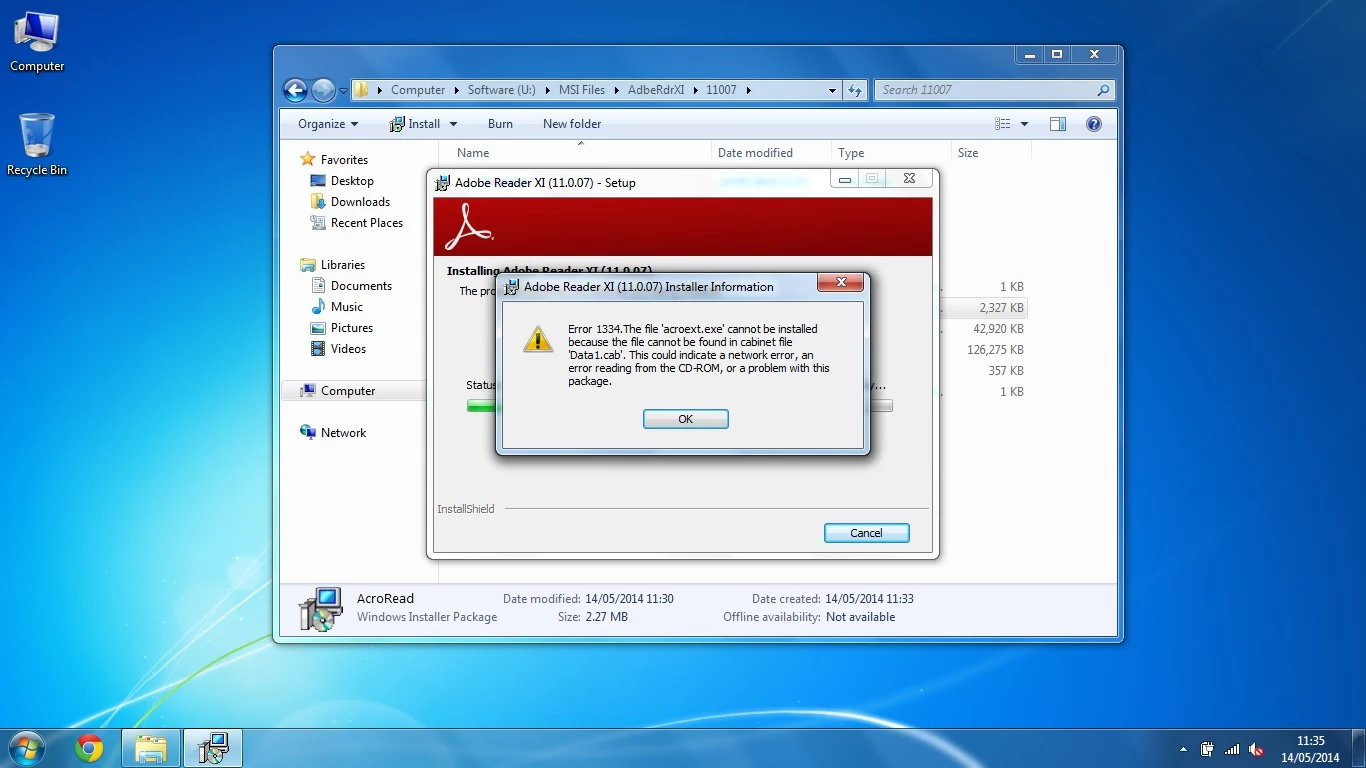
I get the above error when trying to install, but I cannot work out why. I have re-downloaded the package, re-patched it, tried running from a local disk, and still the same error occurs on all the machines I've tried installing it on. I downloaded the .exe file from the Adobe ftp site (ftp://ftp.adobe.com), extracted the .exe file and patched it using the command prompt (msiexec /a AcroRead.msi /p AdbeRdrUpd11007.msp). Older versions work fine and I know this is nothing to do with GP. It seems there is a problem with the "Data.cab" file, but the file modification date is the same as many previous versions which run fine. I'm 99% sure this is nothing to do with my systems, more over something to do with the latest patch. Anyone else have this problem or know how to solve it?

Sticking with 11006 is the only option until this is resolved.

P.S. Running the executable file installs fine, but not once I extract the .msi file and patch it.

Cheers
This topic has been closed for replies.
Correct answer Rohit_Anand

screenshot


Thanks for sharing the details. The correct method is to create AIP in two separate transactions:


msiexec /a AcroRead.msi

msiexec /a <AcroRead.msi from AIP created above> /p AdbeRdrUpd11007.msp


To know more on how to create AIPs and patch AIPs please follow the link: 8   Administrative Installation Points — Enterprise Administration Guide


Thanks,

Rohit

3 replies

Adobe Employee
May 16, 2014

Hi tonyb1983

The command you are using to apply AdbeRdrUpd11007.msp patch (msiexec /a AcroRead.msi /p AdbeRdrUpd11007.msp) is the standard command to patch Administrative install points (AIPs), however the base (Reader extracted the .exe file) on which you are applying this patch is not an AIP. Hence this is not a supported workflow.

I recommend you to first create an AIP of Reader 11.0 and then patch it using the above command. To know more on how to create AIPs and patch AIPs please follow the link: 8   Administrative Installation Points — Enterprise Administration Guide

Please reply back if you are still facing any issue.

Thanks,

Rohit

MichaelKazlow
Legend
May 14, 2014
bbw-Steinmetz
Participating Frequently
May 16, 2014

Reader Version 11.0.07 (DE | EN)

acroext.exe file does not found in Data1.cab.

"msiexec /i AcroRead.msi /L*v c:\AcroRead.log"

~~~~~~~~~

MSI (s) (0C:4C) [12:14:11:683]: Executing op: FileCopy(SourceName=AdobeARM.exe,SourceCabKey=adobearm.exe,DestName=AdobeARM.exe,Attributes=16384,FileSize=959904,PerTick=65536,,VerifyMedia=1,,,,,CheckCRC=0,Version=1.701.3.3014,Language=1033,InstallMode=58982400,,,,,,,)

MSI (s) (0C:4C) [12:14:11:683]: File: C:\Program Files (x86)\Common Files\Adobe\ARM\1.0\AdobeARM.exe;    To be installed;    Won't patch;    No existing file

MSI (s) (0C:4C) [12:14:11:683]: Source for file 'adobearm.exe' is compressed

InstallFiles: Datei: AdobeARM.exe  Größe: 959904 Byte

MSI (s) (0C:4C) [12:14:11:683]: Executing op: FileCopy(SourceName=ADOBEA~1.EXE|AdobeARMHelper.exe,SourceCabKey=adobearmhelper.exe,DestName=AdobeARMHelper.exe,Attributes=16384,FileSize=342960,PerTick=65536,,VerifyMedia=1,,,,,CheckCRC=0,Version=1.701.3.3014,Language=0, 1033,InstallMode=58982400,,,,,,,)

MSI (s) (0C:4C) [12:14:11:683]: File: C:\Program Files (x86)\Common Files\Adobe\ARM\1.0\AdobeARMHelper.exe;    To be installed;    Won't patch;    No existing file

MSI (s) (0C:4C) [12:14:11:683]: Source for file 'adobearmhelper.exe' is compressed

InstallFiles: Datei: AdobeARMHelper.exe  Größe: 342960 Byte

MSI (s) (0C:4C) [12:14:11:699]: Executing op: SetTargetFolder(Folder=C:\Program Files (x86)\Adobe\Reader 11.0\Reader\AcroExt\)

MSI (s) (0C:4C) [12:14:11:699]: Executing op: SetSourceFolder(Folder=1\PROGRA~1\Adobe\READER~1\Reader\AcroExt\|program files\Adobe\Reader 11.0\Reader\AcroExt\)

MSI (s) (0C:4C) [12:14:11:699]: Executing op: FileCopy(SourceName=AcroExt.exe,SourceCabKey=acroext.exe,DestName=AcroExt.exe,Attributes=16384,FileSize=1080184,PerTick=65536,,VerifyMedia=1,,,,,CheckCRC=0,Version=11.0.7.79,Language=1033,InstallMode=58982400,,,,,,,)

MSI (s) (0C:4C) [12:14:11:699]: File: C:\Program Files (x86)\Adobe\Reader 11.0\Reader\AcroExt\AcroExt.exe;    To be installed;    Won't patch;    No existing file

MSI (s) (0C:4C) [12:14:11:699]: Source for file 'acroext.exe' is compressed

InstallFiles: Datei: AcroExt.exe  Größe: 1080184 Byte

MSI (s) (0C:4C) [12:14:11:699]: Note: 1: 1334 2: acroext.exe 3: Data1.cab

MSI (c) (48:68) [12:14:11:699]: Transforming table Binary.

Fehler 1334. The file 'acroext.exe' cannot be installed because the file cannot be found in cabinet file 'Data1.cab'. This could indicate a network error, an error reading from the CD-ROM, or a problem with this package.

MSI (s) (0C:4C) [12:14:15:037]: Produkt: Adobe Reader XI (11.0.07) - Deutsch -- Fehler 1334. The file 'acroext.exe' cannot be installed because the file cannot be found in cabinet file 'Data1.cab'. This could indicate a network error, an error reading from the CD-ROM, or a problem with this package.

Aktion beendet um 12:14:15: InstallFinalize. Rückgabewert 3.

MSI (s) (0C:4C) [12:14:15:047]: User policy value 'DisableRollback' is 0

MSI (s) (0C:4C) [12:14:15:047]: Machine policy value 'DisableRollback' is 0

MSI (s) (0C:4C) [12:14:15:055]: Executing op: Header(Signature=1397708873,Version=500,Timestamp=1152410048,LangId=1031,Platform=0,ScriptType=2,ScriptMajorVersion=21,ScriptMinorVersion=4,ScriptAttributes=1)

MSI (s) (0C:4C) [12:14:15:055]: Executing op: DialogInfo(Type=0,Argument=1031)

MSI (s) (0C:4C) [12:14:15:055]: Executing op: DialogInfo(Type=1,Argument=Adobe Reader XI (11.0.07) - Deutsch)

MSI (s) (0C:4C) [12:14:15:056]: Executing op: RollbackInfo(,RollbackAction=Rollback,RollbackDescription=Aktion wird rückgängig gemacht:,RollbackTemplate=[1],CleanupAction=RollbackCleanup,CleanupDescription=Sicherungsdateien werden entfernt,CleanupTemplate=Datei: [1])

Aktion 12:14:15: Rollback. Aktion wird rückgängig gemacht:

Rollback: Neue Dateien werden kopiert

~~~~~~~~~

Reader Version 11.0.06

install works, no problem with acroext.exe and no errors.

Any Ideas?

Adobe Employee
May 16, 2014

Hi bbw-Steinmetz


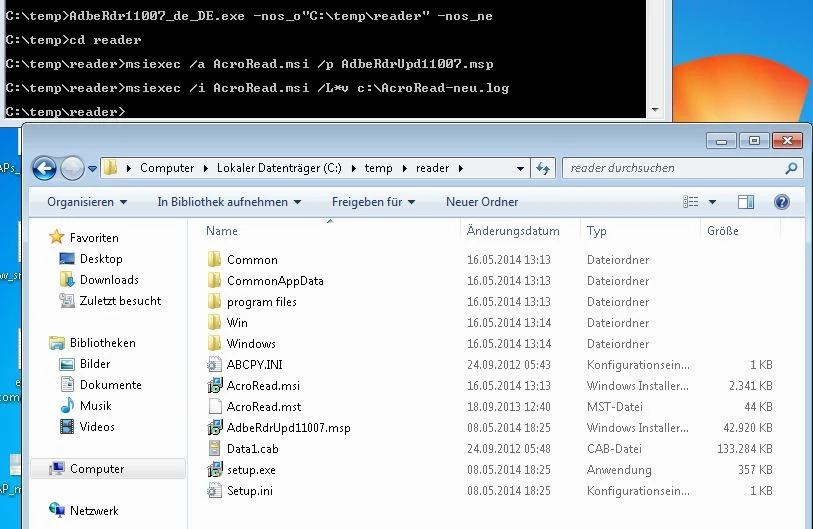
In your last reply, you've mentioned that you installed Reader 11.0.07 with the following command: "msiexec /i AcroRead.msi /L*v c:\AcroRead.log". Can you please elaborate on how did you prepare "AcroRead.msi" for installing Reader 11.0.07 ? It would be very helpful if you mention the complete steps/commands that you had followed from start.

Thanks,

Rohit

bbw-Steinmetz
Participating Frequently
May 14, 2014

... same problem here

Has anybody a solution?

Adobe Employee
May 16, 2014

Hi bbw-Steinmetz,

Are you following the same steps as done by tonyb1983 ?  If not, can you please share the exact steps that you have followed for installing Reader.

Thanks,

Rohit