




Urgently need to edit a PDF? Try New Adobe Express PDF features.
Imagine this scenario: Do you need to edit a PDF file and don't have access to Adobe Acrobat on the device you are using? Dont worry, This is where Adobe Express PDF Quick actions comes to the rescue.
Admins: If your organization has at least one Creative Cloud for enterprise subscription, you can assign the free membership to users. Learn more.
Follow the steps below to give it a try!
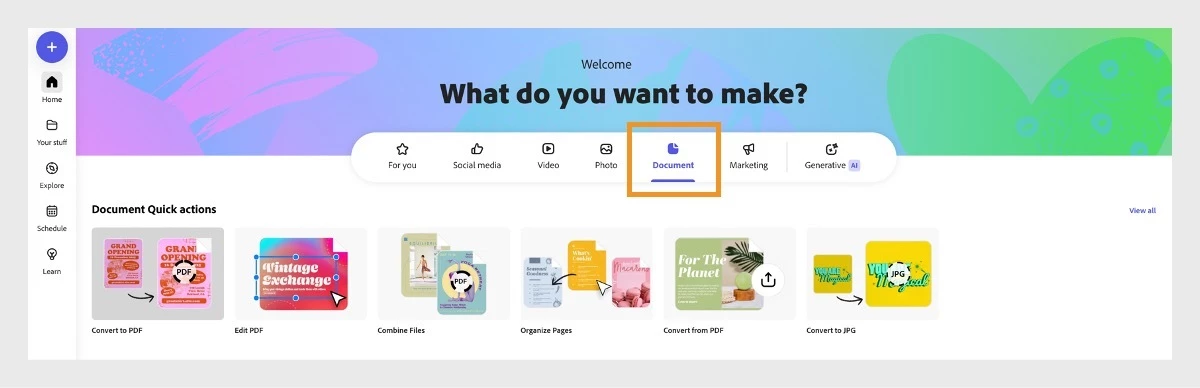
Step 1: Go to the Documents tab in Adobe Express
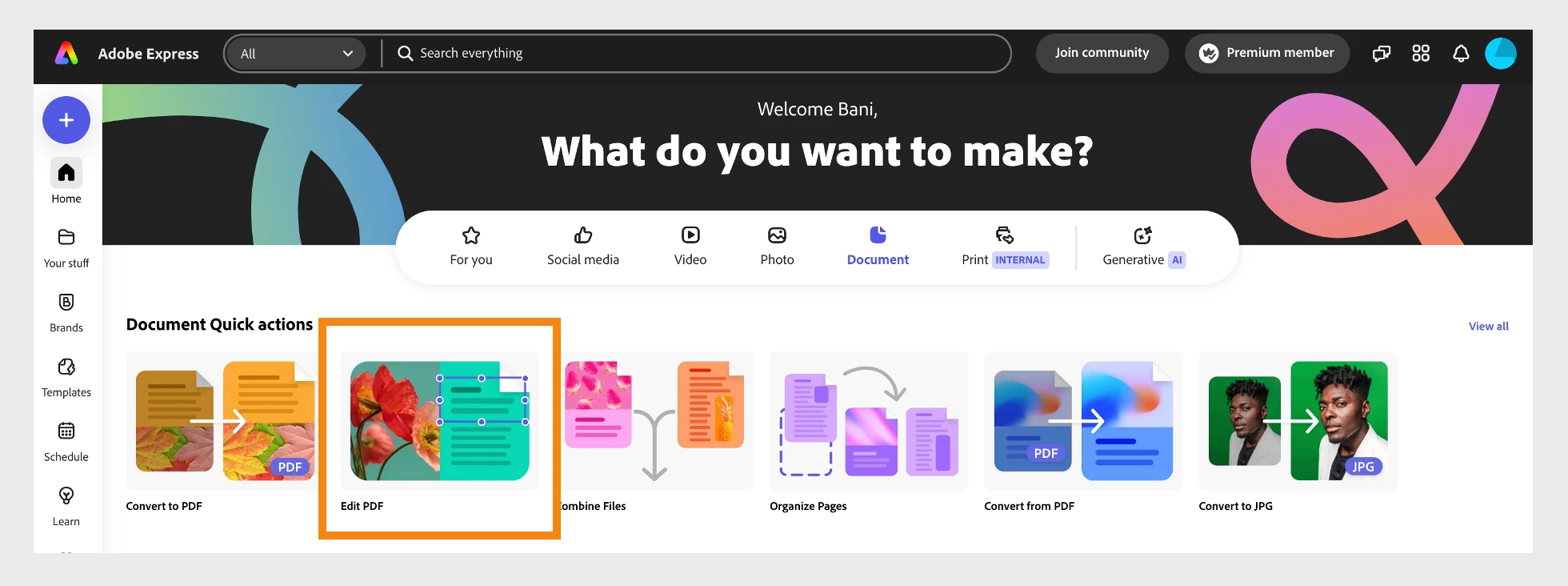
Step 2: Choose the Edit PDF quick action
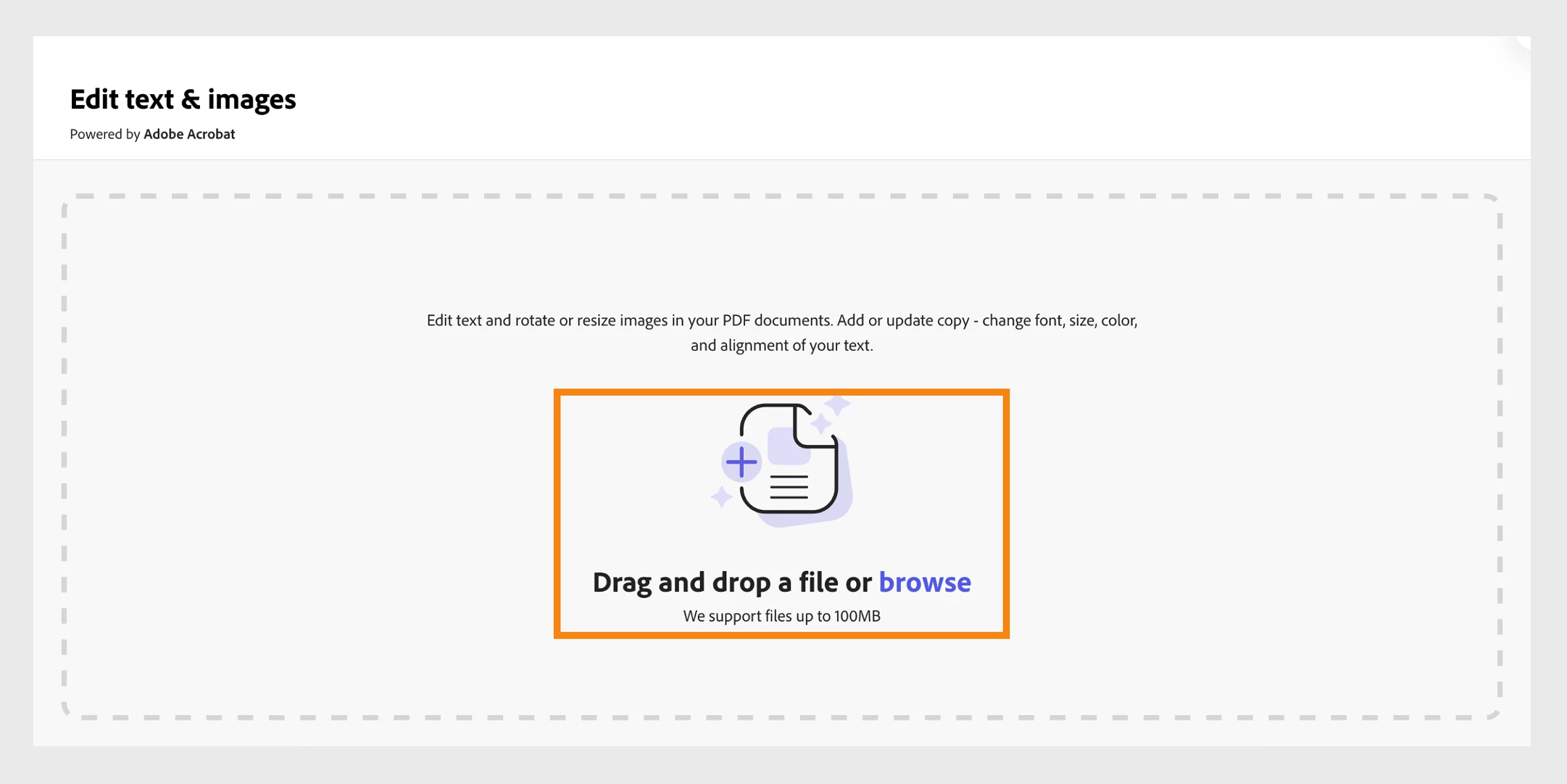
Step 3: Upload the file you want to edit
And that's it...
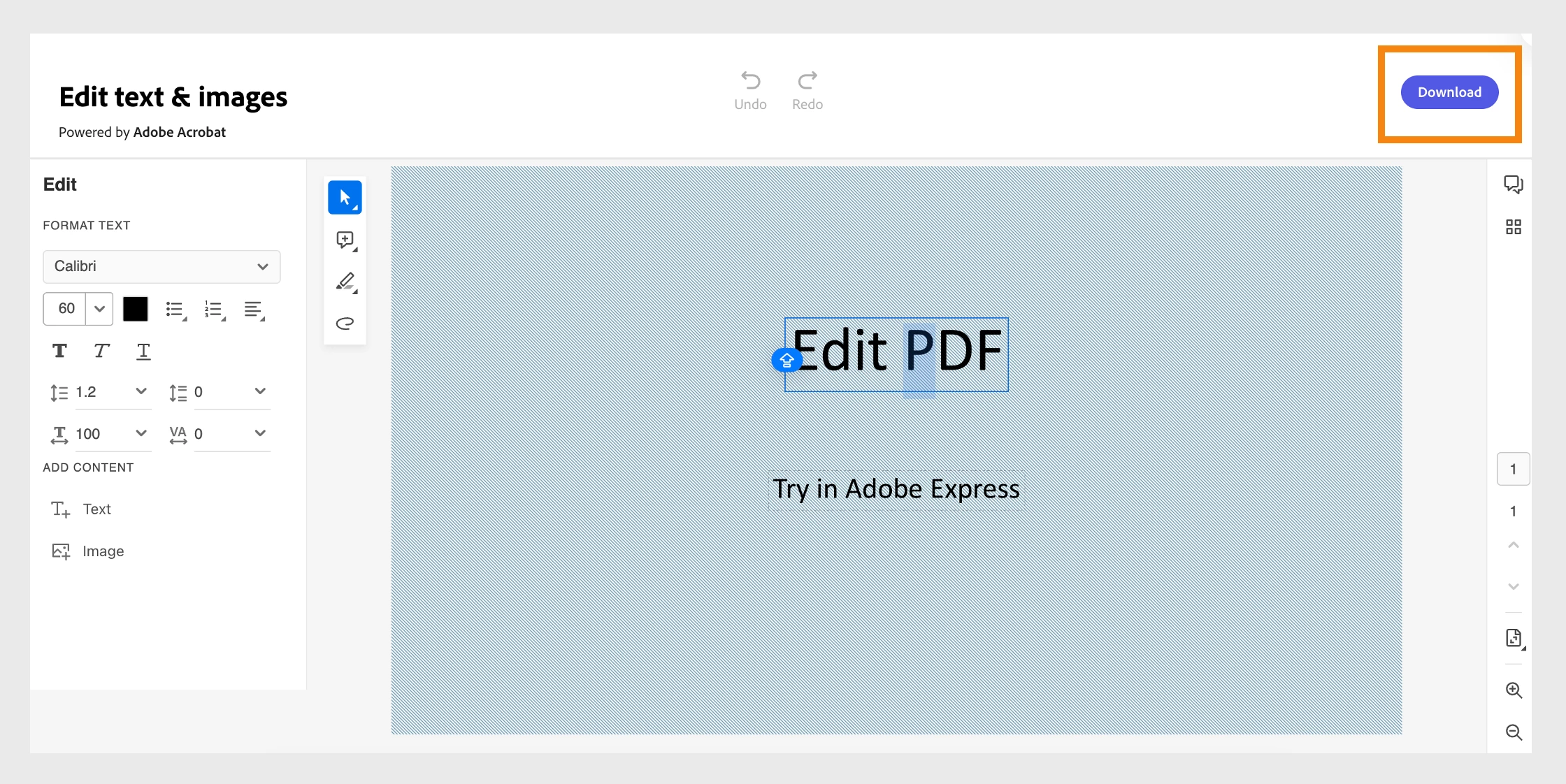
Use Adobe Express PDF features to edit PDF with ease anytime. Access quick options anytime, anywhere, from images to spreadsheets and presentations. Stay productive at home, in the office, or on the go.
Have questions? Ask below by clicking on 'Reply.'
If you have trouble using Adobe Express Edit PDF quick action, please post your query on Adobe Express Community.
 AdChoices