By default, Admins don't have access for Products and services. You'll need to visit the https://adminconsole.adobe.com to manage your Team. Using the Admin Console, you'll need to Assign yourself a license, to the product to which you require access. You can use the Assign Users link on the Overview tab.
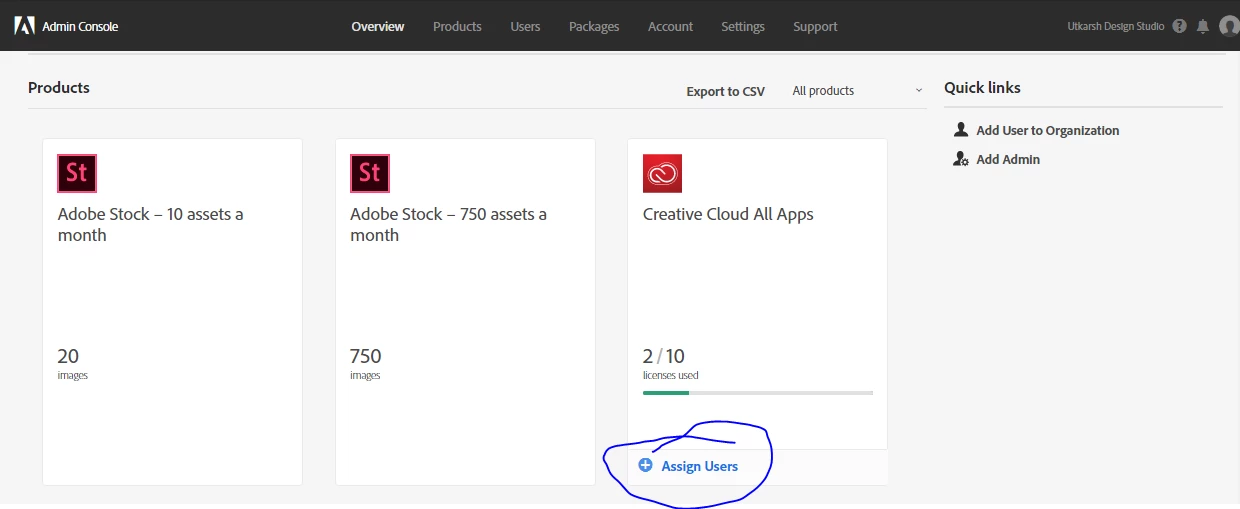
After you've provided access,if your Creative Cloud apps don't work right away, sign out and Sign in again. in any app, such as Photoshop choose Help > Sign Out.
Also, as you're new to teams, have a look at the Help articles at Teams Learn & Support.
All the best, and if you have any additional questions, let us know.



 AdChoices