


November 20, 2017
Answered

22.0.1: Crash Report Service Stopped Working

  • November 20, 2017
  • 20 replies
  • 31248 views

Hi,

I can be very short about this one.

I updated last week to the, let's call it, bug-fixing version of 22.0.1.

Now every time I start Illustrator, I get the below error.

I tried:

- Clearing all preferences

I'm working on:
- Windows 10, Precision 5520, Quadro M1200
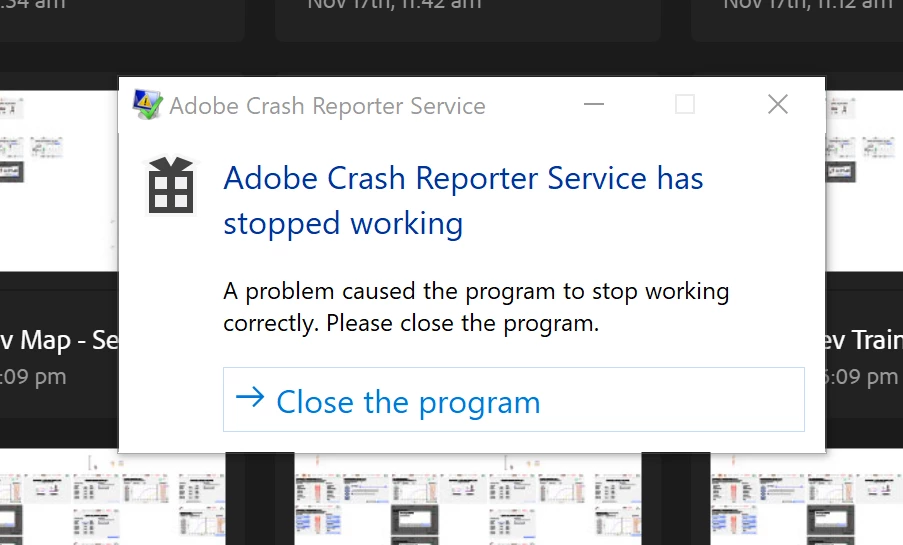
Message was edited by: Moderator (Discussion successfully moved from Illustrator to Adobe Creative Cloud) Because it affects all Adobe software.

Message was edited by: Moderator. Once Again this is being move back to a more appropriate forum. (Discussion successfully moved from Illustrator to Adobe Creative Cloud)

This topic has been closed for replies.
Correct answer Todd Shaner

A bug report has been entered for this issue on the Photoshop Family forum. Please add your 'Me To' vote and 'Follow' at the below link. This is the best way to get Adobe's attention–Thank you.

Adobe Crash Reporter Service has stopped working | Photoshop Family Customer Community

20 replies

jans45770372
New Participant
December 9, 2017

I could not open the dialogue for CRWindowsClientServices.exe on Win 7 Pro -- but I was able to rename the program adding -x to the file name. That seems to have fixed the problem for now in Bridge and PS.

I renamed the file rather than deleting or moving so it would be easier to restore if needed.

polv94433952
New Participant
December 9, 2017

Same problem here. Have it with every adobe App and every time I open a photo.

Is there a solution from adobe here?

New Participant
December 9, 2017

I have the same problem using Win7. It appears to have happened after Windows did an auto update!

Hiru Aiyya
New Participant
December 9, 2017

Hi Guys I found the solution for this problem.

First of all go to properties of CRWindowsClientService which is located in C:\Program Files\Adobe\Adobe Photoshop CC 2018 and give the privilege level to run the program as an administrator.

This works as well as for Bridge, InDesign, Illustrator, Photoshop and all other Adobe Creative Cloud programs.

Try this method out, It perfectly worked for mine.

albertj358
Participating Frequently
December 9, 2017

Granting admin rights to CRWindowsClientService.exe does not fix the problem here, both Lightroom and Photoshop continue to have the error.

Y.J.Malmsteen
New Participant
December 9, 2017

Same error message here (but my main apps are working):

(Win 8.1 - Cc & Ps & Lr has Latest updates)

Participating Frequently
December 9, 2017

I have exactly the same issue. And I have have it with every Adobe app I have (Illustrator, Bridge, Photoshop).

Qbarrie
Participating Frequently
December 9, 2017

Same dialog started popping up this morning...no apparent reason.

Photoshop CC 2018, 19.0  W7 64

Problem signature:
  Problem Event Name:    APPCRASH
  Application Name:    CRWindowsClientService.exe
  Application Version:    1.6.1.0
  Application Timestamp:    59b6762b
  Fault Module Name:    CRWindowsClientService.exe
  Fault Module Version:    1.6.1.0
  Fault Module Timestamp:    59b6762b
  Exception Code:    c0000005
  Exception Offset:    0000000000014c2b
  OS Version:    6.1.7601.2.1.0.768.3
  Locale ID:    1033
  Additional Information 1:    61a0
  Additional Information 2:    61a0e354d3f83cc0a56738ecced81bea
  Additional Information 3:    dfc3
  Additional Information 4:    dfc3da31ff5262dd3ff5811b5f066a32

Just Shoot Me
Brainiac
December 9, 2017

This also just started on my system. Win 7 Pro.

Last night I had no problems. Now, Saturday morning, no matter which Adobe program I open I get this error. I did not get it back in November like some of the other posters and the OP.

So I believe it is on Adobe's end and nothing to do with my system.

drcos
New Participant
December 9, 2017

Same problem here with Win 7.

Photoshop CC 19.0, Lightroom CC 7.0.1 (latest downloaded updates).

BOT10
New Participant
November 20, 2017

Same problem with illustrator.

There's also lag when using the brush tool. All of the tools looks fine other than the brush tool.

Never had this lag yesterday and I'm so pissed right now cause I can't use my brush!

I have a client waiting for my work.

New Participant
November 20, 2017

Same problem here with Premiere Pro.

This morning, after update to version 12, I god Aplication Error CRWindowsClientService.exe - referenced memory at...the memory could not be read!

Wtf?

Monika Gause
Community Expert
November 20, 2017

videostroj  schrieb

Same problem here with Premiere Pro.

Please post to the Premiere forum.

Doug A Roberts
Community Expert
November 20, 2017

i just noticed this this morning when opening Bridge. I'll see what i can find out.

November 20, 2017

Event log:

Faulting application name: CRWindowsClientService.exe, version: 1.6.1.0, time stamp: 0x59b6762b

Faulting module name: CRWindowsClientService.exe, version: 1.6.1.0, time stamp: 0x59b6762b

Exception code: 0xc0000005

Fault offset: 0x0000000000014c2b

Faulting process id: 0x4bcc

Faulting application start time: 0x01d361db9d1c3c84

Faulting application path: C:\Program Files\Adobe\Adobe Illustrator CC 2018\Support Files\Contents\Windows\CRWindowsClientService.exe

Faulting module path: C:\Program Files\Adobe\Adobe Illustrator CC 2018\Support Files\Contents\Windows\CRWindowsClientService.exe

Report Id: f94a49fb-fed8-4d91-bfc8-966f7d8a97f9

Faulting package full name:

Faulting package-relative application ID:

Doug A Roberts
Community Expert
November 20, 2017

i just did a Windows 10 update, restarted, and now the crash reporter message has stopped appearing. hopefully that will be that.

New Participant
December 9, 2017

In my case issue start appearing after Windows 10 cumulative update kb4051033.

And what update you were installed?