


CS3: Temporary Activation Expired >> Help!
[Moderator moved from Forum comments to Creative Suites.]
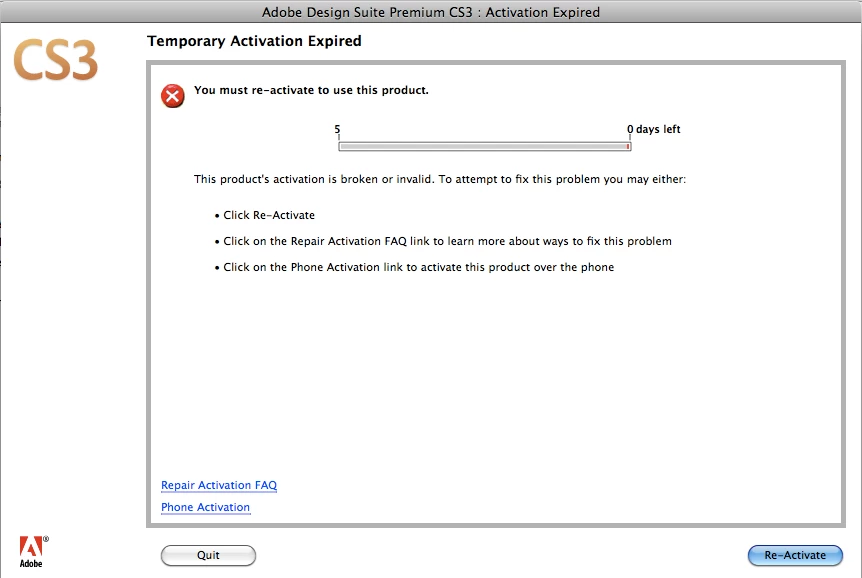
This is an S.O.S. message to anyone out there who can help. I can't get beyond this popup window after reinstalling CS3 from Adobe's site and I don't know what to do:
I have followed the below steps from Adobe's resolution page on this issue (Resolve "temporary activation expired" error for CS3 and Acrobat 8 ) and I'm still running into the same issue.
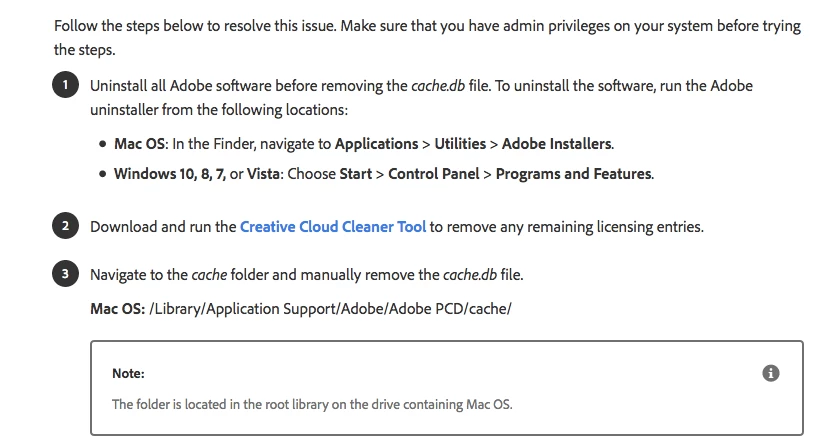
Here's some background information that may be of help to anyone who tries to rescue me:
I am on a new Macbook after my last one died 2 weeks ago. It is the same model. The operating system is Mac OS X 10.6.8. The hard drive from my last computer has been transferred to the new laptop, so all of my CS3 programs are on this computer. A computer repair expert did the setup so the computer itself is not an issue.
I followed the steps above, but I could not find the "cache.db" file on my operating system so I didn't do that until after the reinstall. Maybe that's the problem? The path to this cache folder looks like this and not like the screenshot on Adobe's resolution page:
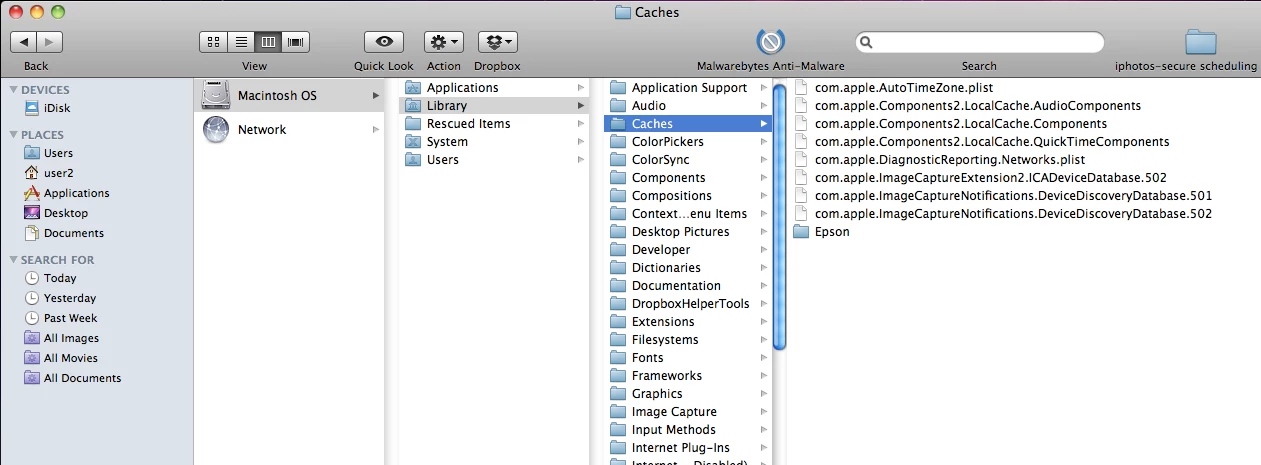
The Adobe files in the cache that can be seen in this screenshot are new. I did empty it, but I didn't see a file that was explicitly called "cache.db" when I emptied it. Here are some other things which might be the cause of the problem:
- I still have CS2 on my hard drive. With that said it's never been an issue in previous reinstalls. I'm actually too scared to manually uninstall it because then I would have no design programs to fall back on. It's pretty much a joke already that I have to rely on CS2 to recreate my CS3 docs. In addition, I can't figure out to manually uninstall it. It's a complicated process from what I have read online and in forums. Even if I was able to uninstall I can't "deactivate" that software. I probably did it too many times. It's that old! Again, having CS2 on my system hasn't caused any issues before, when I've had to reinstall CS3 as recently as 2015.
- I'm on my 4th computer since buying CS3 and I can no longer deactivate it. Apparently it isn't possible anymore.
I hope a kind soul comes across this discussion post and saves me. I have spent a ridiculous number of hours reading every forum on this issue and hours on top of that waiting a painfully longtime to be helped by Adobe's online support (who are not helpful, because it's "Adobe's policy" to no longer support CS3 users like me). I realize it would be ideal to be on a newer computer and connected to the Cloud for Adobe's latest design programs. Unfortunately, I can't afford to upgrade because I am an activist who is trying to help thousands of employees who work at REI by using my graphic design skills on social media. None of us have money to upgrade and all my work is done for these employees out of love and as a volunteer. PLEASE...someone help me. TY!
 AdChoices