Participant
November 25, 2019
Answered

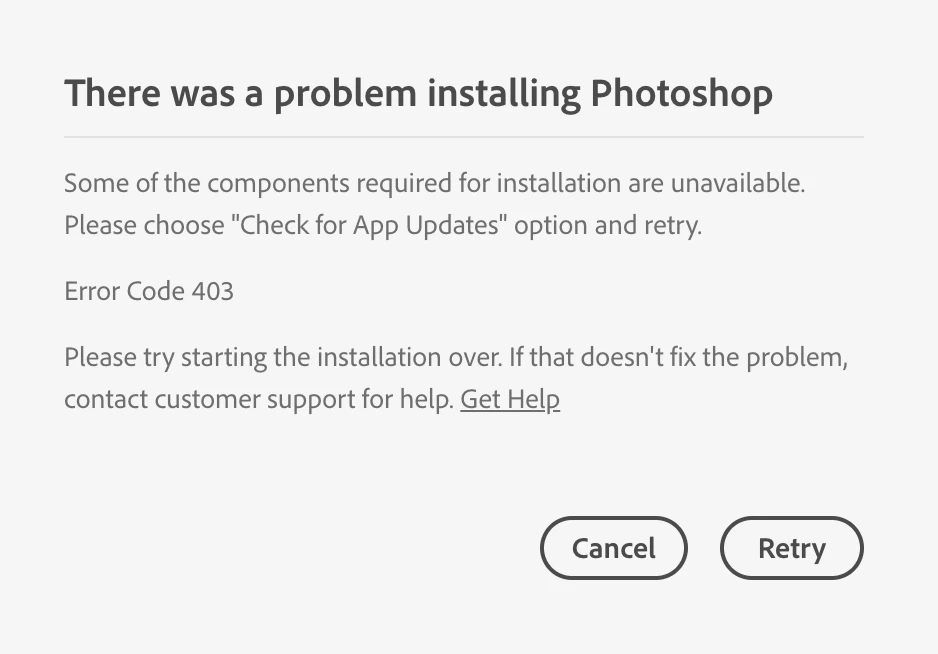
Error code 403 while trying to download Photoshop - macOS

  • November 25, 2019
  • 4 replies
  • 40632 views

I am unable to download photoshop through the creative cloud i keep getting the error code 403

what do I do? I am running the latest version of mac os catalina.


{Thread renamed by moderator}

Correct answer caseysousa

I contacted support and they helped me fix it with the following steps. In summary, you need to turn off auto-update in the Creative Cloud app, sign out of your account in the Creative cloud app, force all running Adobe processes to quit, relauch the CC app, sign in again, and then it should work. Step-by-step below.


1. Open the Creative Cloud Desktop app.

2. Click the gear icon on the top to open settings.

3. Click "Apps" on the left.

4. Switch off "Auto-update".

5. Click done.

6. Sign out of your account by clicking the circle in the top right of the Creative Cloud window.

7. Quit the Creative Cloud Desktop app.

8. Open your Activity Monitor (in your /Applications/Utilities/ folder on macOS).

9. Type "adobe" into the search field to show all active Adobe processes.

10. Select them all and force them all to quit. After they quit, you can quit the Activity Monitor.

11. Launch Creative Cloud Desktop app and sign into your account again.

12. Download the apps (Photoshop, Illustrator, etc.) that you want.


Hope this helps!

4 replies

Participant
January 23, 2021

Hey Adobe, can you add a button to these support pages like Apple's "I also this problem," so you can proactively address common issues? I also had this issue. New M1 MacBook, new install of Adobe CC and errors right from the start...boo. Thankfully the easy 12-step solution worked for me. 

Participant
May 14, 2021

Tricks in Creative Desktop App do not work for me !


• Error 403 on 22.4 update or 22.4 install from scratch, after 22.3.1 uninstall

• Re-install Photoshop 22.3.1 work perfectly and 403 error on update re appear


22.4 Install or update still impossible. Why ?


macos 11.2.3


davescm
Community Expert
Community Expert
May 15, 2021

Are you using the French version? Several users have reported issues with that version. If you are, you may wish to add to the feedback forum thread, which is monitored by Adobe developers

https://feedback.photoshop.com/conversations/photoshop/update-ps-224-error-403/609eb8bf905ab2786c23619b


Dave

barbaran94731444
Participant
May 24, 2020

I did his successsfully, although at step 11 when I tried to uninstall Creative Cloud there was a "repair" box, which I clicked, followed through, and PS successfullly downloaded.

Thanks.


caseysousaCorrect answer
Participant
December 10, 2019

I contacted support and they helped me fix it with the following steps. In summary, you need to turn off auto-update in the Creative Cloud app, sign out of your account in the Creative cloud app, force all running Adobe processes to quit, relauch the CC app, sign in again, and then it should work. Step-by-step below.


1. Open the Creative Cloud Desktop app.

2. Click the gear icon on the top to open settings.

3. Click "Apps" on the left.

4. Switch off "Auto-update".

5. Click done.

6. Sign out of your account by clicking the circle in the top right of the Creative Cloud window.

7. Quit the Creative Cloud Desktop app.

8. Open your Activity Monitor (in your /Applications/Utilities/ folder on macOS).

9. Type "adobe" into the search field to show all active Adobe processes.

10. Select them all and force them all to quit. After they quit, you can quit the Activity Monitor.

11. Launch Creative Cloud Desktop app and sign into your account again.

12. Download the apps (Photoshop, Illustrator, etc.) that you want.


Hope this helps!

Participant
December 31, 2019

+1 - Confirming this worked perfectly for me!

Sahil.Chawla
Adobe Employee
Adobe Employee
November 25, 2019

Hi there,


Sorry to hear about the error code 403, could you please try the steps mentioned here and let us know if it helps? https://helpx.adobe.com/creative-cloud/kb/download-error-403-launching-aam.html


Regards,
Sahil

Participant
December 1, 2019

I'm not sure if it helped them, but it sure didn't help me since i JUST downloaded the creative cloud installer and have no updates pending. So I'm stil getting error code 403.