Participant
December 25, 2019
Question

My MacOS: APFS (Encrypted, Case-Sensitive) won't work with Adobe products, any alternatives?

  • December 25, 2019
  • 3 replies
  • 6828 views

What up Adobe community!


My name is Alexander, and right now it really does hurt when IP, because of this issue I'm having with Adobe. Lol x-D


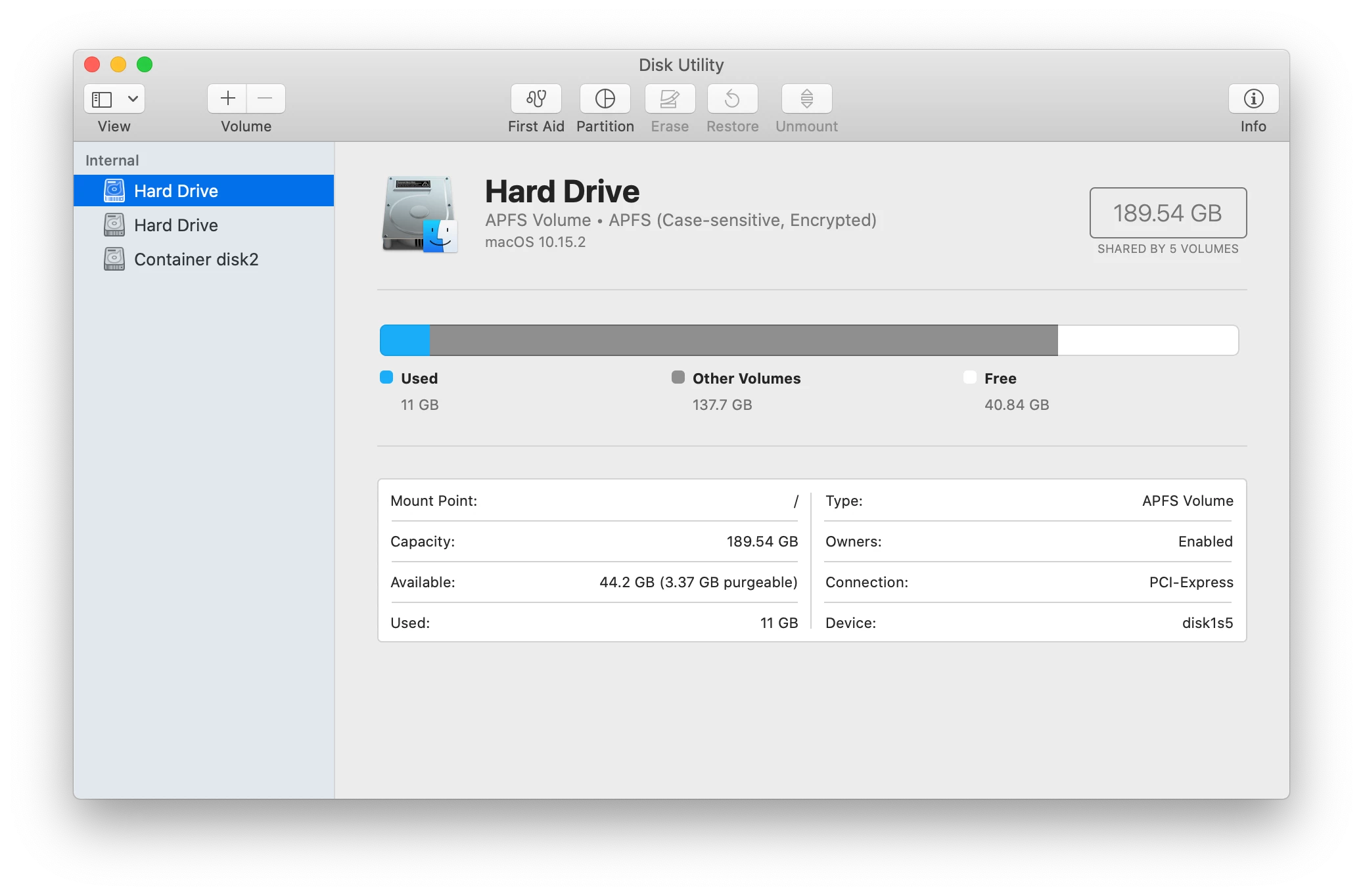
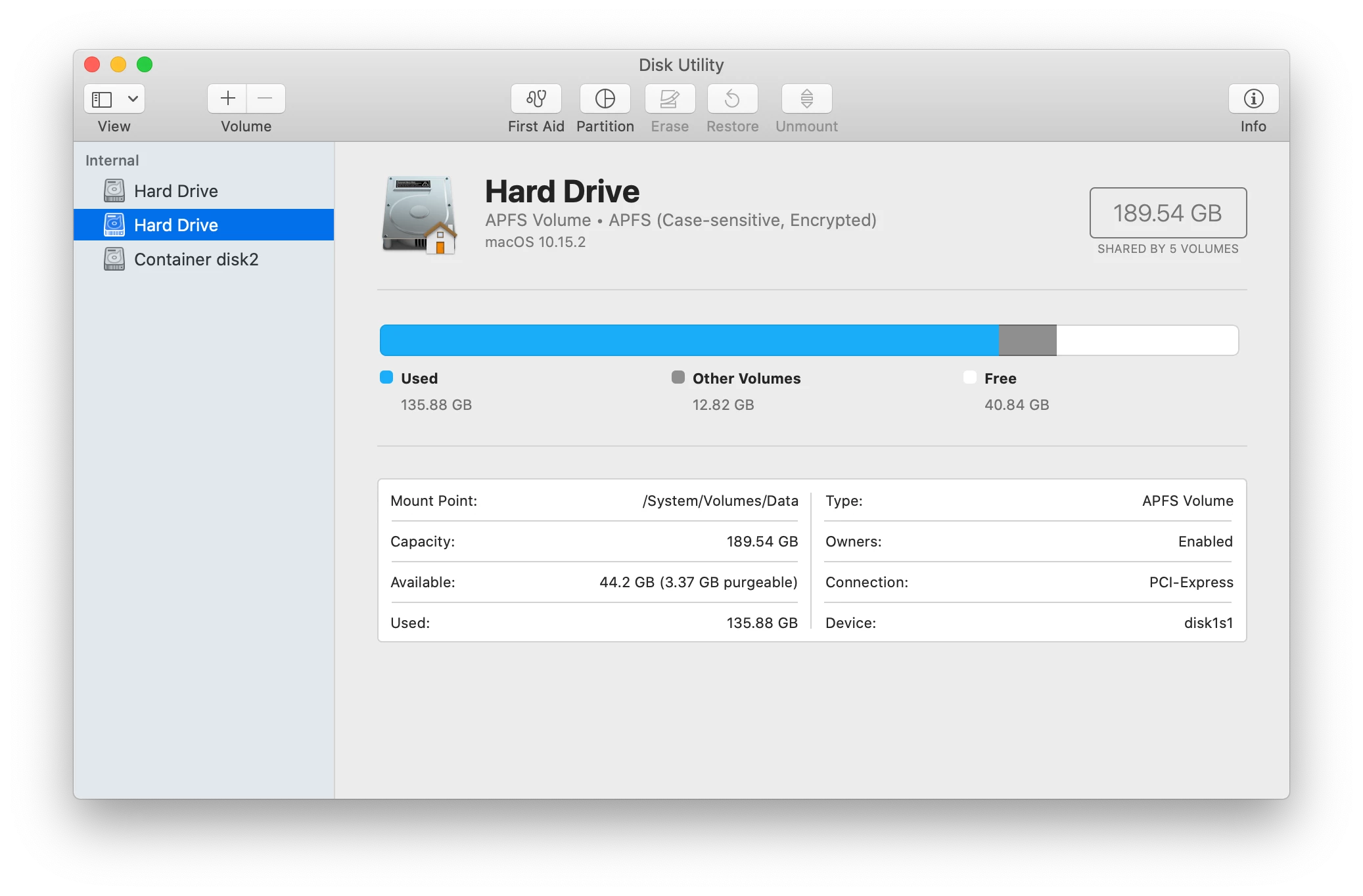
My MacBook's internal hard drive(s) are APFS, Case-Senstive, Encrypted.

It's the case-sensitive aspect that makes the Adobe products I purchased, not compatiable, with arguably the best OS to use Adobe on.


If I go on MacOS's Disk Utility, and create a volume or partition of the internal hard drive that's not, case-sensitive format encryption, can I get the apps/software to utilize that particular partition or volume? So far when, I try to install CC or Photoshop and the like, it will not let me choose where..... >.>


Or can I install Adobe products on an external hard drive?


I need some alternative options, lest I have to re-install my entire MacOS from ground zero.


Also why is there a conflict with Adobe apps/software and the case sensitive form of APFS Encrypted?!


Was told by Apple (not that you can trust them on getting ethical repairs from them.....if you keep up with Apple behind the scenes, journalists exposing their lies, etc. you'll feel what I mean.) that the APFS, Case-Sensitive Encrypted format is the ideal and most secure.


Any-who, also please see the image attachments below of the MacOS's Disk Utility.

Why do I have TWO internal hard drives, and something called Container disk2? O_o


Take care,

Alexander
 

This topic has been closed for replies.

3 replies

Participant
February 6, 2021

So, I literally transferred Adobe XD app from non case-sensitive Macbook, and it works...


I don't understand where there is a global restriction for case-sensitive, some Adobe apps can work in case-sensitive...


Legend
February 6, 2021

Since Adobe have no policy to support it, they won't test. Since they don't test they can't have a list of what works. They have often demonstrated they will not invest in systems or configurations used by a small minority of people, even if the minority has quite a lot of people (eg people with Linux, Windows 7, or High Sierra) - they would rather lose the custom. Not economic to chase the edge cases. 

silk-m
Community Expert
Community Expert
December 25, 2019

Hi,

In Catalina, storage is created in two parts: a fully protected system volume and a user writable volume.
That's why there are two Hard Drives.

The second one is usually supposed to be "Hard Drive - Data", why? .

I have no idea why there is Container disk2.

--Susumu Iwasaki
assause
Community Expert
Community Expert
December 25, 2019

You must necessary to reformat the OS of the internal storage and install it.
It does not support case-sensitive formats.
Installation on an external hard drive is not guaranteed, and above all, performance will be affected.

https://helpx.adobe.com/creative-suite/kb/error-case-sensitive-drives-supported.html

Participant
April 17, 2020

Hi Assause,

I'm a user of Adobe Lightroom on MacOS and I suffer from this incompatibility with case-sensitive FS for years now ... It's really harrasting especially since I don't know any other software that have this issue. IMHO, it's a real lack for Adobe not to be agostic of such FS matter and it's a even a bigger lack to only suggest customers to re-format their drives (I don't want to spend times to erase my entire HD just to have a working Lightroom).

Sorry for this post but I think Adobe is in capacity to take over that old problem.

François

Legend
April 17, 2020

What advantage is gained by using this format? Except compability with some Unix-centric software?