

Known Participant
March 11, 2023
Answered

AI file background

  • March 11, 2023
  • 3 replies
  • 2497 views

so I have downloaded a flare AI image. It says it has a trabnsparent background, but it actually has balck chequers. I just need to place the flare on a solid colour background. How do I save the asset to place on top of a colour?

    This topic has been closed for replies.
    Correct answer jane-e

    Hi @Dtalkingtech 


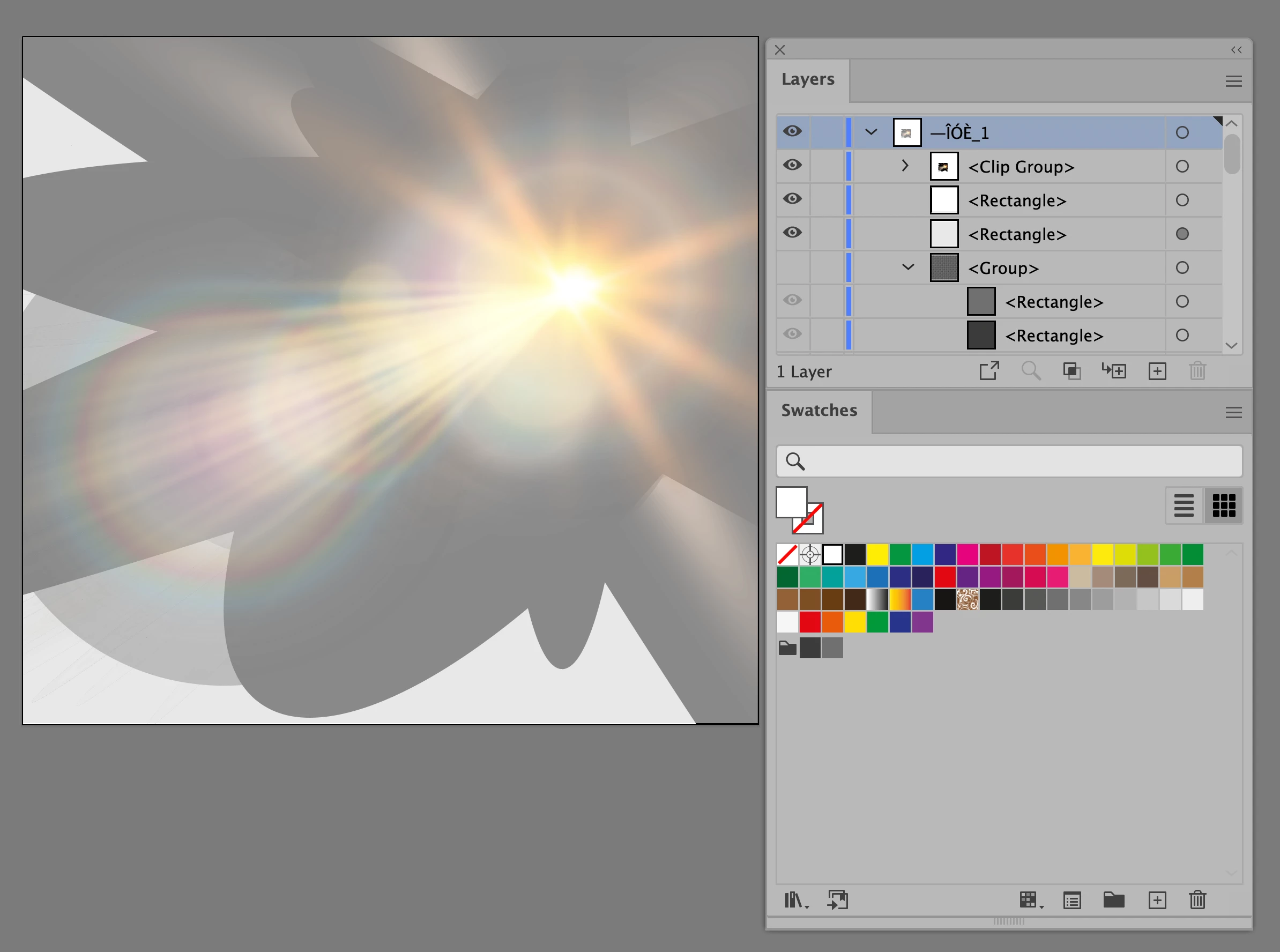
    When you simply turn off the group for the checkered squares, it looks like this:
     

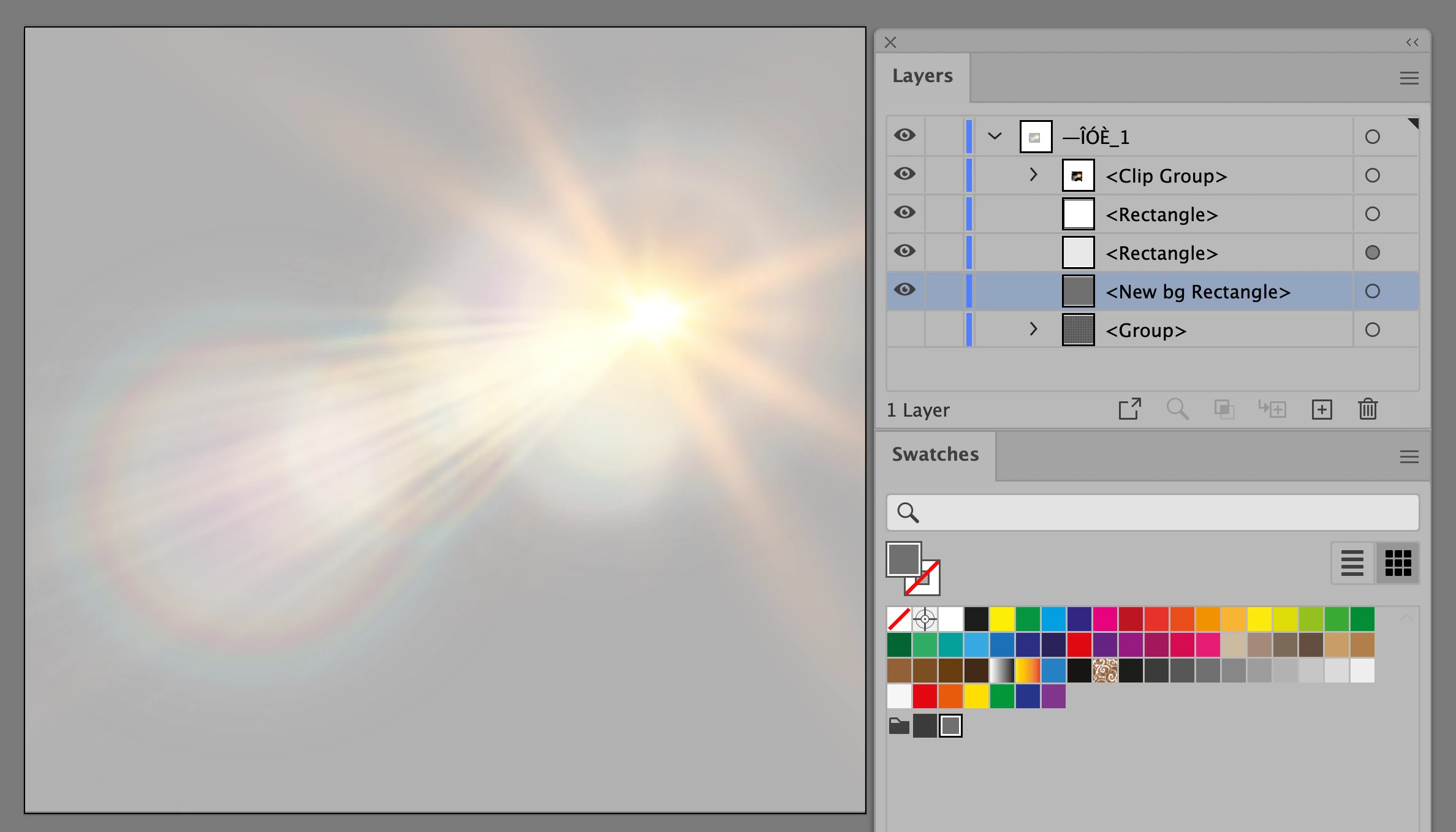
    Here I have drawn a new background rectangle with one of the two colors. Try other colors.
     

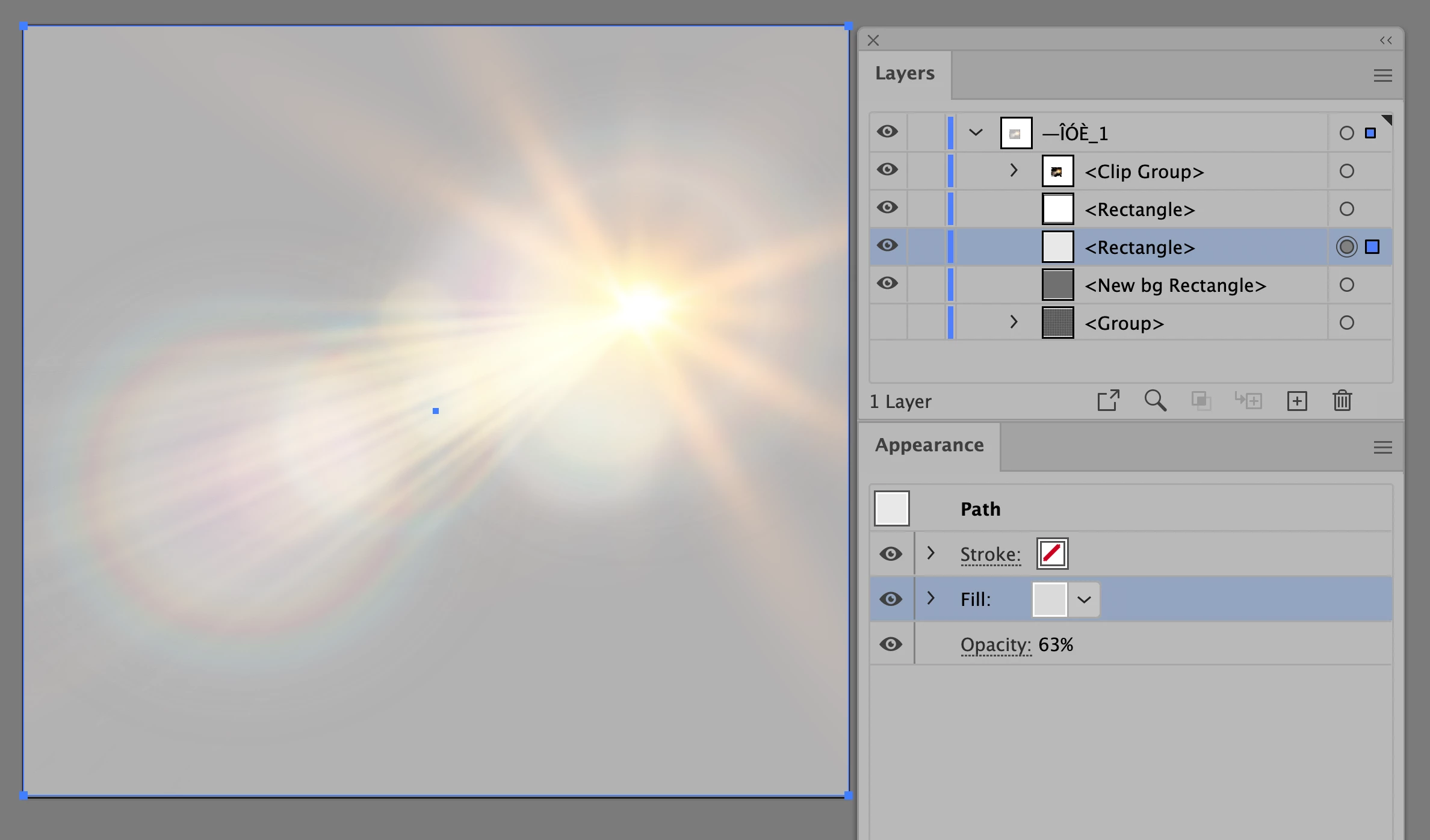
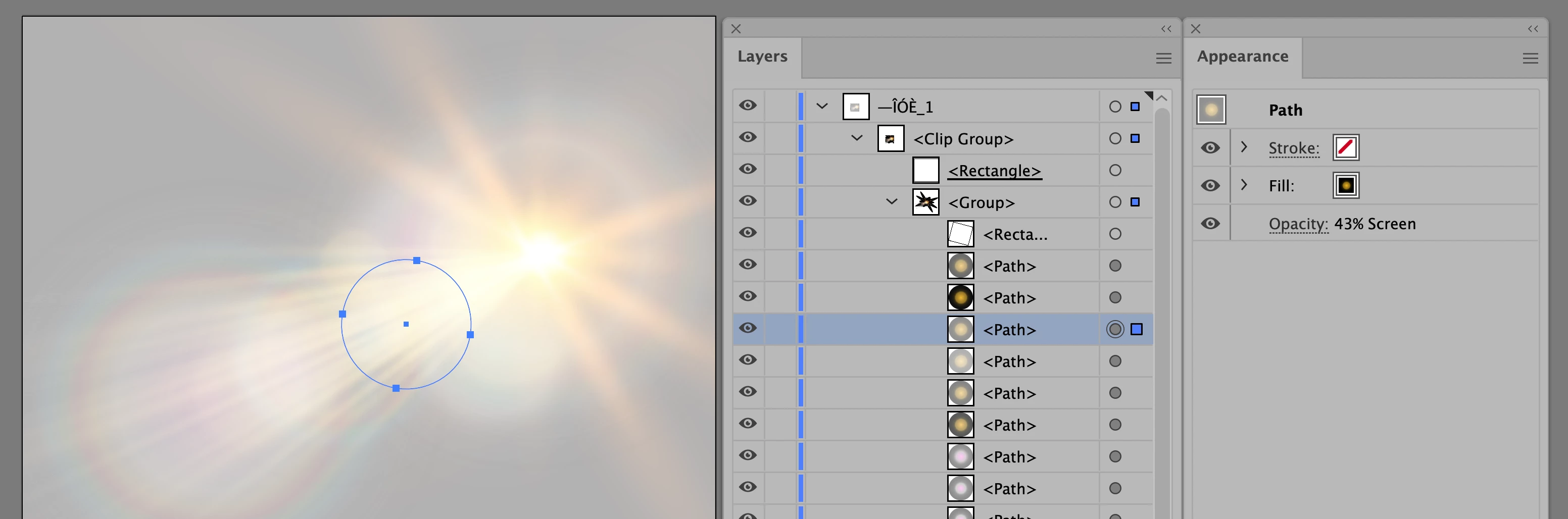
    Here the selected rectangle is a light gray with a 63% opacity
     

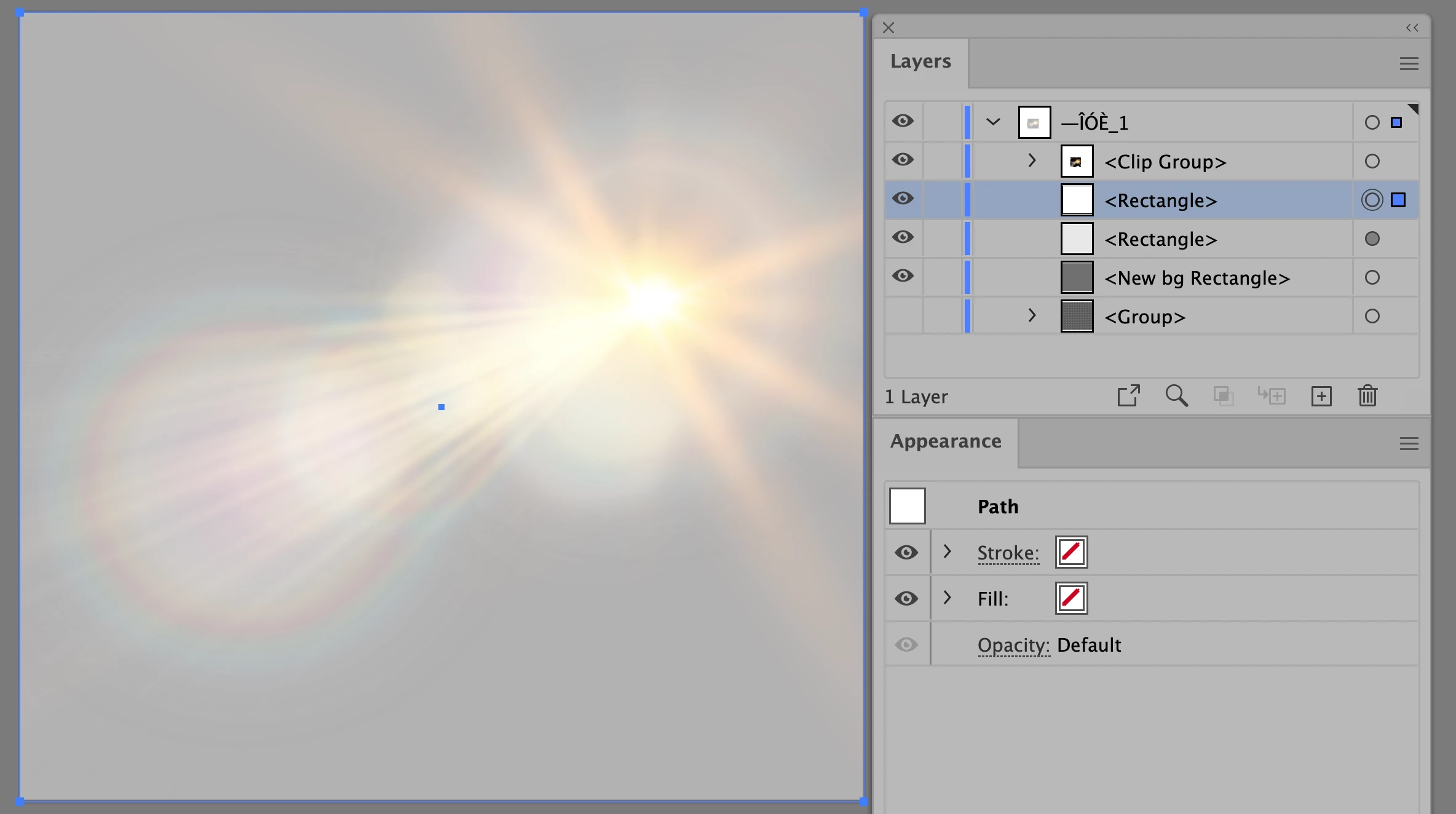
    This rectangle has no fill or stroke. I'm not sure why it is there.
     

    Inside the clipping group is the core info. At the top is the rectangle (underlined) that everything else in the clipping group is clipped into. Each path that I looked at was set to the Screen blending mode with varying opacities. This one is 43%. It's probably best to leave this clipping group alone for your purposes.
     

    Do you have other questions or does this help?


    Jane


    3 replies

    Monika Gause
    Community Expert
    Community Expert
    March 11, 2023

    I've made a video about this kind of files: https://www.youtube.com/watch?v=Tiqm5hdQA5A

    Known Participant
    March 11, 2023

    thanks for this Monika - a fellow YouTuber!!

    Monika Gause
    Community Expert
    Community Expert
    March 11, 2023

    You're welcome!

    jane-e
    Community Expert
    Community Expert
    March 11, 2023

    @Dtalkingtech 


    Open the Layers panel in Illustrator. You will see the object (probably a group) with the checkered boxes. Hide or delete it, then draw a rectangle with a solid color background and put it at the bottom of the stack (probably in the same location where the boxes were.)


    If you have questions or need better details, expand your layers and show a screenshot of your Layers panel, not just the image. Resize it taller and wider so we can see all of it


    If you got the image from Adobe Stock you can give us the number and we can look at it.


    Jane


    Known Participant
    March 11, 2023

    thank you - that kind of works.  I did give you the Adobe Stock ref - its 204383929. Thanks again

    jane-e
    Community Expert
    Community Expert
    March 11, 2023

    thanks Jane - thats great - really appreciate it


    d


    You're welcome @Dtalkingtech 😊


    Jane


    Ged_Traynor
    Community Expert
    Community Expert
    March 11, 2023

    Moved to the Illustrator forum from Using the Community
