


Legend
February 3, 2021
Answered

Can't save file 'this file cannot be found' error

  • February 3, 2021
  • 52 replies
  • 119370 views

Hi There,


I've been working on a file for a cople of days that's on my desktop. Today I opened the file, made some edits and hit CMD + S and saw this error...
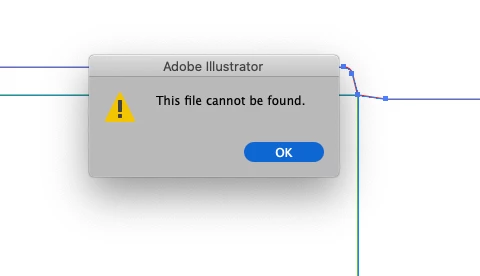
 

Things I've tried...

  1. Copying the art into a new document and saving
  2. Saving the new document to different disks (all local, no servers)
  3. Creating a blank document with nothing in it and saving


Bascially, I can't save anything - has anyone else seen this?

Cheers

Ben

Correct answer maryannr44378043

I had the same issue and instead of double clicking the document, I dragged it down to the Illustrator icon in my Dock and it opened up just fine. I hope I don't have that issue again though. 

52 replies

Participating Frequently
January 23, 2023

I am experiencing this problem now. And no-one (definately not Adobe) is offering a good solution. I managed to save the file after first saving it to the cloud. Then after a few tries it finished saving. It appears that this problem gets resolved randomly through some independent process and the users think that whatever they were trying at the moment resolved the issue.

It would be nice if someone at Adobe looked into this and replied.

Monika Gause
Community Expert
Community Expert
January 23, 2023
quote

I am experiencing this problem now. And no-one (definately not Adobe) is offering a good solution. I managed to save the file after first saving it to the cloud. Then after a few tries it finished saving. It appears that this problem gets resolved randomly through some independent process and the users think that whatever they were trying at the moment resolved the issue.

It would be nice if someone at Adobe looked into this and replied.


By @Marcin Wik


Please don't post into every available thread. 95% of people here are not staff, we are helping in our spare time. This is your thread: https://community.adobe.com/t5/illustrator-discussions/illustrator-wont-save-files-because-they-don-t-exist/m-p/13512504#M352607

Participant
January 15, 2023

I was having the same issue, and none of the suggestions had worked for me - then I thought to save it first as a cloud file AI as a different name, then save it as a PDF and AI as I needed - this worked (no idea why) but figured I'd have I case it may help others.

Participating Frequently
December 28, 2022

I had this error as well.


Converting to RGB did not work. Saving as PDF did not work. Saving as SVG worked but destroyed all my artbioards, layers and converted CMYK and spot to rgb (so not a solution). I also checked security settings in macOS to no avail (full disk access, etc).


What finally worked for me, in illustator preferneces, file handling. Turned off Save in background, Export in background, and disabled turn off data recovery for complex documents. Then I set Automatically save recovery data to 30 seconds. Waited a while and then force quit illustrator. When I relaunched Illustrator it recovered my document where I left off and I am now able to save normally.


What an odd bug and so many unrelated "solutions".

Monika Gause
Community Expert
Community Expert
December 28, 2022
quote

What an odd bug and so many unrelated "solutions".


By @Fluk3


Those solutions are not unrelated. But this issue is caused by different things for different people.


Saving as an SVG is a crude hack in any situation and more related to snake oil than to tech support.

Participating Frequently
January 2, 2023

To be clear, Monica, save as SVG was not my "solution". So your "snake oil" insult was completely unnecessary.


My "solution" was to temporarily disable save in background and data recovery options and then relying on data recovery after a force quit, as noted in my second paragraph. I had to do this because none of the other suggestions worked for me.


You say the various suggestions people are listing are not unrelated? Changing color mode, saving as PDF, logging into different adobe id, changing the OS security/ransomeware settings, disabling background save and recovery options, as well as others - how are they related exactly then?


If the issue is caused by different things for different people then wouldn't it make sense that the various solutions are "unrelated"? Different and unrelated are synonymous, no?


And to be fair, in my original post I said my "solution" with scare quotes to indicate I did not consider it a true solution, but it did allow me to workaround my problem and I only shared it for any others that might be able to use it.


But thanks for your ever so "helpful" comments. You may be a Community Expert but I've been using and troubleshooting Adobe products full time since 1993.

Known Participant
December 9, 2022

I know I'm REALLY late to the party, but I'm getting this issue now in December 2022. Trying to fix it now, but to save my work I just did File > Save a Copy, and it worked! Not sure if it's caused by the same issue, but I hope this gets looked into. 

Participant
November 1, 2022

I Had the same issue. What worked here:

Save the file as illustrator .eps. Then restart the app, open the .eps file and save it as a .ai file.

Participant
August 10, 2022

Hello - I was having the same issue. Could not save and got the error, "file not found." My fix was that I saved the file as a PDF first. Then saved as an AI file and it did not error. 

Good luck!

Chris_Cottages
Participant
August 4, 2024

Just had the same issue and this 'save as pfd first' workaround worked for me while the other proposed workarounds (change colour mode) did not help.

Participating Frequently
June 2, 2022

This is the 2nd time gotten this error in this short amount of time.  

I am running the following:

Windows 10 Pro

My Illustrator is up to date on CC

I am not the admin, but my admin has multiple accounts of CC, but I have my own account and password to access CC. I am the only one experiencing this problem.  I turned off the GPU and Save in Background as suggested and am still getting the error. I have attempted to save to our shared server and to my desktop and it produces the same results.  I have been getting this error for 2 years, but it has never been this bad.


Participating Frequently
June 2, 2022

I don't have the antivirus issues as suggested.  The only way I can get Illustrator to save is if I save as an EPS or shut down the program completely.  It will not allow me to save as PDF or AI at all. Shutting down the program causes me to lose all the work I had done.

Participant
June 2, 2022

I made a suggestion in an earlier post to make sure you're logged into the appropriate Adobe account. When I experienced the issue, I was logged into an account where I still had some Adobe stock image credits. This account didn't have Adobe Suite access. The program access came from my work account. Once I logged into the work account, everything started working again. 

Participating Frequently
May 26, 2022

I have the same problem.  I checked if there was an issue with my ransomware tool, I don't have the same option as suggested.  I check to see if I could open my data recovery file, since I have it set to save every 2 minutes...There is nothing in the folder.  This "Cannot File File" doesn't happen all the time, just when I need it not to happen.  Apparently, my Data Recovery hasn't been working from the get go and it's check box is on.  I've tried exporting as PDF and still get the same issue.  We work from a server, so instead of saving to the server, I saved attempted to save to the desktop...same error.  I tried opening up a different file to see if it was just the one file.  Nope.  The opened file had the same error. 

Anshul_Saini
Community Manager
Community Manager
May 31, 2022

Hi @g80420514,


We are sorry to hear about your experience. Would it be possible for you to share the information asked above?

This is info will help us investigate the issue further.


I will be looking forward to your response.


Thanks,

Anshul Saini

Thoughtfission
Participating Frequently
May 12, 2022

I have Illustrator version 26.3 (2022) and I am having the same issue. Can't save files. Get the error "file not found" when I try to save. Is there no solution for this. I was shocked to find out that for almost 50 Euros a month, there is no point of contact for support.

Inspiring
May 12, 2022

Hello.  If you go back through all of the 3 pages in this thread, there are a few different methods that were posted to be able to save the file, from different users.

Thoughtfission
Participating Frequently
May 12, 2022

Hi Katherine, Thanks. I tried them but nothing seems to solve it other than using the Task MAnager to crash Illustrator and then hoping that it recovers the file. Not much of a solution I'm afraid.

eddiem90239833
Participant
April 21, 2022

I just got the same issue, but I found the issue. It happens when you have multiple instances of Illustrator running. Check your taskmanager to quit all existing ones and then open Illustrator again. It will solve the issue. With me it happened because Windows prompted me to restart for a update. On rebooting to windows again somehow it tried to reopen illustrator automatically (I didn't close it when I rebooted) When I manually launched illustrator this behavior appeared.

S.PURSER
Participant
April 25, 2022

Hi to anyone that might see this... can't believe this is still happening this long after the original post!

Having the same problem, after reading all the previous scenarios I've tried:

saving to cloud then trying to save as ai -nope

saving to a different folder -nope

only one application of illustrator 

only one file open 

forcing close via task pane - it didn't recover the file

🤷‍♀️

This was all done with a newly created document to test the options so it didn't matter that I lost it. I have actually lost one piece of work, luckily an easily recreated piece, but it might not have been! 
I dare not open anything in case I lose more, I am at a standstill... any other suggestions would be gratefully received!

😤😩


Monika Gause
Community Expert
Community Expert
April 25, 2022

You are probably using a different version.

Please create a new thread and tell us your version and system.

Also: what exactly is happening step by step.


Try and turn off "Save in background" in the preferences.

Check all your fonts

Connect a printer (or set up a PDF printer)