


InfoDevPro
Inspiring
November 14, 2019
Question

Export to SVG Not Working Correctly

  • November 14, 2019
  • 2 replies
  • 1801 views

When I export an .ai file to svg, several elements are distorted and the output is unusable.


(My ultimate goal: I use a lot of text-heavy images on the web, and I want text that is crisp and clear. Using png format, text is slightly fuzzy, even when I scale it up and optimize for type.)


I have:

  • Illustrator 24.0
  • Windows 10 64-Bit


My method:

  • File > Save As > SVG > Use Artboards


My options:

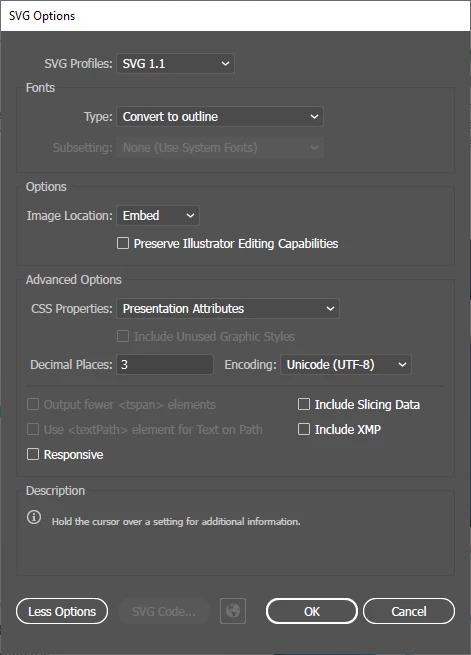
  • SVG Profiles: SVG 1.1
  • Type: Convert to outline
  • Image Location: Embed
  • CSS Properties: Presentation Attributes
  • Decimal Places: 3
  • Encoding: Unicode (UTF-8)


I have tried other methods as well, and get the same results.


Illustrator Version


SVG Options
 

How it Should Look

 

How it Actually Looks

This topic has been closed for replies.

2 replies

Monika Gause
Adobe Expert
November 16, 2019

So this is built exactly how?

InfoDevPro
Inspiring
November 17, 2019

I'm not sure what information you're after... it's an Illustrator file with several layers, transparencies, and text.

If I have to modify the file in order to export it as an SVG, then I'll just continue using PNGs instead. (As you can see, I'm not that familiar with SVG format. I thought it might be a better alternative for getting crisp text in web graphics. However, if it takes special preparation, then it isn't a better alternative for me.)

Monika Gause
Adobe Expert
November 17, 2019

Obviously you are not familiar with SVG. SVG is basically code. You need to know what works and what doesn't in order to build your artwork accordingly. If you use a lot of bledning modes, then yes, it might not work.

Brainiac
November 14, 2019

Designers see problems in their own work more closely than others. So please tell us exactly where it’s distorted. I can see your arrows are missing a fill in half the shape, but no distortion. 

InfoDevPro
Inspiring
November 16, 2019

@Test_Screen_Name


Yes – You're right. "Distorted" is the wrong description. It looks like there may be problems with transparency. 


Is there any way to resolve this?