Participant
November 6, 2021
Answered

Extrude & Bevel Issue - Grainy Appearance

  • November 6, 2021
  • 1 reply
  • 7475 views

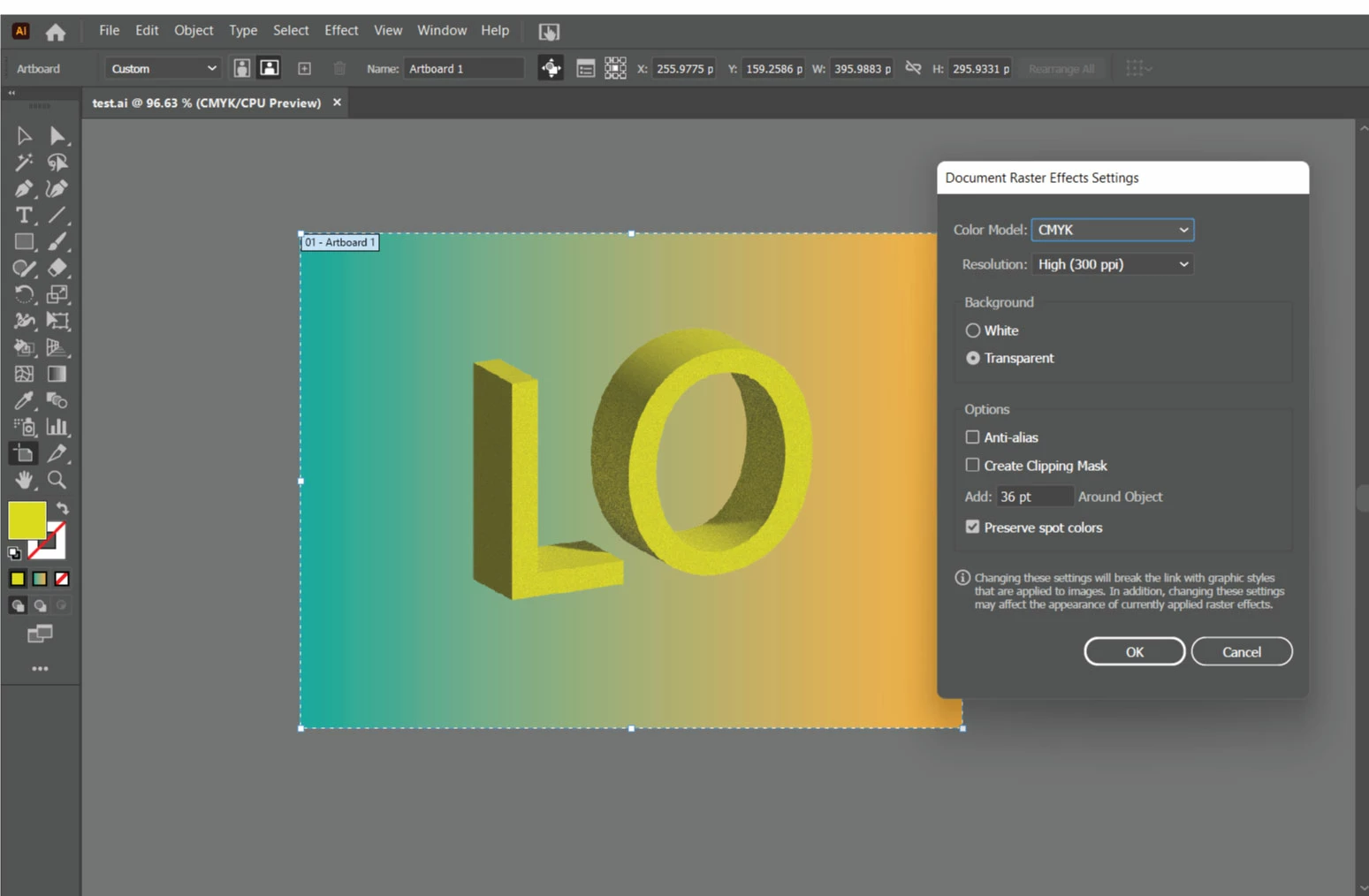
I have been testing the extrude & bevel effect on text. However when the extrude and shadow option is applied, a grainy noise appearance can be seen. Any ideas on how to resolve? 

 

This topic has been closed for replies.
Correct answer Ton Frederiks

To reduce noise, click the render settings drop-down at the upper-right corner of the 3D effects panel. 

Or use the 3D Classic which does not have noise.

1 reply

Ton Frederiks
Community Expert
Ton FrederiksCommunity ExpertCorrect answer
Community Expert
November 6, 2021

To reduce noise, click the render settings drop-down at the upper-right corner of the 3D effects panel. 

Or use the 3D Classic which does not have noise.

Participant
November 2, 2022

When I did that, I got this weird kind of spotty black line around my vector. Any idea how to fix that? If not that's okay!!

Inspiring
November 2, 2022

I had to  razterize  the text once it looked good since  the places I worked with dont have the lastest AI  or convert it . I was creating a backdrop so  the file got large but in the end looked great but I needed to first have more memory to get it to look good.  For such a product in scale and cost I would have hoped it would do a better job as in PSE I oculd get something similar and it  was smaller.  Classic vs Modern  should result the same but it does not.  Lets hope they keep working on it.