



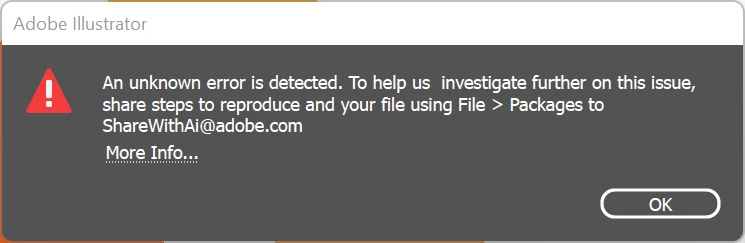
Illustrator - An Unknown error is detected. To help us investigate further... ShareWithAi@adobe.com
I just want to let everyone (and especially Adobe, obviously) know that this is still an issues in Illustrator v 26.3.1 on Windows. I installed Illustrator v26.3.1 fresh on a recently installed Windows 11 computer, and I encountered the same problem on my first attemt to save an .ai file.
The work-around that worked was unchecking BOTH "save in background" AND "export in background". Unchecking either one on its own still produces the error.
So if Anshul is right and it was fixed in v26.2.1 it has either regressed in v26.3.1 or it was fixed in the Mac branch of the code, but not in the Windows (11) branch of the code.
Either way it's still an active bug in Illustrator v26.3.1 on Windows 11.
P.S. The suggested "go to File and Package" etc message on the error dialog doesn't work. The "Package.." option is greyed out.
Last observation: This is a really bad bug to ship your software with, Adobe. You can't expect your customers, who pay a premium price for a premium product, to hunt down weird work-arounds to do something as basic as saving a file. And from the articles I found on this issues while looking for an answer it has been a bug for quite some time. That is, honestly, unacceptable. I hope you prioritize getting it properly fixed.
 AdChoices