CarlosCanto
Community Expert
January 8, 2012
Question

Introducing: Open Multi-Page PDF win/mac

  • January 8, 2012
  • 20 replies
  • 166439 views

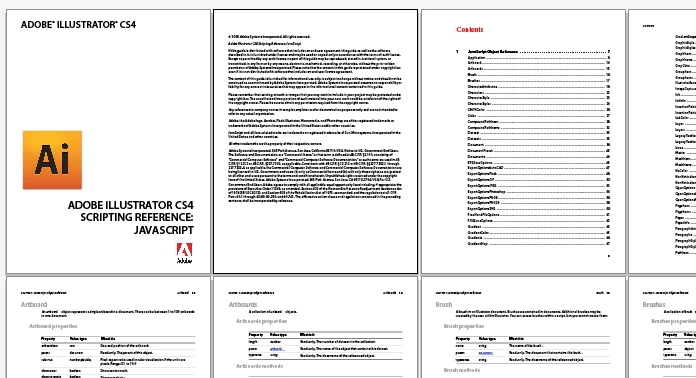
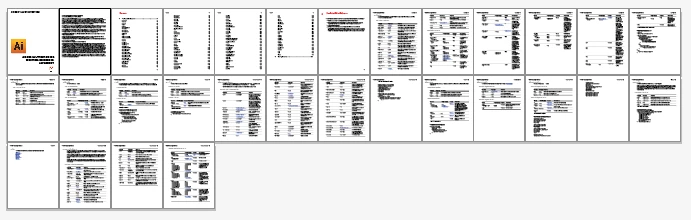
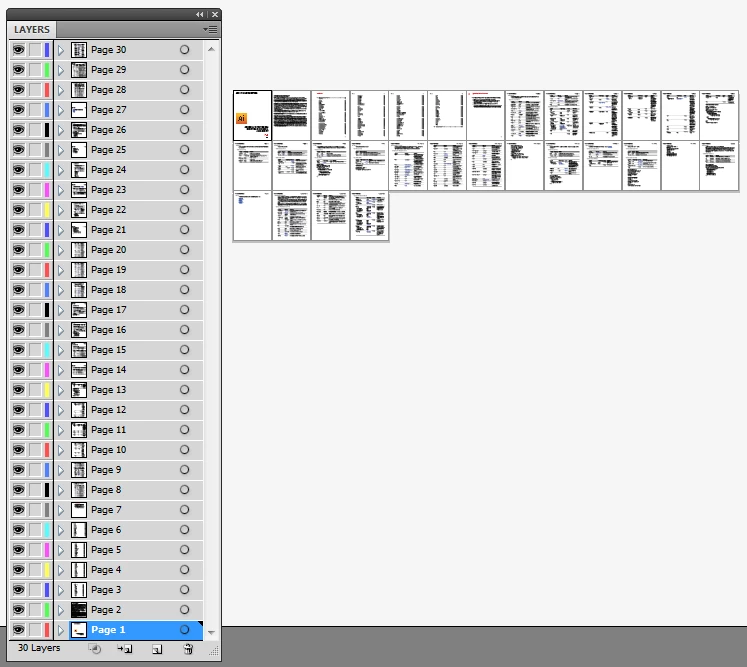
Hi all, many users have expressed their desire for a way to open multipage PDFs in Illustrator and for a couple of years now, mac users have enjoyed the use of a script by Shane Stanley to do just that...at first I wanted to translate his script into VB so PC users could benefit from it...since I couldn't get the source code, I decided to give my own version a try using JS....here's the result.

Use with caution, save everything before running until you're comfortable it won't mess things up. I didn't try opening a crazy amount of pages, I "only" opened 35 in about minute and a half. Let us know how many pages you're able to open before you crash Illustrator...

it works with CS4 and CS5 only, windows and mac

have comments?, questions? let me know...enjoy. Carlos Canto

Download:

http://www.fileswap.com/dl/QDc2eDC9v4/AI_openMultiPagePDF_CS4_CS5.zip.html

This topic has been closed for replies.

20 replies

o-marat
Inspiring
October 15, 2016

CarlosCanto, hello!

What do you think that if I set the zero point of the global rulers to the top left corner of the working area?

In this case, the artboards will be added starting from the top left corner, filling all the available space in the working area.

If you think it's appropriate, then where do I put the modified script (changes are very little)?

CarlosCanto
Community Expert
October 15, 2016

Hi o-marat​, that's a good idea, post your modified script here in this post.

o-marat
Inspiring
October 15, 2016

//@target illustrator

//@targetengine session

// script.name = AI_openMultiPagePDF_CS4_CS5_v1.02.jsx;

// script.description = opens a multipage PDF;

// script.required = requires CS4 or later

// script.parent = CarlosCanto // 01/07/12;  v1.2-01/15/12

// script.elegant = false;

// Notes: I didn't try opening a ridiculous amount of pages, I "only" open 35 pages....in about a minute and a half.

// Use with caution, save everything before running, script is memory intensive...

// Lion fix by John Hawkinson 01/15/12

/**

* MaratShagiev, m_js@bk.ru, 15 oct 2016, tested on Illustrator CS4, CS5, CC2015.3

* modify lines: ~117, ~154-162, ~230-end;

* what modify:

* set zero point of the global rulers to the top left corner of the work area

* start edding pages from this zero point

* */

//----------------------- START UI CODE, create user interface

var win = new Window ("dialog", "MTools - Open Multipage PDF");

var fileGroup = win.add ("group"); // this is the group on the left, it holds the File button and the Font label note

var btnFile  = fileGroup.add ("button", undefined, "File..."); // button to select the PDF to open

var lblFonts = fileGroup.add ("statictext", undefined, "Unavailable\nFonts\nwill be\nsubstituted.", {multiline: true});

var grpRight = win.add ("group"); // group on the right, to hold everything else

var txtFile  = grpRight.add ("edittext", undefined); // to hold selected PDF file path

var grpPanel   = grpRight.add ("group");

var pagesPanel = grpPanel.add ("panel", undefined, "Page Range");

var lblFrom    = pagesPanel.add ("statictext", undefined, "From:");

var txtFrom    = pagesPanel.add ("edittext", undefined, 1);

var lblTo      = pagesPanel.add ("statictext", undefined, "To:");

var txtTo      = pagesPanel.add ("edittext", undefined, 1);

var btnGroup  = grpPanel.add ("group");

var btnOk     = btnGroup.add ("button", undefined, "Open");

var btnCancel = btnGroup.add ("button", undefined, "Cancel");

var lblStatus = grpRight.add ("statictext", undefined, "Open Multipage PDF requires CS4 or later...");

win.orientation = pagesPanel.orientation = "row"; // two items fileGroup and grpRight

win.alignChildren     = "right";

fileGroup.orientation = "column";

fileGroup.alignment   = "top";

txtFile.alignment     = ["fill", "top"];

lblStatus.alignment   = "left";

grpRight.orientation = "column";

btnGroup.orientation = "column";

btnOk.enabled        = false; // disable this button until a valid file is supplied

txtFrom.characters = txtTo.characters = 3;

btnFile.active = true; // receive the first "Enter"

win.helpTip      = "\u00A9 2012 Carlos Canto";

grpRight.helpTip = "Not tested with a ridiculous amount of pages";

//------------------------ get the PDF file

btnFile.onClick = function () {

  txtFile.text  = ""; // clear previous File path if any

  btnOk.enabled = false; // disable the Ok button

  var fileRef   = File.openDialog ("Select PDF...", "*.pdf"); // get the file

  fileRef       = new File (fileRef.fsName.replace ("file://", "")); // Lion fix by John Hawkinson

  if (fileRef != null && fileRef.exists) // check if it is valid file, it should be, unless after clicking a file, the name gets edited

  {

    txtFile.text  = fileRef.fsName; // show the file Path here

    btnOk.enabled = true; // enable the Ok button

    txtTo.active  = true; // move focus to change the last page to open

  }

}

//------------------------

btnOk.onClick = function () {

  doSomething (); // call main function.

  win.close (); // close when done

}

//------------------------ on leaving this text, check again if file exist, in case file path is typed instead of clicking the File...button

txtFile.onDeactivate = function () {

  //alert("on deactivate")

  var file = File (txtFile.text); // create a file based on the text edit control

  if (file.exists) { // and chekc for existance, if it does

    btnOk.enabled = true; // enable the Ok button

  }

  else { // if it does not exist

    btnOk.enabled = false; // disable the Ok button

  }

}

//------------------------

win.center ();

win.show ();

//-------------------------END UI CODE

function doSomething () // Open each page in the range, group all art, move to a new document, then

{ // with all pages on top of each other, create artboards and move each page

  // to its final own layer, own artboard.

// get first page and last page to open

  $.hiresTimer; // start timer

  var from = txtFrom.text;

  var to   = txtTo.text;

// create destination document, pdf open options, etc

  app.userInteractionLevel = UserInteractionLevel.DONTDISPLAYALERTS;

  var fileRef              = File (txtFile.text); // get file from text edit

  //alert(fileRef.name)

  var idoc                = app.documents.add (); // add a document;

  setAbsZero (); // MaratShagiev modify

  var pdfOptions          = app.preferences.PDFFileOptions;

  pdfOptions.pDFCropToBox = PDFBoxType.PDFBOUNDINGBOX;

  var spacing      = 10; // space between artboards

  var arrPagesInfo = []; // to hold each PDF page name, doc size and art position

  for (j = from; j <= to; j++) // open all pages in range, group art, and move the dest document

  {

    pdfOptions.pageToOpen = j;

// Open a file using these preferences

    var pdfDoc     = open (fileRef, DocumentColorSpace.RGB);

    lblStatus.text = "\u00A9 2012 Carlos Canto - Opening page " + j;

    win.update ();

    var pdfLayer = pdfDoc.activeLayer;

// add a group and group all items

    var items    = pdfLayer.pageItems; // get all items in layer, there's only one layer, right?

    var tempGrp  = pdfDoc.groupItems.add (); // to group everything in page

    tempGrp.name = "Page " + j; // name the group, "Page 1", "Page 2", etc

    for (i = items.length - 1; i > 0; i--) // group all items

    {

      items.move (tempGrp, ElementPlacement.PLACEATBEGINNING);

    }

// get document bounds

    var pdfw     = pdfDoc.width;

    var pdfh     = pdfDoc.height;

    var activeAB = pdfDoc.artboards[0];

    pdfLeft = activeAB.artboardRect[0];

    pdfTop  = activeAB.artboardRect[1];

    if (j == from) {

      // firstabRect = activeAB.artboardRect;

      // abRect      = firstabRect;

      // $.writeln(abRect);

      var ableft   = 0; // position next artboard below the first one

      var abtop    = 0;

      var abright  = ableft + pdfw;

      var abbottom = abtop - pdfh;

      firstabRect  = [ableft, abtop, abright, abbottom];

      abRect       = firstabRect;

    }

    else {

// TODO // x = 8498 seems to be the canvas max X position, check and make another row if a page gets to here

      if ((abRect[2] + spacing + pdfw) >= 8494) // if rightmost artboard position surpases the canvas size,

      {

        var ableft   = firstabRect[0]; // position next artboard below the first one

        var abtop    = firstabRect[3] - spacing;

        var abright  = ableft + pdfw;

        var abbottom = abtop - pdfh;

        firstabRect  = [ableft, abtop, abright, abbottom];

      }

      else // if we don't get to the canvas edge, position next artboard, to the right of the last one

      {

        var ableft   = pageSpecs[3][2] + spacing; // pageSpecs[3] = abRect // abRect[2] = right position

        var abtop    = pageSpecs[3][1]; // abRect[1] = top position

        var abright  = ableft + pdfw;

        var abbottom = abtop - pdfh;

      }

      abRect = [ableft, abtop, abright, abbottom];

    }

// get this group position relative to top/left

    var deltaX = tempGrp.left - pdfLeft;

    var deltaY = pdfTop - tempGrp.top;

// make an array to hold each page Name, width, height, deltaX, deltaY

    pageSpecs = [tempGrp.name, deltaX, deltaY, abRect]; // pageSpecs holds last page info, it gets overwritten as we add pages

    arrPagesInfo.unshift (pageSpecs); // unshift to make first page, the last in the array

// duplicate grouped page 1 onto dest document

    newItem = tempGrp.duplicate (idoc, ElementPlacement.PLACEATBEGINNING);

// close current PDF page

    pdfDoc.close (SaveOptions.DONOTSAVECHANGES);

  } // end for all pages to open

// Stage 2, create layers and artboards for each PDF page (group) and reposition

// loop thru the groups, add artboards for each and reposition

  var ilayer = idoc.layers[idoc.layers.length - 1]; // the one layer so far

  for (k = arrPagesInfo.length - 1; k >= 0; k--) // last item in the array holds the first PDF page info

  {

// add new layer and new AB

    var newAB     = idoc.artboards.add (arrPagesInfo[3]);

    var newLayer  = idoc.layers.add ();

    newLayer.name = arrPagesInfo[0]

// reposition group relative to top/left

    var igroup = ilayer.groupItems;

    igroup.left = newAB.artboardRect[0] + arrPagesInfo[1];

    igroup.top  = newAB.artboardRect[1] - arrPagesInfo[2];

    igroup.move (newLayer, ElementPlacement.PLACEATEND);

// add new artboard to the left of existing one

    lblStatus.text = "Repositioning page " + k;

    win.update ();

  }

  idoc.artboards[0].remove ();

  ilayer.remove ();

  app.userInteractionLevel = UserInteractionLevel.DISPLAYALERTS;

  var time                 = $.hiresTimer / 1000000; // end timer

  lblStatus.text           = "Copyright 2012 \u00A9 Carlos Canto";

  alert (arrPagesInfo.length + " pages opened in " + time.toFixed (2) + " seconds"); // 35 pages opened in 98-99 seconds

  //$.writeln(time);

}// end doSomething Function

/**

* set the zero point of global rulers to top left corner of main work area

*

* used copy-past max-size-rectangle (16383*16383 pt)

* and the Document.view property

* */

function setAbsZero () {

  var WORK_AREA_SIZE  = 16383,

      d               = activeDocument,

      rect            = d.pathItems.rectangle (0, 0, WORK_AREA_SIZE, WORK_AREA_SIZE),

      artbMax,

      screenModeStore = d.views[0].screenMode;

  rect.stroked  = false;

  rect.selected = true;

  cut ();

  d.views[0].screenMode = ScreenMode.FULLSCREEN;

  d.views[0].zoom       = 64;

  d.views[0].zoom       = 0.0313;

  paste ();

  rect    = selection[0];

  artbMax = d.artboards.add (rect.geometricBounds);

  d.rulerOrigin                                                  = [0, d.height];

  d.artboards[d.artboards.getActiveArtboardIndex ()].rulerOrigin = [0, 0];

  rect.remove ();

  artbMax.remove ();

  d.views[0].screenMode = screenModeStore;

}

Alexander Karachevskiy
New Participant
February 9, 2016

Hi Carlos.

I use Illustrator CC19.2. When i set the pages and click "Open", the script creates only new blank document.

And when i set any1 page, its opened with some damages. Could you help?

CarlosCanto
Community Expert
February 9, 2016

hi, does that happen with all different pdf files? try other files to see if it works, if it doesn't please provide a troubled file to see if I can spot the issue.

deepali_jhaveri
New Participant
November 17, 2015

Hi Carlos,

I'm unable to use that link. Please share it again.

I need it urgently.

Thanks in advance.

CarlosCanto
Community Expert
November 17, 2015
deepali_jhaveri
New Participant
November 17, 2015

Thank you so much Carlos.

New Participant
August 4, 2015

Many thanks! It work very well on most of my PDF files.

However, if the artwork has 2 layers above and at the same time one of it is hidden or locked. It won't load properly when I put in the files.

I even tried to add in...
pdfLayer.locked = false

pdfLayer.hidden = false

pdfLayer.visible = true

It still won't load properly or it gives me a blank page.

New Participant
February 19, 2015

Hi Carlos,

This script is no longer available when I click the link you provided 3 years ago. Any chance this still exists/ have another updated script for this purpose?

Greg

CarlosCanto
Community Expert
February 20, 2015
New Participant
February 20, 2015

Hi Carlos,

Thanks for your reply, I managed to troll through some of your other posts elsewhere and I found this exact script yesterday.

It works absolutely perfectly, thank you!

Kind regards,

Gregory Nash

CEO & Co-Founder

<http://i1365.photobucket.com/albums/r755/Gregory_Norman_Nash/PreciousPetsLogo_zps4fe4a299.png>

Precious Pets London, 26 York Street, London, W1U 6PZ

Part of Precious Pets Ltd.

Mobile: 07941325188

Telephone: 02071129096

Email: <mailto:Gregory.nash@preciouspetslondon.com> Gregory.nash@preciouspetslondon.com

Web: <http://www.preciouspetslondon.com/> www.preciouspetslondon.com

<http://ctrla.lt/wp-content/uploads/2013/04/facebook_Social-Media-Icons-Buttons-Modern_black_Ctrl-Alt-Design_001.png> <http://ctrla.lt/wp-content/uploads/2013/04/twitter_Social-Media-Icons-Buttons-Modern_black_Ctrl-Alt-Design_001.png> <http://ctrla.lt/wp-content/uploads/2013/04/Pinterest_Social-Media-Icons-Buttons-Modern_black_Ctrl-Alt-Design_001.png> <http://ctrla.lt/wp-content/uploads/2013/04/linkedin_Social-Media-Icons-Buttons-Modern_black_Ctrl-Alt-Design_001.png> <http://ctrla.lt/wp-content/uploads/2013/04/tumblr_Social-Media-Icons-Buttons-Modern_black_Ctrl-Alt-Design_001.png>

New Participant
November 20, 2014

Hi Carlos,

just found your script - unfortuantely the download link wont work anymore. Would you be able to check on your side and post a new link?

Thanks!!

Mirko

New Participant
November 20, 2014
The Noob
New Participant
October 13, 2014

I've been using your script and it was working GREAT with Illustrator CC and CC (2014).

Today I upgraded to the latest version of Illustrator (2014.1.0) and now the script doesn't work all the time.  The script now creates a blank document and a second document with the file name and stops on the first page.  I checked and the "Page Range" was set to "From: 1 To: 2".  Have you done any testing on the latest version of Illustrator CC (2014) 1.0?

Thank you so much for sharing your time and expertise.

CarlosCanto
Community Expert
October 14, 2014

Hi Noob, sorry I have not tested it with CC

mercuriom@xavier.edu
New Participant
October 14, 2014

Carlos, first I want to say thank you so much for this. I can't tell you how many HOURS this saves me a week. HOURS. This should be a standard Adobe product in my opinion.

I do have a quick question. When pasting on ALL ARTBOARDS, is there a trick to pasting all IN FRONT or pasting all BEHIND? Sometimes it works for me, other times it does not.

Regardless of this small little item, I appreciate the work you put into this.

New Participant
September 2, 2014

This sounds great and, from so many positive comments, it seems you've done some great work, Carlos!

Excuse my noobness, however, but I downloaded the linked file and can't run it. I unzipped it and found a .jsx file of which I'm not familiar. I'm on a Mac...am I just missing something?

Thanks for all your work!

Peace,

Paul

New Participant
September 2, 2014

I retract that. I figured it out.

PERF!

Thanks a billz, Carlos!

CarlosCanto
Community Expert
September 2, 2014

You're welcome

New Participant
April 4, 2013

Get that donation link up! I've saved more time than I can count with this script.

(Don't tell anybody but I use CorelDraw's Print Merge feature, export the merged file as a multiple-up-per-page pdf file, then with your script, bring it all back to Illustrator. Saves me a TON of work.)

CarlosCanto
Community Expert
April 5, 2013

nice to hear that,  you can paypal me at this email account (xtaurio at yahoo dot com)

thanks

New Participant
August 26, 2013

Thankss Carlossss,

It works perfect in Illustrator CC.

New Participant
February 2, 2013

Thank You so much i tried it again and now it's working ^_^