



Pantone Spot Color Issue
Hello, I am fairly new to Illustrator and I've run across a scary problem that I can't solve.
I am trying to update some of my company's old ai files right now, but the spot colors are not working right.
Here is a screen shot of the old ai file showing the color:

This red color is PANTONE+ 187 U that goes on the logo.
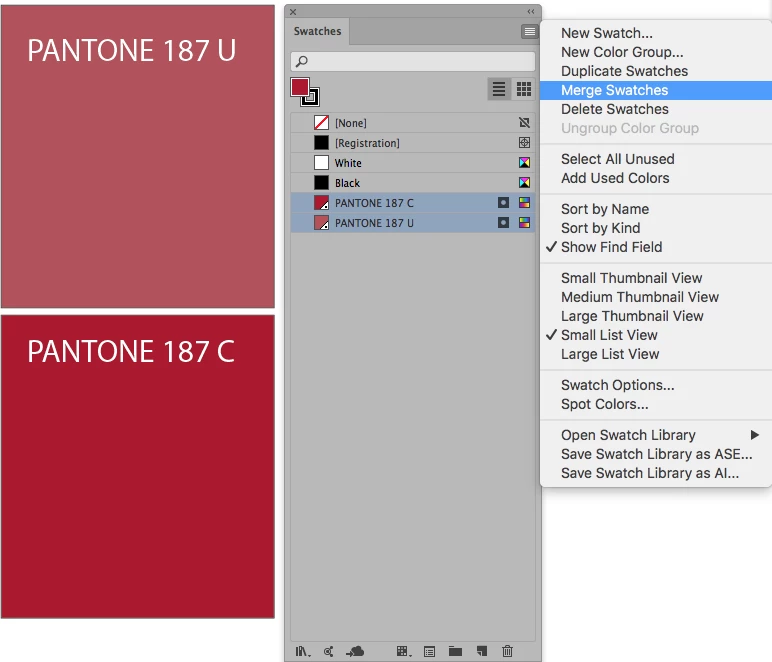
Now, when I drag this logo into a new ai file, the color gets muted. But the frustrating part is that Illustrator is still defining that muted red as PANTONE+ 187 U!
Here is a screen shot of the new ai file:

And what's even more confusing is that in the old ai file, the swatches panel shows that rich red, but when I open up the PANTONE+ Solid Uncoated color book, it shows the muted red (As shown here).
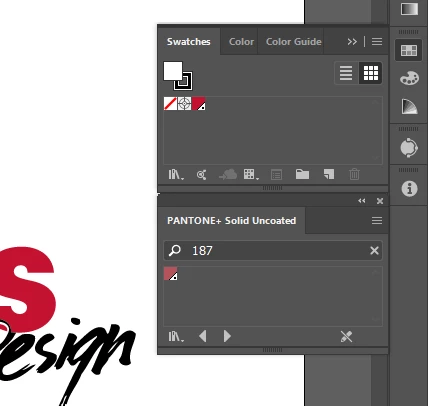
I've checked and both my documents are in CMYK, neither of them have overprint preview on, and they both have PANTONE+ color books. All of the other spot colors I've tested are the same hue in each document. The only thing I can think of that might be the cause is that the old file was made in CS5 vs my new document is CC 23.0.
Please help me, I am very lost! 
Thanks so much,
Fletcher
 AdChoices