coolhugh
Participant
June 21, 2021
Answered

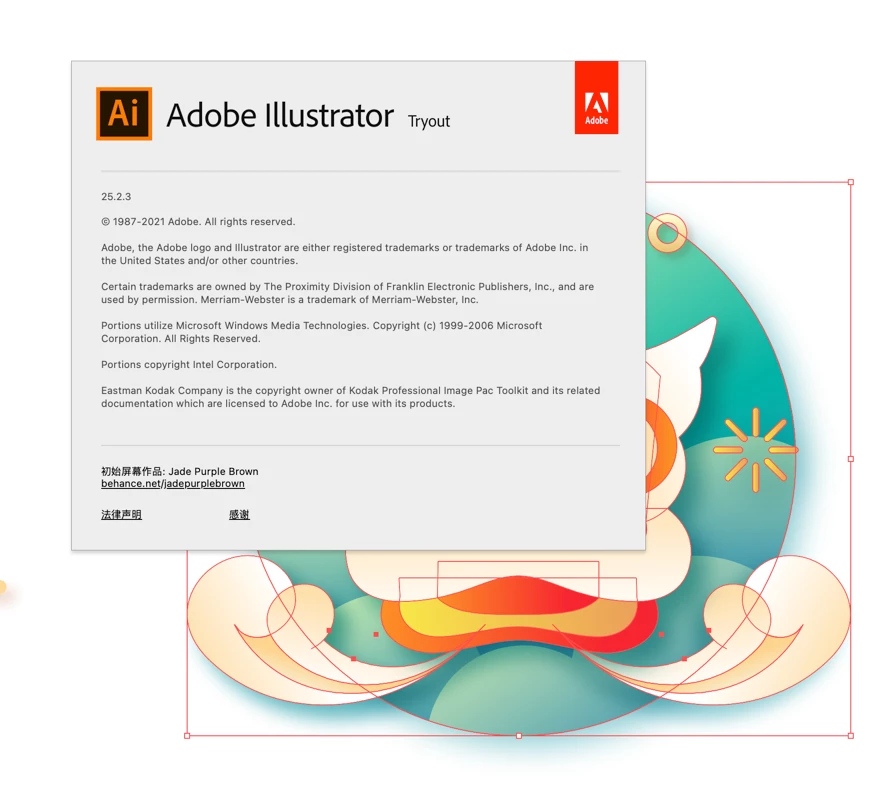
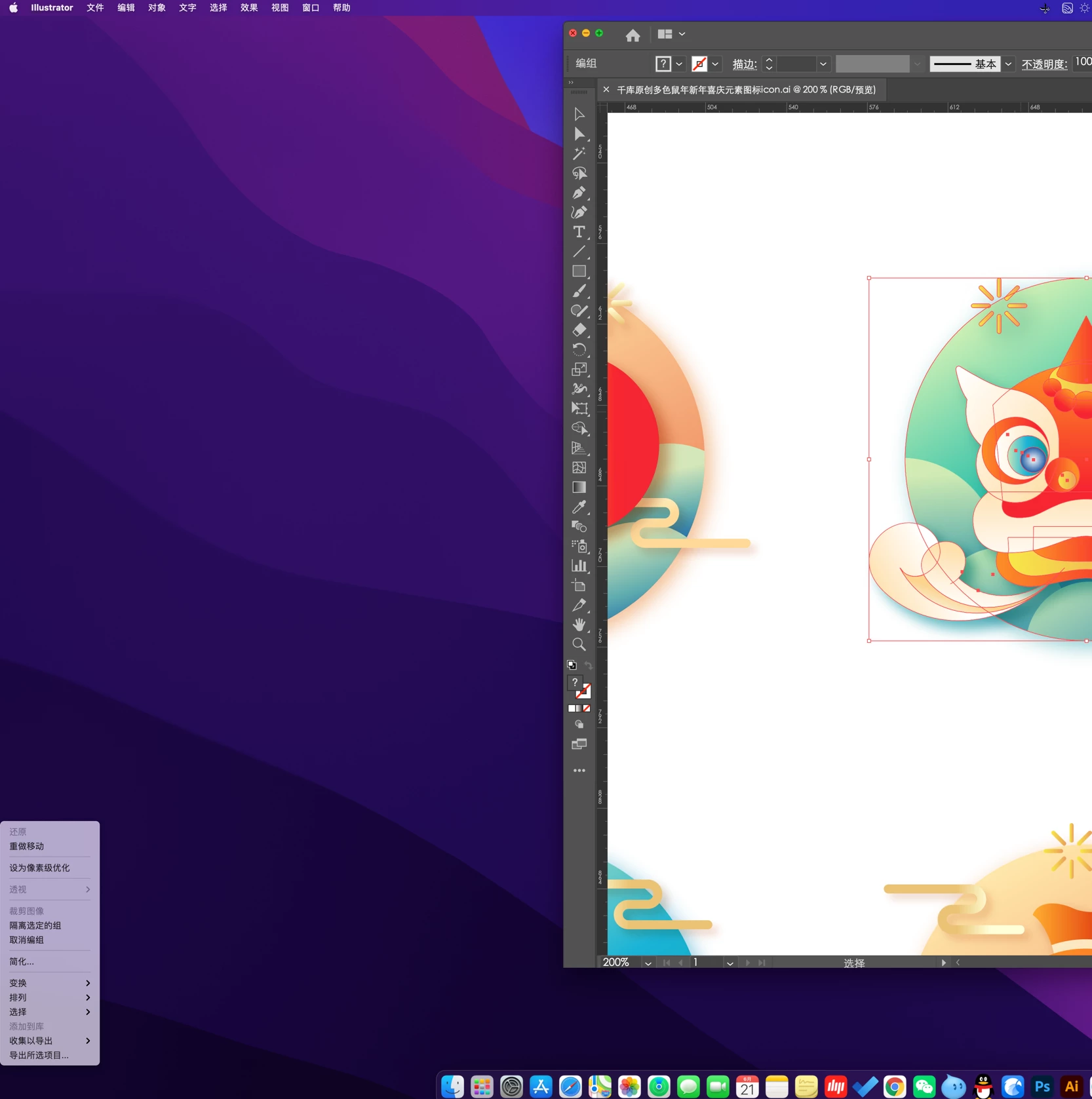
The menu right-click in Illustrator is misplaced and pops up outside the window.

  • June 21, 2021
  • 6 replies
  • 22362 views

I uninstall and reinstall, and the problem remains the same. I don't know what the reason is.


I hope you can help find the reason, thank you very much!
 

This topic has been closed for replies.
Correct answer Anshul_Saini

Hi Everyone,

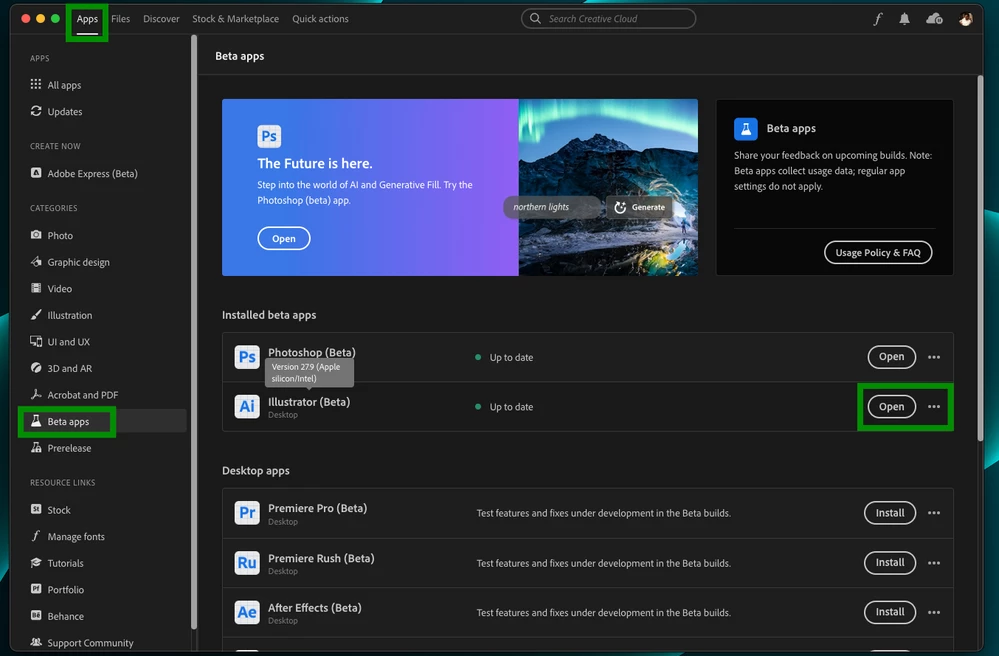
I'm glad to inform you all that the product team has addressed this issue in the Beta build 27.9.0.5 or newer. I've tested it on my end and couldn't reproduce the issue. Would you all mind installing this version from the CCD Beta Apps section and let us know if it fixes the problem at your end?


Thank you for your patience and understanding.

Best Regards,

Anshul Saini


#Marking it correct for visibility

6 replies

Anshul_Saini
Community Manager
Anshul_SainiCommunity ManagerCorrect answer
Community Manager
July 24, 2023

Hi Everyone,

I'm glad to inform you all that the product team has addressed this issue in the Beta build 27.9.0.5 or newer. I've tested it on my end and couldn't reproduce the issue. Would you all mind installing this version from the CCD Beta Apps section and let us know if it fixes the problem at your end?


Thank you for your patience and understanding.

Best Regards,

Anshul Saini


#Marking it correct for visibility

Participating Frequently
July 28, 2023

Hi, I installed the beta and the issue is finally resolved! Many thanks to you and the team.


Participant
May 17, 2023

Same floating menu right click moue button. Should be a priority to fix it. 


WSC7
Participating Frequently
April 3, 2023

I have the same issue with displaced menu.  It happens when unchecked Application Frame. I used Ventura and a 5k Apple Studio Display. 

Anshul_Saini
Community Manager
Community Manager
April 10, 2023

Hi @totaison2,


I understand that you are encountering an issue with the menu right-click in Adobe Illustrator being misplaced and popping up outside the window when the "Application Frame" is unchecked. I apologize for any inconvenience this may be causing you. To better assist you, could you please provide some additional information?

  • What operating system (OS) are you using, and what version of Adobe Illustrator are you currently running?
  • A screen recording or screenshots that demonstrate the issue for better understanding?


With this information, I will be able to better understand your situation and provide you with relevant assistance to resolve the issue with the misplaced right-click menu in Adobe Illustrator.


Thank you for your cooperation.


Best,
Anshul Saini

Participating Frequently
April 11, 2023

Hi, thanks for response. Here I attached a video showing the problem.


I use this:

Macbook Pro M2 Max 14". Ventura 13.3.1. Illustrator 27.4.1

This issue happens at internal screen and external with the Apple Studio Display, is not related to resolution, It happens with Application frame disabled, as shown at video.


https://drive.google.com/file/d/1HppkB0MNUPD8lzxKEznGnnPEez5tq2fl/view?usp=sharing


Thanks in advance.

Participant
August 10, 2021

I've the exact same problem on Monterey Beta

Participant
July 21, 2021

Im running on mac m1 macbook pro with  os monterey beta and latest update of illustrator, I have the same issue, the right click just pops up always in the bottom letf corner, its a bit annoying, but doesnt stop from using it, Not sure if that has to do with switching to monterey beta or illustrator version though

Monika Gause
Community Expert
Community Expert
July 21, 2021

Report the problem to Apple, because that's what beta is for.

Participant
November 17, 2021

same issue here.. this is biggest headache while working in illustrator..

Monika Gause
Community Expert
Community Expert
June 21, 2021

Do you have multiple monitors attached?

coolhugh
coolhughAuthor
Participant
June 22, 2021

Right. There is an external monitor, but there is no such problem before. I guess that it has something to do with macOS12.