

Answered
How to work with Layers in Illustrator on iPad?
hello, how to have a layer in model, to then have visible that my path on my layer model?
{Renamed by MOD}

hello, how to have a layer in model, to then have visible that my path on my layer model?
{Renamed by MOD}
Hi there,
I am afraid I did not understand your question. Layers in Illustrator iPad app can be accessed from the right menu. It works similar to the desktop version. To rearrange layers, select, hold and drag the layer and drag to the required position.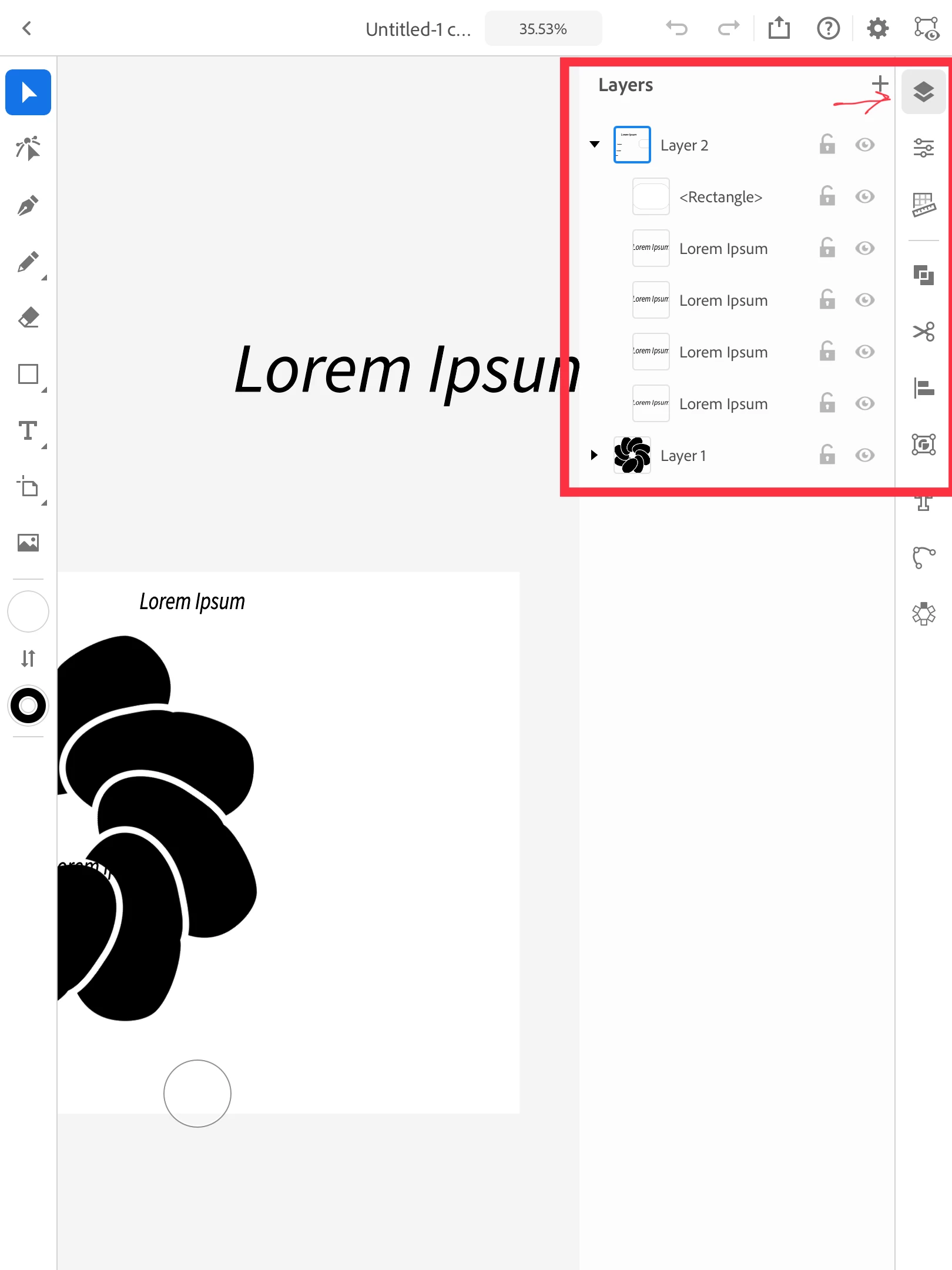
Let us know if this helps or if you have any further query.
Regards,
Srishti
Already have an account? Login
Enter your E-mail address. We'll send you an e-mail with instructions to reset your password.
 AdChoices