saxtonstudio
Inspiring
April 9, 2022
Answered

Adding an image to paragraph style

  • April 9, 2022
  • 2 replies
  • 6097 views

I'm laying out a 400 page book, in which the same jpg image is inserted above every chapter title. The titles flow within the text, so they fall at all different places throughout the book. I'm thinking there has to be a way to style this is in, so the image always appears with a title, using the same spacing, etc. Placing the image manually over and over and over is not very efficient. Thank you for your help!
This topic has been closed for replies.
Correct answer jmlevy

You can't add an image to a paragraph style, but there is a quick way to insert your graphic ornament above all the titles by anchoring it. It requires a few steps:

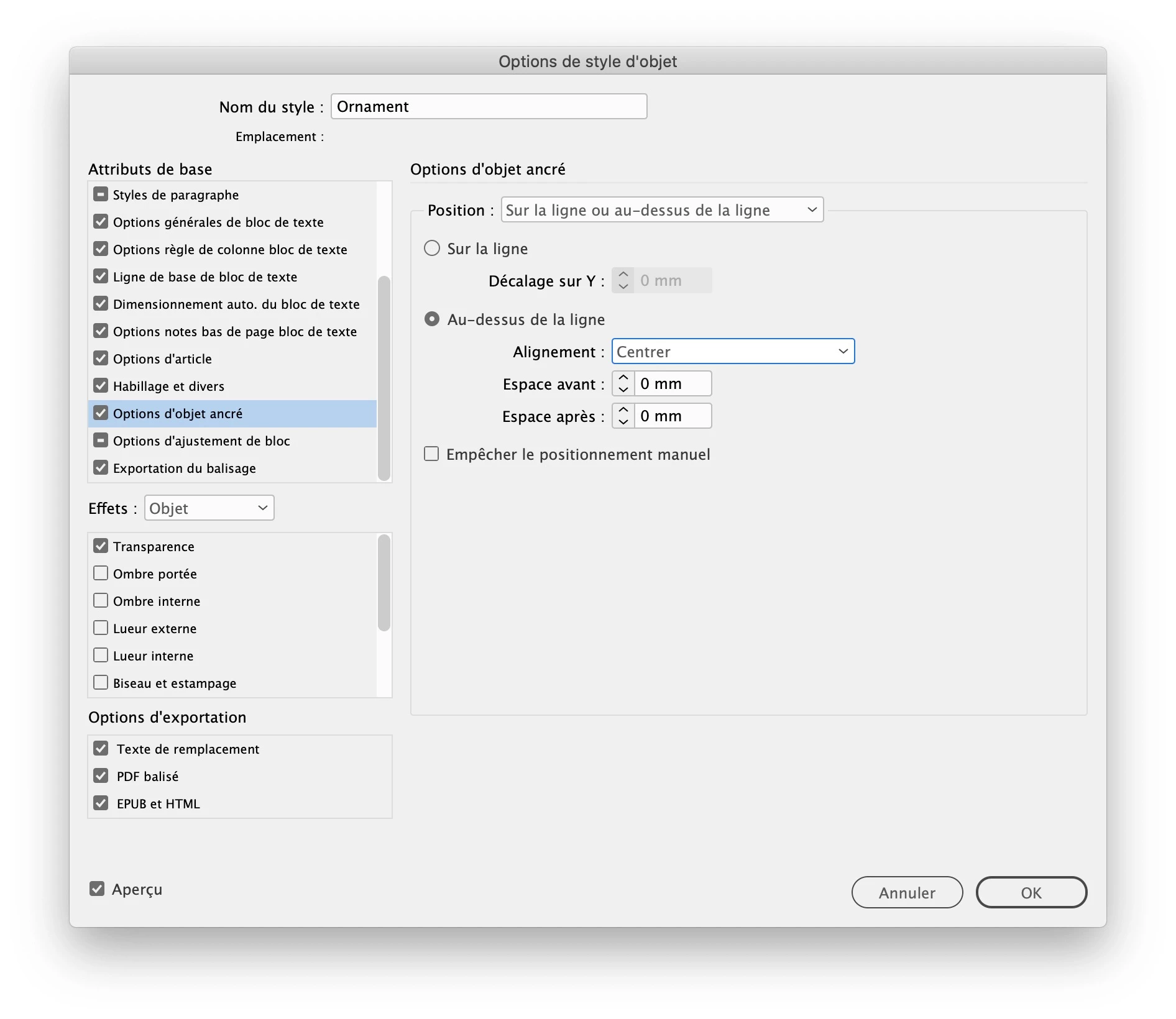
  1.  create an object style in which you will set up the position of the anchored objet. Of course, you will have to choose the space before and space after differently than in my exemple
  2.  place the graphic frame anywhere on the pasteboard, apply the object style to it (even if it is not anchored)
  3.  copy it (using the black arrow)
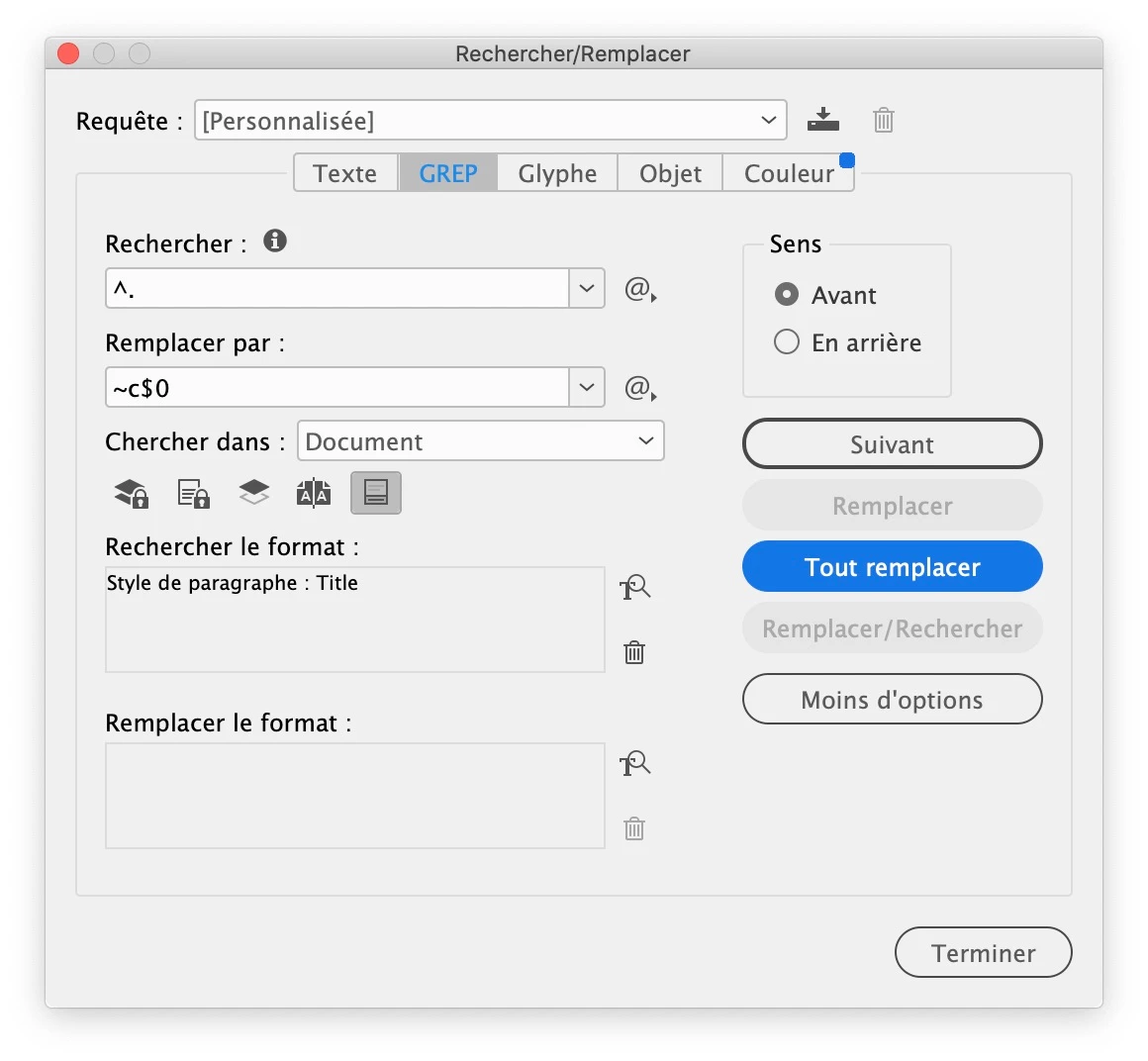
  4.  run a grep find change, like this:

    this grep query means that you search the first character of each paragraph formatted with the Title paragraph style and you replace it by itself preceded by the clipboard content.

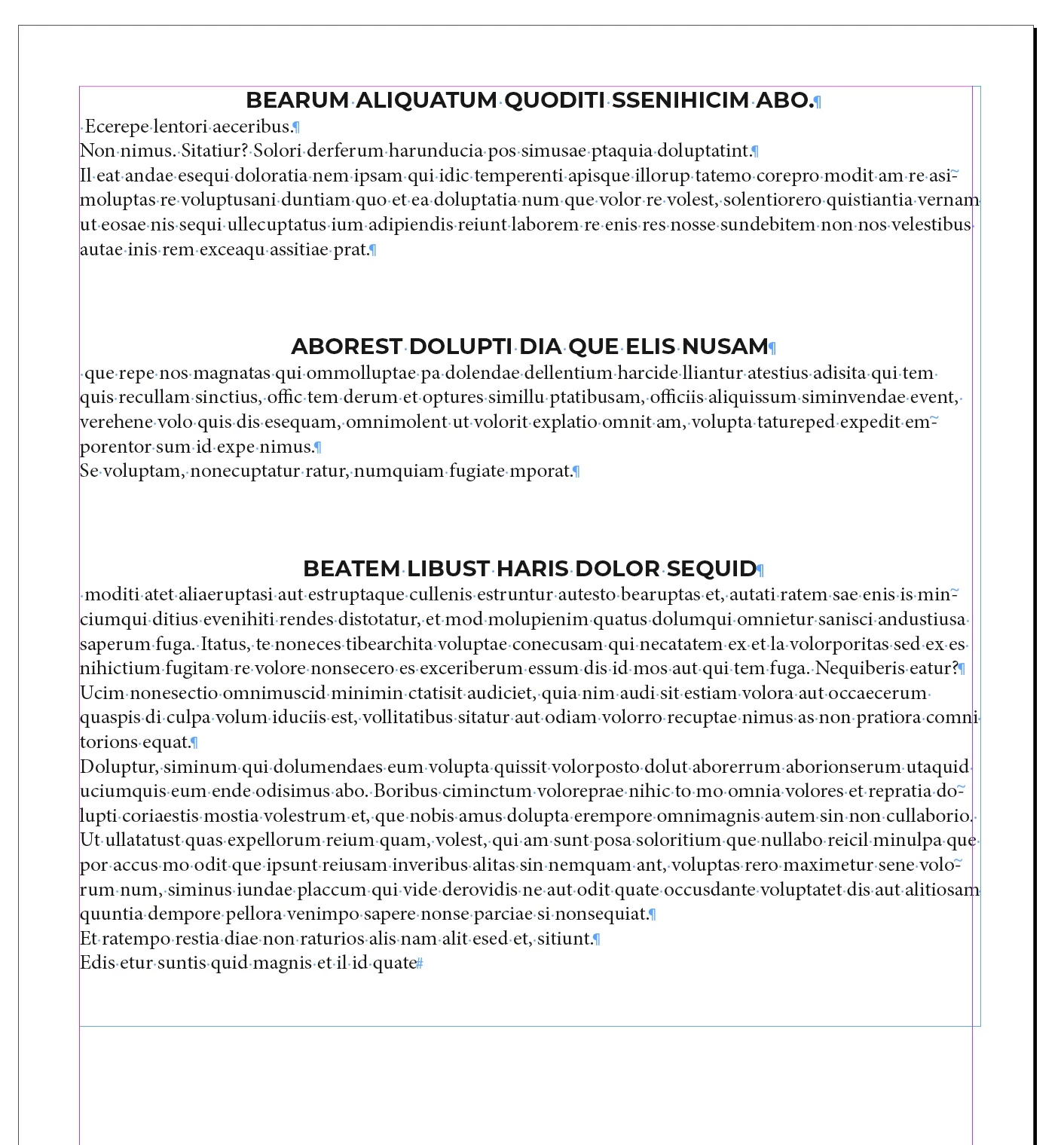
    So you start with this:

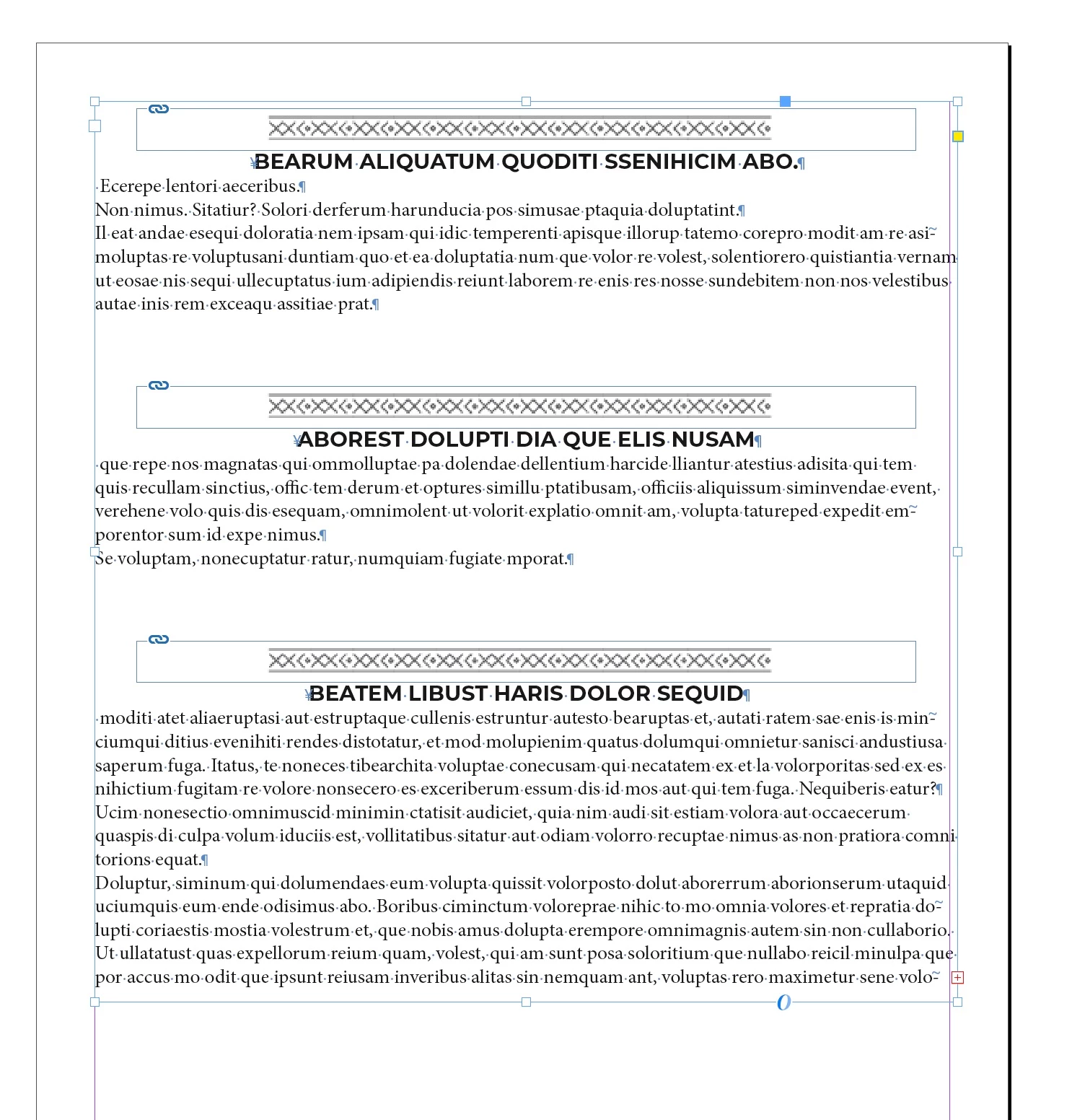
and end with this:

2 replies

Bevi Chagnon - PubCom.com
Brainiac
April 9, 2022

Paragraph Styles are used to visually format the layout. They can't contain any content, and they don't have any ability to add content, either.


I don't know of any way to do this.

But you might look into software plug-ins that manage automated data such as catalogs and directories.


|    Bevi Chagnon   |  Designer, Trainer, & Technologist for Accessible Documents ||    PubCom |    Classes & Books for Accessible InDesign, PDFs & MS Office |
saxtonstudio
Inspiring
April 9, 2022

Thanks for responding. See JMLevy's answer above. Did the trick!

jmlevy
jmlevyCorrect answer
Adobe Expert
April 9, 2022

You can't add an image to a paragraph style, but there is a quick way to insert your graphic ornament above all the titles by anchoring it. It requires a few steps:

  1.  create an object style in which you will set up the position of the anchored objet. Of course, you will have to choose the space before and space after differently than in my exemple
  2.  place the graphic frame anywhere on the pasteboard, apply the object style to it (even if it is not anchored)
  3.  copy it (using the black arrow)
  4.  run a grep find change, like this:

    this grep query means that you search the first character of each paragraph formatted with the Title paragraph style and you replace it by itself preceded by the clipboard content.

    So you start with this:

and end with this:

saxtonstudio
Inspiring
April 9, 2022

You're a genius! Apparently I am not. 😞 When I click find/change, I finally saw that it inserted the correctly sized rectangle, but it's blank, not filled with the graphic. So I must be doing something wrong in setting up my object style? 

saxtonstudio
Inspiring
April 9, 2022

PS: To clarify the screenshot that shows a blue insertion box as well as the graphic, the graphic that's shown was manually placed earlier, I just didn't remove it.