Participating Frequently
April 20, 2025
Answered

Adobe PDF Presets changes format

  • April 20, 2025
  • 3 replies
  • 2153 views

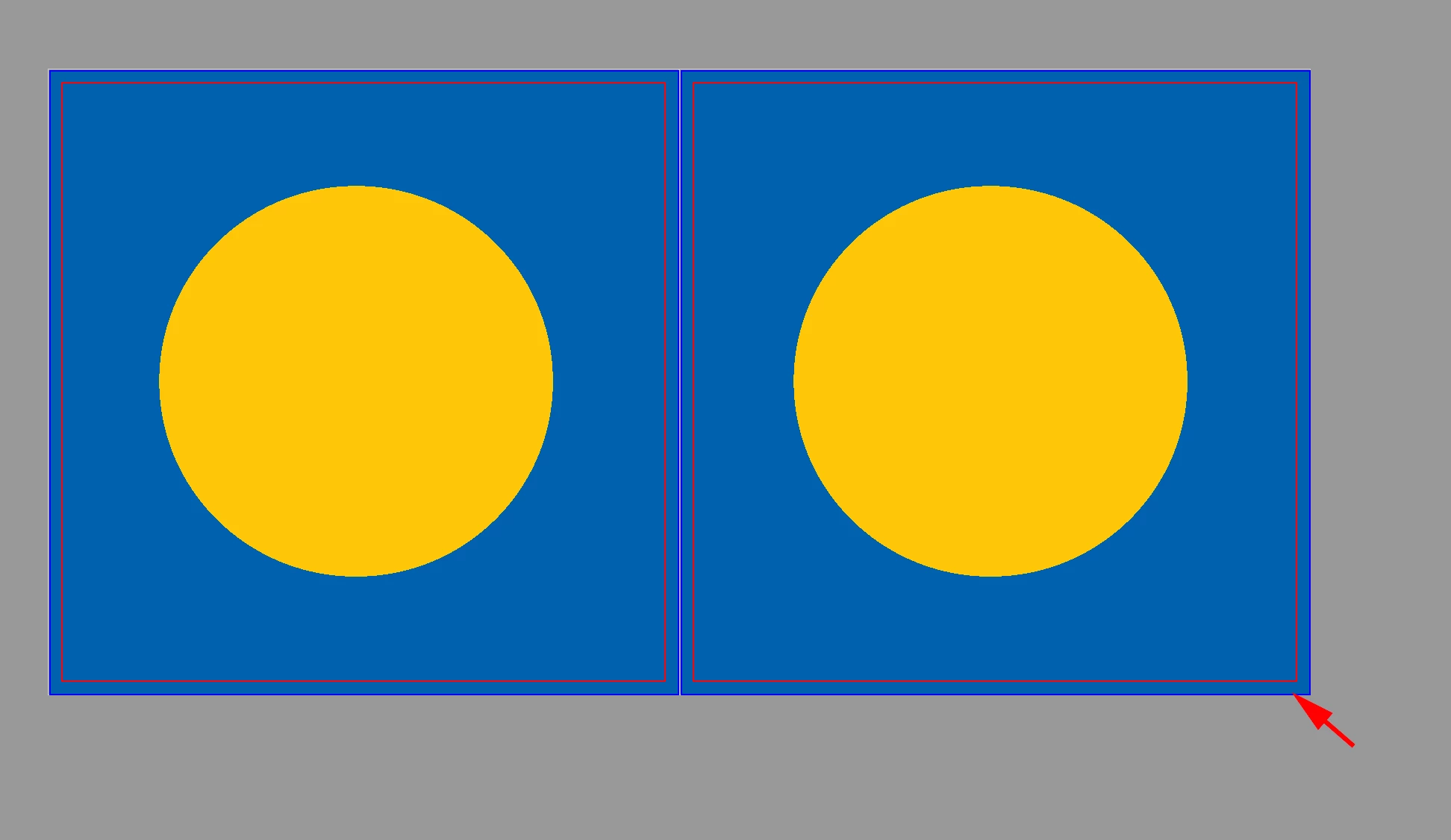
When using Adobe PDF [Press Quality] for my InDesign CS6 file, the display format gets changed

(see the InDesign and Acrobat pictures and also the Edit > Preferences > Display Performance settings below)

Correct answer rob day

The bleed box gets changed in the pdf.


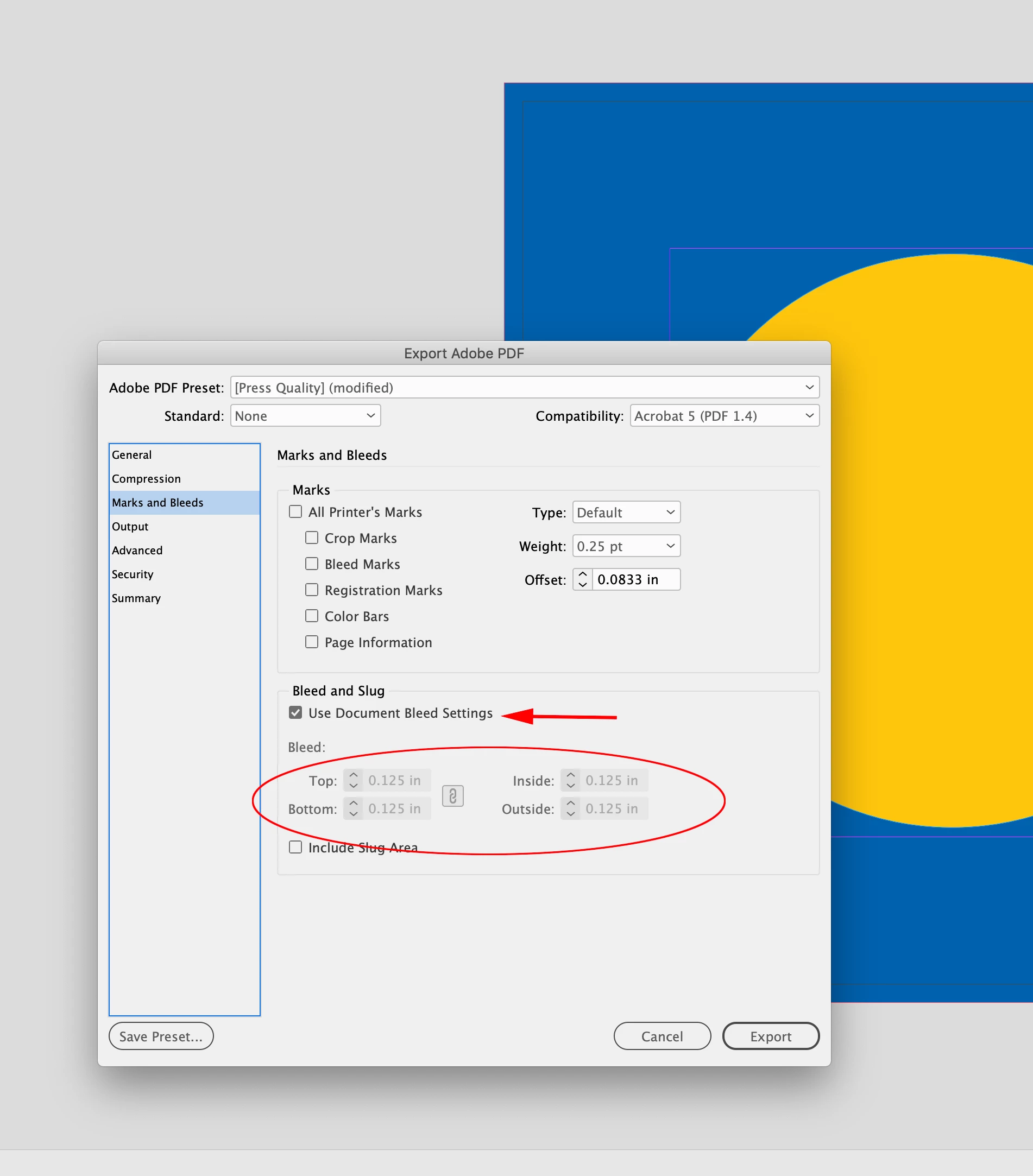
Hi @Ananya0 , Make sure you include the Bleeds on Export—see Marks and Bleeds:


3 replies

Mike Witherell
Community Expert
April 20, 2025

In Acrobat > Preferences > Page Display, do you have "Show Art, Trim, and Bleed Boxes" turned ON?

Mike Witherell
Peter Spier
Community Expert
April 20, 2025

The display perfoprmance dialog you show us has nothing to do with whter the blled is included in the PDF. That's set in the Export options, and it is not included by default. Did you include a bleed allowance when you exported the book?

Peter Spier
Community Expert
April 20, 2025

Crop marks are also not included in the default settings and must be set by you, if you want them. If you do, you should change the offset value to be at least as much as the bleed so they fall outside the bleed area.

Willi Adelberger
Community Expert
April 20, 2025

Whar gets changed? The crop box, the bleed box or what?

Ananya0Author
Participating Frequently
April 20, 2025

You see in the pictures what gets changed: the borders.

leo.r
Community Expert
April 20, 2025
quote

You see in the pictures what gets changed: the borders.


By @Ananya0


The "borders" you're referring to are page boundaries and margin guides, these are non-printable elements.


To view your page without them, use the Preview option (or another view option, depending on how you'd like to see your document):


Also, the Display Performance settings have nothing to do with this.