@Josephine@Redtail , Hovering over a graphic in a PDF to view the Alt-text is not the way to check the file. It's dicey whether the Alt-text will pop-up or not. Sometimes it will, sometimes it won't, so don't trust that method to check your PDF file.
Instead, we teach our clients/students these 2 methods to check the Alt-text:
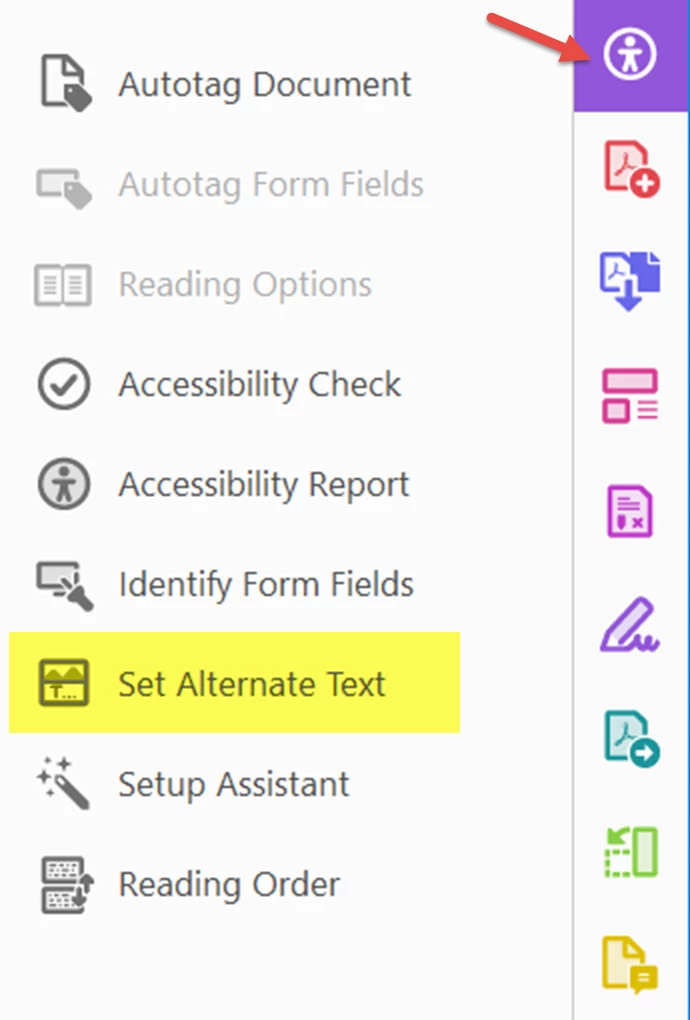
- From Acrobat's Accessibility tool panel (right side), select Set Alt-Text. A dialogue box will appear that allows you to cycle through all of the tagged graphics <Figure> in the document, view their existing Alt-text, edit it, add it to graphics where it's missing, or set the graphics to Artifact (decorative).
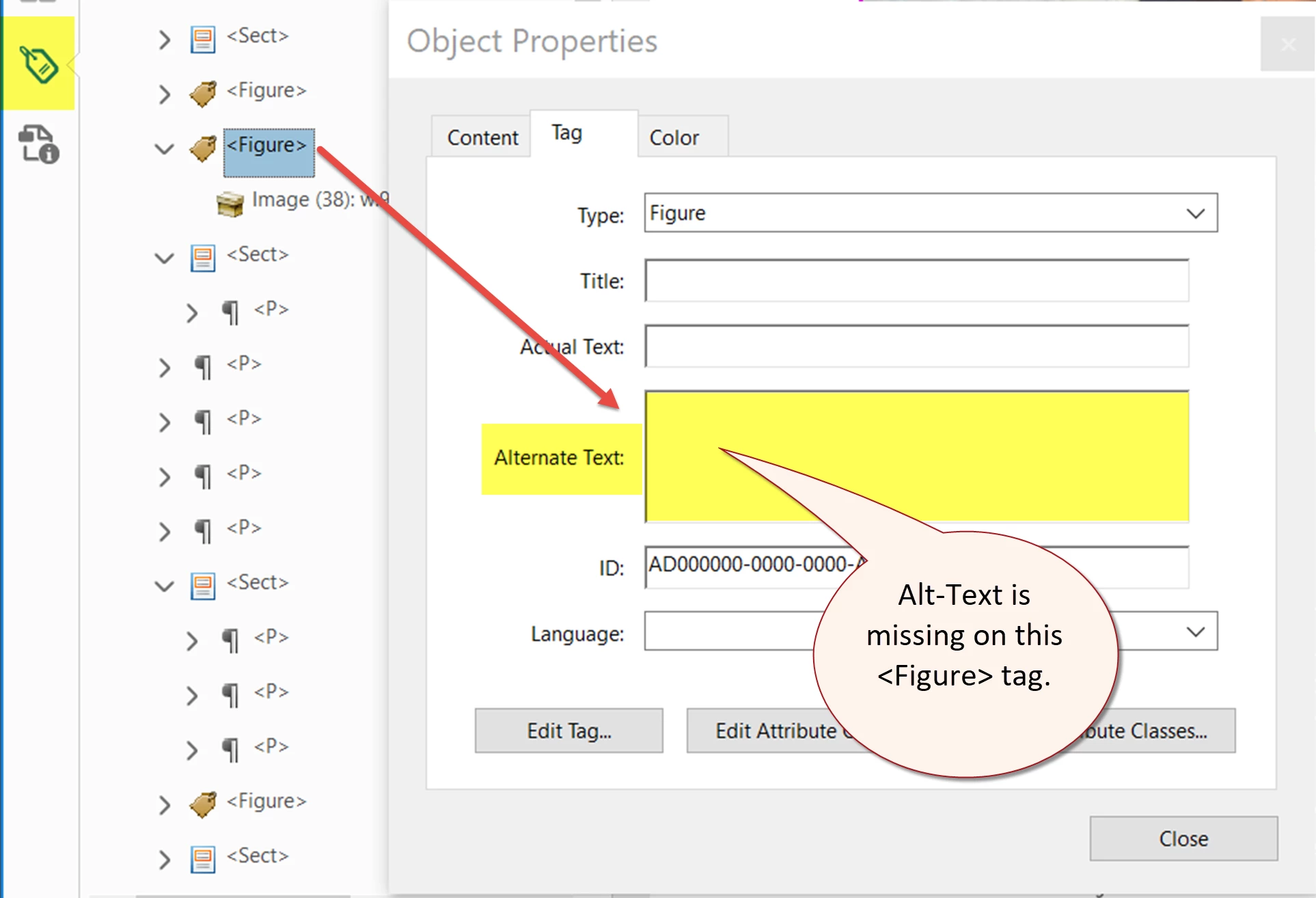
- The second method is to right-click on each <Figure> tag in the Tag tree, select Properties, and check the Alt-text there.
Note: In the past, AI files sometimes have not retained their Alt-text or have had other accessibility problems when the PDF is exported from InDesign. But I haven't seen that problem in a while.
Hope this helps.



 AdChoices