Hi @Bedazzled532, you've already got good answers here, but I know that you are a scripter, so I wanted to turn this idea into a script for you to try. It is an extension of Robert's idea. Select textframe(s) and run script, and enter the rotation amount.
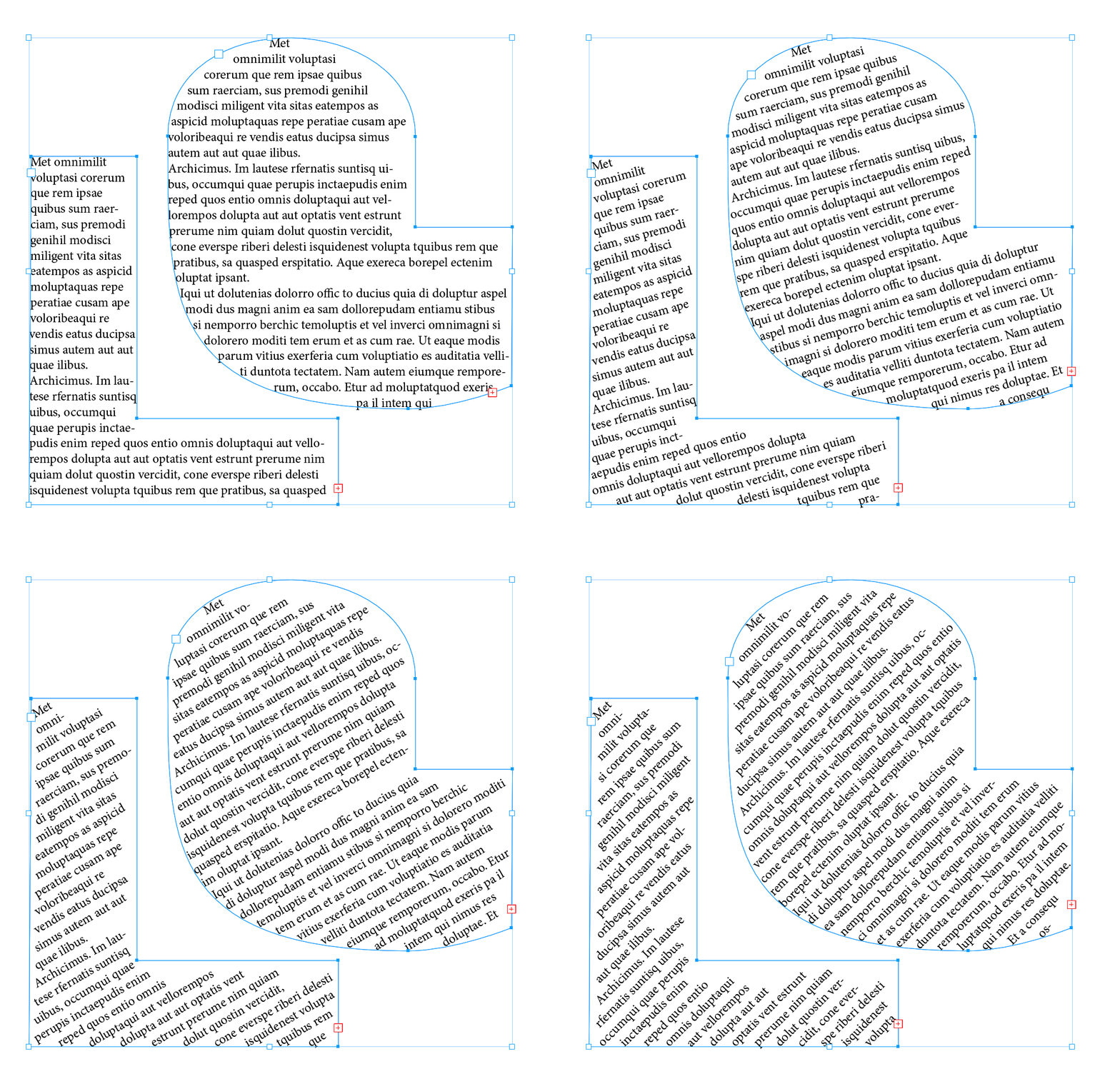
- Mark
/**
 * @file Rotate Text In Frame.js
 *
 * Rotates the text in the selected text frame(s)
 * without rotating the frame(s).
 *
 * @author m1b
 * @version 2025-01-15
 * @discussion https://community.adobe.com/t5/indesign-discussions/angular-text-inside-textframe/m-p/15085031
 */
function main() {

    var settings = {
        // rotation amount in degrees (negative is clockwise)
        rotationAngle: 30,

        // whether to rotate the columns gutters, or split columns
        // into multiple frames before rotating text
        rotateColumnGutters: false,

        showUI: true,

    };

    var doc = app.activeDocument,
        items = getTextFrames(doc.selection);

    if (0 === items.length)
        return alert('Please select one or more text frames and try again.');

    // handle ui
    if (settings.showUI) {

        var result = ui(settings);

        if (
            2 === result
            || isNaN(settings.rotationAngle)
        )
            // user cancelled
            return;

    }

    // rotate each item
    for (var i = 0; i < items.length; i++) {

        if (
            !settings.rotateColumnGutters
            && items[i].textFramePreferences.textColumnCount > 1
        ) {
            // add the columns as separate frames
            items.splice.apply(items, [i, 1].concat(separateTextColumns(items[i])));
        };

        rotateTextInFrame(items[i], settings.rotationAngle);

    }

};
app.doScript(main, ScriptLanguage.JAVASCRIPT, undefined, UndoModes.ENTIRE_SCRIPT, 'Rotate Text In Frame');

/**
 * Rotates a text frame, but keeps it's path points in place.
 * @author m1b
 * @version 2025-01-13
 * @param {TextFrame} frame - the text frame to rotate.
 * @param {Number} angle - the counter-clockwise angle of rotation, in degrees.
 */
function rotateTextInFrame(frame, angle) {

    if ('function' !== typeof frame.transform)
        // not right kind of object
        return;

    // store paths and pathpoints' properties
    var dupPaths = [];

    for (var i = 0; i < frame.paths.length; i++) {

        dupPaths[i] = [];
        var dupPath = dupPaths[i];

        for (var j = 0; j < frame.paths[i].pathPoints.length; j++)
            dupPath[j] = frame.paths[i].pathPoints[j].properties;

    }

    // rotate the frame
    frame.transform(
        CoordinateSpaces.PARENT_COORDINATES,
        [[0, 0], BoundingBoxLimits.GEOMETRIC_PATH_BOUNDS, CoordinateSpaces.INNER_COORDINATES],
        app.transformationMatrices.add(undefined, undefined, undefined, angle)
    );

    // re-assign the original path points properties
    for (var i = 0; i < frame.paths.length; i++)
        for (var j = 0; j < frame.paths[i].pathPoints.length; j++)
            frame.paths[i].pathPoints[j].properties = dupPaths[i][j];

};

/**
 * Returns an array of text frames
 * derived from the items supplied.
 * @param {Array<DOM Item>} items - the items.
 * @returns {Array<TextFrame>}
 */
function getTextFrames(items) {

    if (!items.length)
        return [];

    var textFrames = [];

    for (var i = 0; i < items.length; i++) {

        var item = items[i];

        if ('TextFrame' === item.constructor.name)
            textFrames.push(item);

        else if (
            item.hasOwnProperty('parentTextFrames')
            && item.parentTextFrames.length > 0
        )
            textFrames.push(item.parentTextFrames[0]);

        else if (
            item.hasOwnProperty('textFrames')
            && item.textFrames.length > 0
        )
            textFrames.push(item.textFrames.everyItem().getElements());

    }

    return textFrames;

};

/**
 * Splits a multi-column text frame
 * into separate text frames.
 * @author m1b
 * @version 2023-08-21
 * @param {TextFrame} textFrame - the text frame to split.
 */
function separateTextColumns(textFrame) {

    if (
        textFrame == undefined
        || textFrame.constructor.name != 'TextFrame'
        || textFrame.textFramePreferences.textColumnCount < 2
    )
        return;

    app.scriptPreferences.measurementUnit = MeasurementUnits.POINTS;

    var columnCount = textFrame.textFramePreferences.textColumnCount,
        columnGutter = textFrame.textFramePreferences.textColumnGutter,
        b = textFrame.geometricBounds,
        frameWidth = b[3] - b[1],
        inset = textFrame.textFramePreferences.insetSpacing,
        frames = [textFrame];

    // calculate the column width
    var columnWidth = (frameWidth - inset[1] - inset[3] - (columnGutter * (columnCount - 1))) / columnCount;

    // adjust the textFrame to the width of one column
    // also remove inset spacing, if any
    textFrame.textFramePreferences.textColumnCount = 1;
    textFrame.textFramePreferences.insetSpacing = [inset[0], 0, inset[2], 0];
    textFrame.geometricBounds = [b[0], b[1] + inset[1], b[2], b[1] + inset[1] + columnWidth];

    // now add the other column frames and thread them
    for (var i = 1; i < columnCount; i++) {

        var frame = frames[i - 1].duplicate(undefined, [(columnWidth + columnGutter), 0]);

        frame.parentStory.contents = '';
        frames[i - 1].nextTextFrame = frame;
        frames.push(frame);

    }

    return frames;

};

/**
 * UI for Rotate Text In Frame script.
 * @author m1b
 * @version 2025-01-13
 * @param {Object} settings
 * @param {Array<String>} settings.before - the before array of strings.
 * @param {Array<String>} [settings.description] - a short description of what's going to happen (default: none).
 * @returns {1|2} - ScriptUI result code (1 = good, 2 = user cancelled).
 */
function ui(settings) {

    var w = new Window("dialog", 'Rotate Text In Frame'),

        content = w.add("group {orientation:'column', margins:[10,10,10,0] }"),
        group = content.add("group {orientation:'row', alignment:['left','top'], alignChildren:['left','top'], margins:[0,0,0,0] }"),
        label = group.add("statictext {text:'Rotation Angle', justify: 'left', alignment:['left','center']}"),
        rotationField = group.add('edittext {preferredSize: [60,-1], text:"' + settings.rotationAngle + '"}'),
        label = group.add('statictext {text:"\u00B0", justify: "left"}'),
        note = content.add('statictext {text:"Negative angles are clockwise.", justify: "left", alignment:["left","top"]}'),

        extraControls = content.add("group {orientation:'column', alignChildren: ['left','center'] alignment:['left','top'], margins:[0,25,0,0] }"),
        rotateGuttersCheckBox = extraControls.add("CheckBox { text: 'Rotate Column Gutters', alignment: ['left','top'] }"),

        bottomUI = w.add("group {orientation:'row', alignment:['fill','top'], margins: [0,20,0,0] }"),
        buttons = bottomUI.add("group {orientation:'row', alignment:['right','top'], alignChildren:'right' }"),
        cancelButton = buttons.add('button', undefined, 'Cancel', { name: 'cancel' }),
        okButton = buttons.add('button', undefined, 'Rotate', { name: 'ok' });

    // update UI
    rotationField.text = settings.rotationAngle || 30;
    rotateGuttersCheckBox.value = false !== settings.rotateColumnGutters;

    okButton.onClick = function () {

        var rotationAngle = Number(rotationField.text);

        if (isNaN(rotationAngle))
            return;

        // update settings
        settings.rotationAngle = rotationAngle;
        settings.rotateColumnGutters = rotateGuttersCheckBox.value;

        w.close(1);

    };

    w.center();
    return w.show();

};
Edit 2025-01-14: added Robert's suggestion to use `entirePath` property and also to handle compound paths.
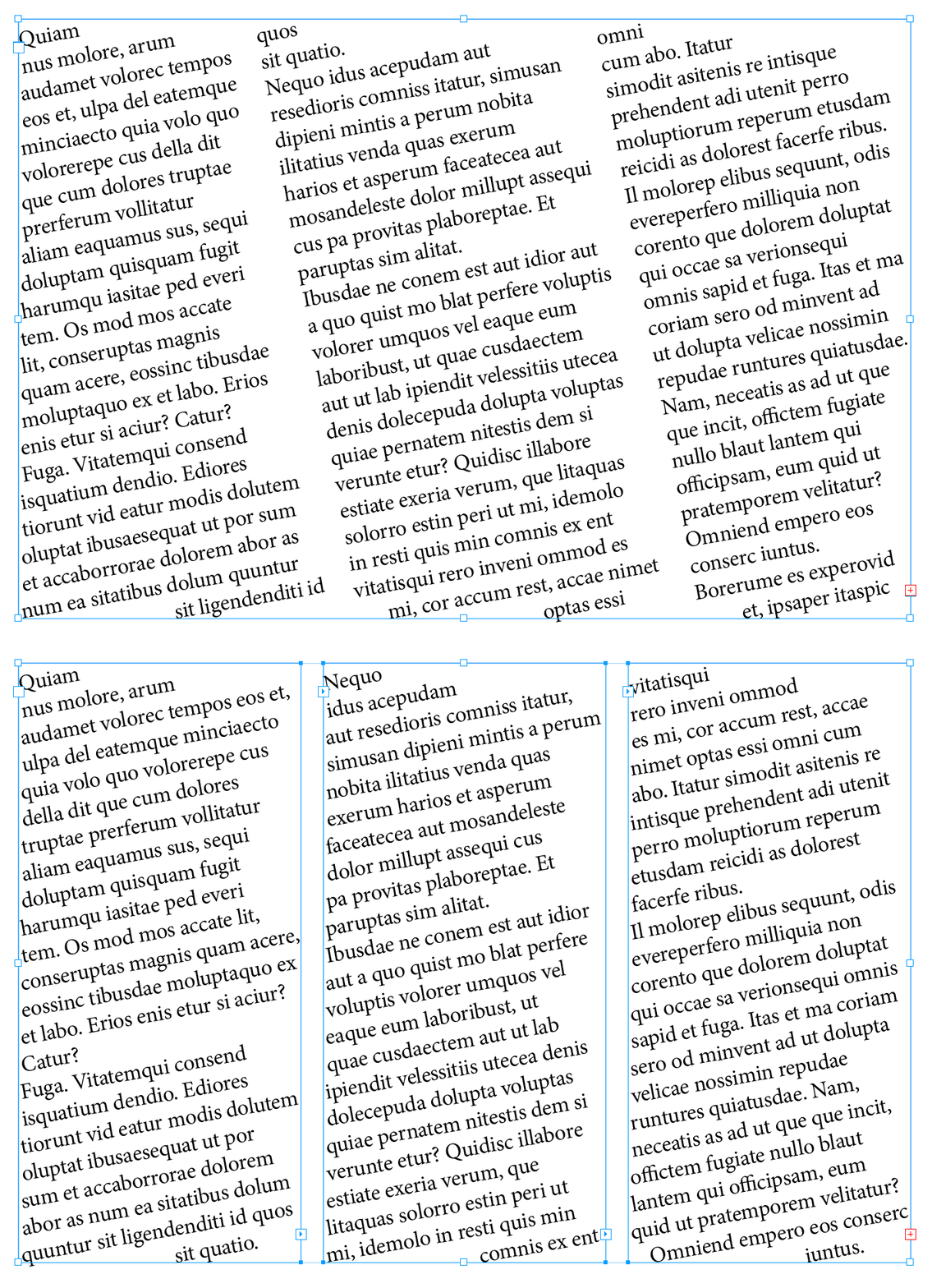
Edit 2025-01-15: minor issue, but I changed the pathpoint assignment again, because `entirePath` can't capture the `pointType` property, which may be important for some paths. Also I added a feature to choose what to do with multiple columns: rotate the gutter(s), or not. It gives you this choice:


 AdChoices