



Applescript InDesign how to get visible bounds of AI file without handles (extra space)
I'm trying to write a script that needs to get what I would think of as the visible bounds object, or bounding box when placing an AI file, but the bounding box includes extra space around the art when it is placed with PDF place option, Crop to Bounding Box (visible layers only), (see the attached screenshot), which makes it impossible to get the bounds of the art excluding handles that extend past the art (or in some cases, art hidden by a clipping mask). (re)Placing the art with the PDF place option to Crop to Art makes the art shift, which is not what I want. Is there an object or property that better represents the bounds of art that doesn't give you space around the visible art when art is placed to bounding box? Geometric bounds doesn't work either. I'd like to be able to relink art to from Crop to Bounding Box to Crop to Media without it shifting, which only seems to work if the visible bounds have no space between the bound and the art. There doesn't seem to be a way to do this without a script, or possibly even with a script. It's driving me nuts.
set {y1, x1, y2, x2} to get visible bounds of graphic 1 of selection
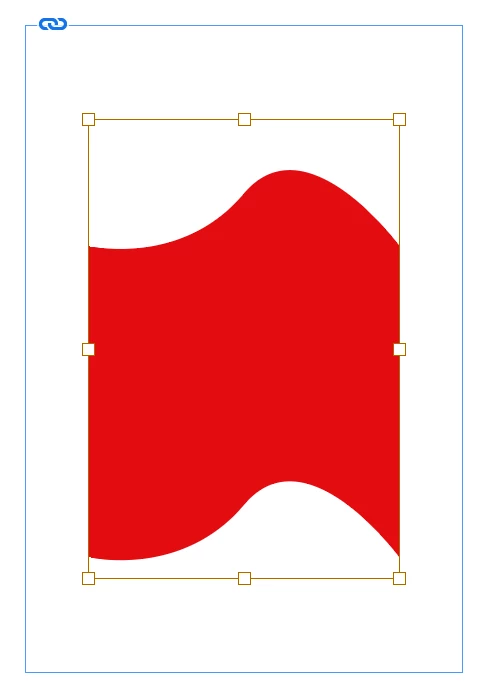
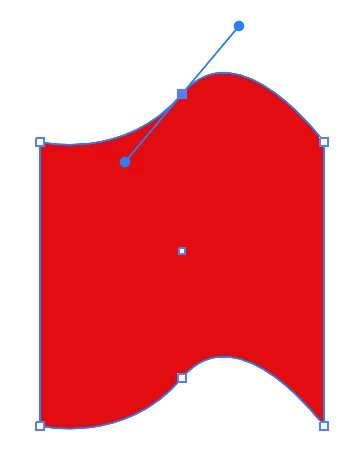
[ attachments inserted as inline image by moderator ]
 AdChoices