



Shlomit Heymann
Inspiring
March 18, 2024
Question

Assign new shortcut for hiding panels while inside a text box don't work (Mac 12.7.4 ID2023)

  • March 18, 2024
  • 2 replies
  • 723 views

Hello,

I have a need to hide/show panels except the toolbox which is here:

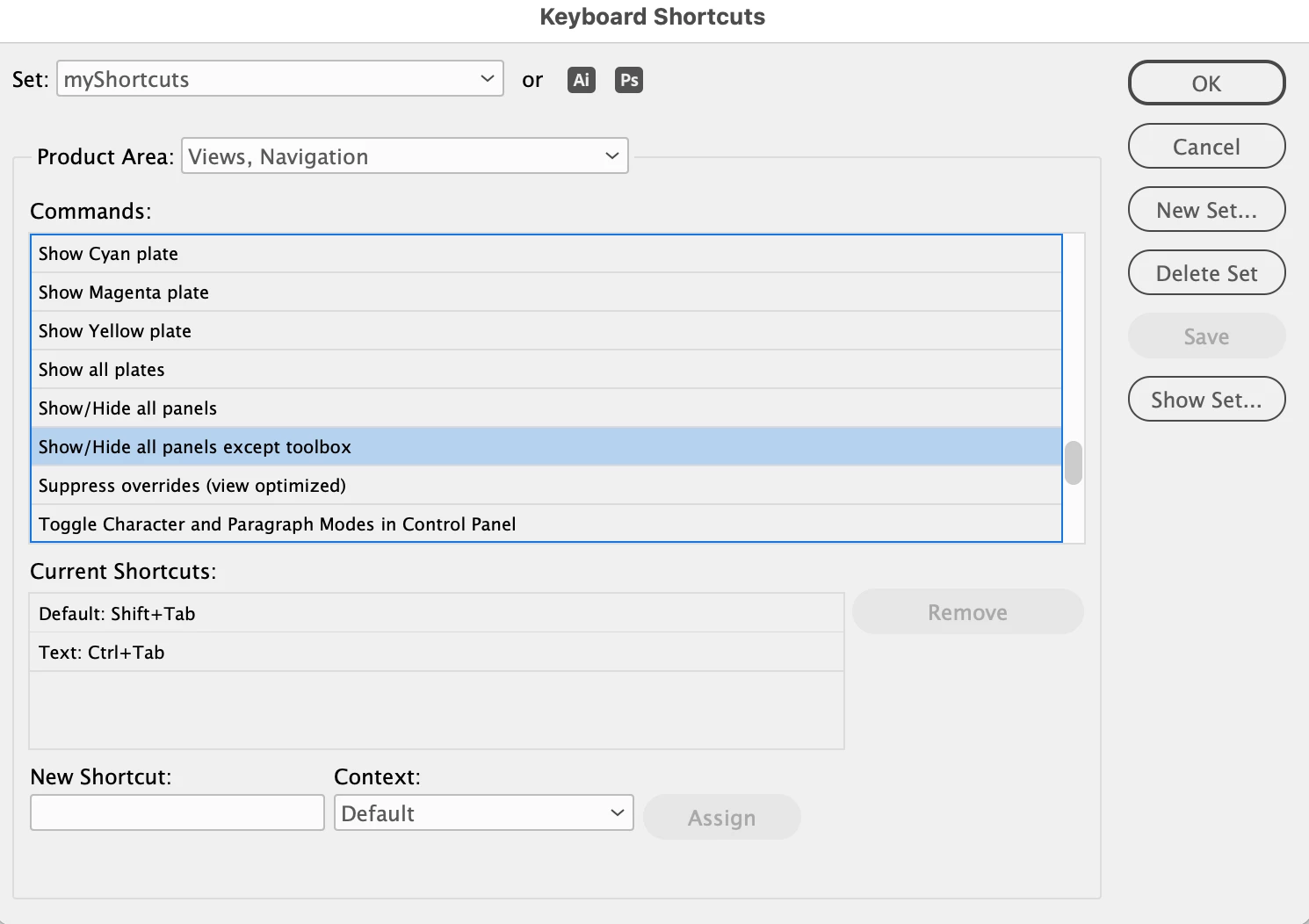
Product area : Views, Navigation > Show/Hide all panels except toolbox --- Default: Shift+Tab
 
Of course this shortcut will not work when my cursor is inside a text box so I added a shortcut when the "Text" context is selected so it will work in this way too: Text: Ctrl+Tab
 
While doing so I made sure [unassigned] is written.
 
I now have 2 shortcuts for this actions but the only one that works is the default one and I don't understand why. 
 
I tried to remove the first option and keep only the one I assigned but it still won't work.
 
Attached is a screenshot of my definitions.
 
thank you
Shlomit


This topic has been closed for replies.

2 replies

Dave Creamer of IDEAS
Community Expert
Community Expert
March 19, 2024

Cntl-Tab and Cntl-Shift-Tab both work for me on Windows. I'm not in front of my Mac right now, but try Cmd-Tab or Cmd-Shift-Tab and see what happens.


David Creamer: Community Expert (ACI and ACE 1995-2023)
leo.r
Community Expert
Community Expert
March 19, 2024
quote

Cntl-Tab and Cntl-Shift-Tab both work for me on Windows. I'm not in front of my Mac right now, but try Cmd-Tab or Cmd-Shift-Tab and see what happens.


By @Dave Creamer of IDEAS


I tried again (Mac) Ctrl-Shift-Tab worked in the beginning. But it stopped working after a few attempts.


Cmd-Opt-Ctrl-Tab works partially. That is, it hides some panels - but not all.


Something is buggy in the shortcut implementation for this command on Mac.

leo.r
Community Expert
Community Expert
March 18, 2024

I can confirm that custom shortcts assigned to this option don't work (InDesign 2024, Mac).


You can submit a bug here:

https://indesign.uservoice.com/forums/601180-adobe-indesign-bugs