Known Participant
April 21, 2019
Answered

At end of line text oversets

  • April 21, 2019
  • 3 replies
  • 1692 views

CC 2019 Windows 10
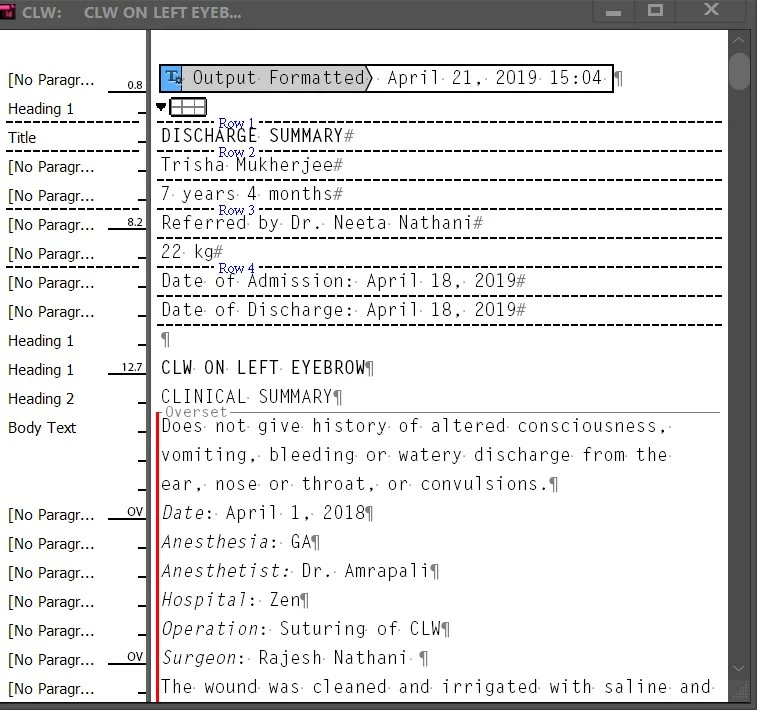
When I reach the end of a line while typing text in a text frame, instead of moving to the next line, the text simply oversets.

I have attached a picture of what it looks like in the story editor. I can't seem to spot any break characters.

Foxed.

Thanks in advance for your help.
    This topic has been closed for replies.
    Correct answer Michael Bullo

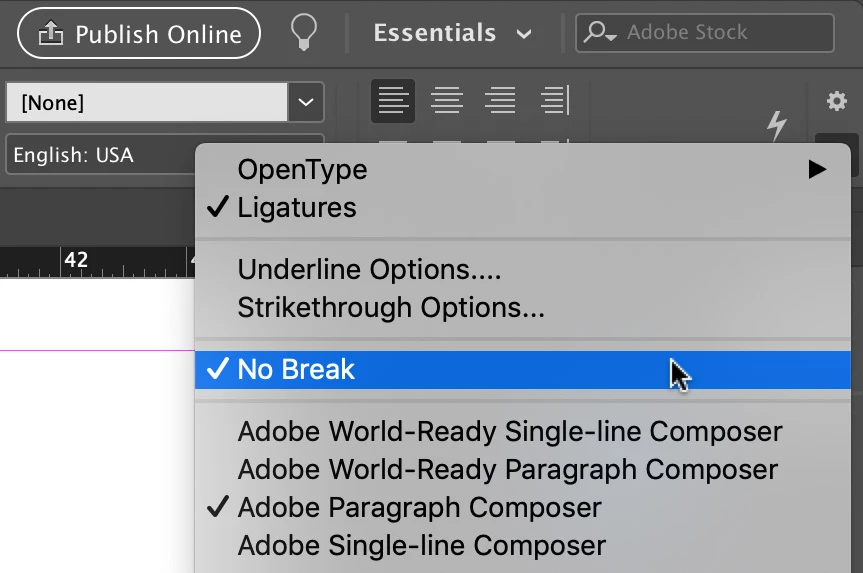
    Select your text. In the upper right corner of the InDesign interface is a button that looks like three lines. Clicking on it will reveal the menu below. Have you possibly activated the "No Break" option?

    3 replies

    BobLevine
    Community Expert
    Community Expert
    April 21, 2019

    Look to see if the body text paragraph style is set to start in a new frame or column.

    nathanirAuthor
    Known Participant
    April 21, 2019

    Thank you all for the quick replies. Yes, the NoBreak was being applied. I don't remember having applied that. However, how can I undo this setting for the body text paragraph style so that it does not start in a new frame or column?
    Thanks again.

    Michael Bullo
    Community Expert
    Community Expert
    April 21, 2019

    Edit your paragraph style, go to the Basic Character Formats section and turn off No Break.

    Michael Bullo
    Community Expert
    Michael BulloCommunity ExpertCorrect answer
    Community Expert
    April 21, 2019

    Select your text. In the upper right corner of the InDesign interface is a button that looks like three lines. Clicking on it will reveal the menu below. Have you possibly activated the "No Break" option?

    Jongware
    Community Expert
    Community Expert
    April 21, 2019

    It looks like you have enabled No Break, either from the Character panel menu as an override, or in your Body Text style. That does exactly what it says: it keeps all text to which it is applied together in a single line.