


Brainiac
February 3, 2025
Answered

Best practices for documents with boilerplate

  • February 3, 2025
  • 6 replies
  • 2922 views

I apologize for the long post. This may be a how-to question as well as a best practices.

I have a project that includes several documents (more than the three in the illustration).
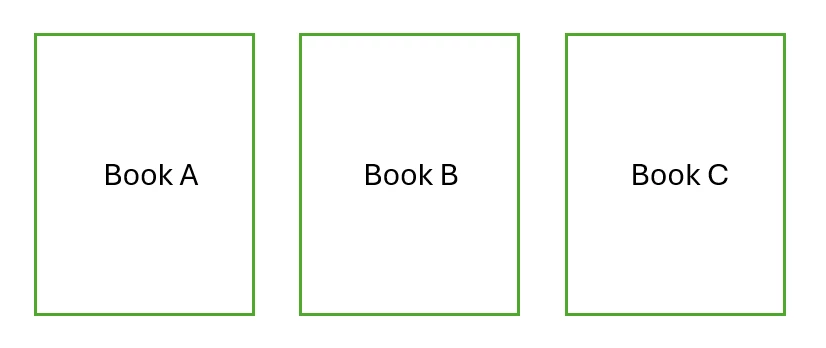
 Each of the documents includes two different sets of boilerplate pages. They're boilerplate because they are identical. They go into each document at different places, but they are not simple block information. These boilerplate pages include images, several heads, and footers. Currently, especially the footers. By using boilerplate, I can maintain the pages in a single place so that they all read the same, but only until it's time to create the first Alpha draft. Then, I have to provide each book with its own copy of the boilerplate.
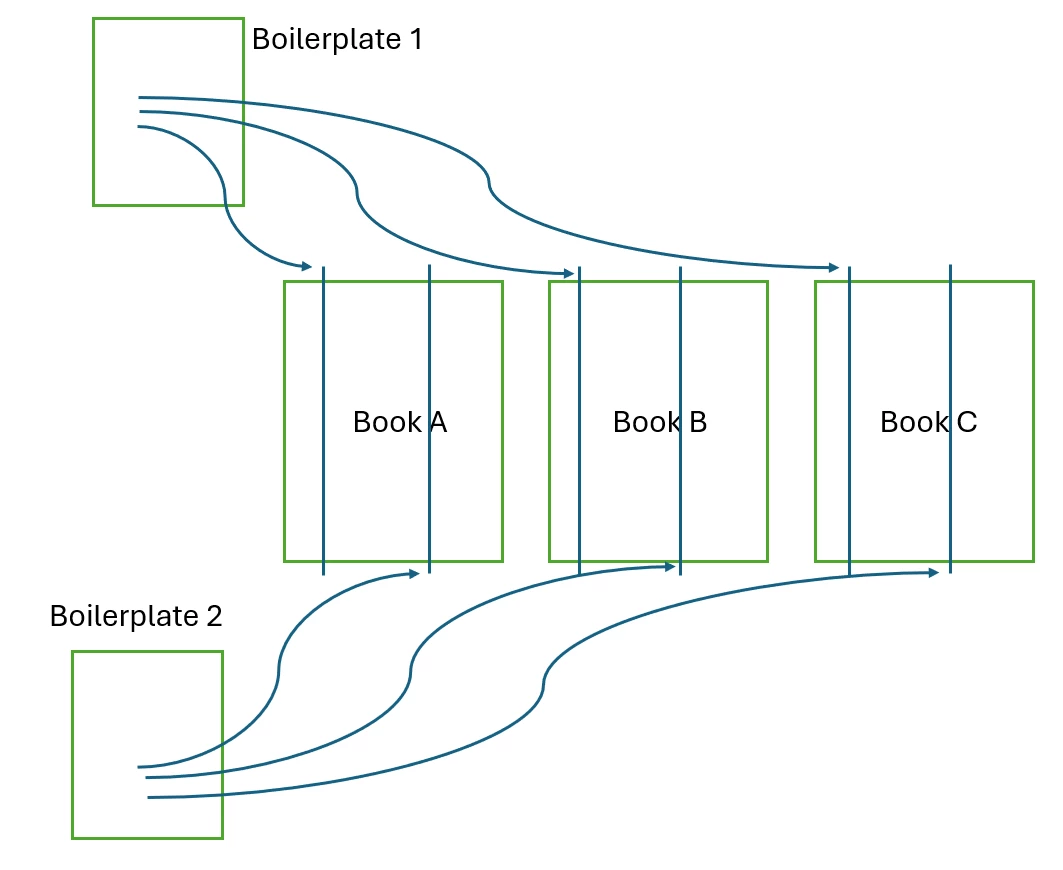
Because... The footers of each document include the product name. If they didn't, I'd just maintain the boilerplate in its own directory and insert the boilerplate doc using the book file where necessary. This is in fact what I do... but because of that changing footer, I have had to duplicate the boilerplate file for each book -- which multiplies the problem of maintaining all those "little changes" that crop up over time as the products mature and the docs go together. I use a text variable to maintain the name of the document... but even so, each book needs its own version of the boilerplate docs with the text variable set correctly in each component file of the book.


I'm looking for a way to maintain the boilerplate -- text&images or whole pages -- in one place and, when I cite them in the book file, they automatically adopt the correct product name for the book (presumably from the immediately preceding file) without me having to a) have a separate version for each product doc and b) adjust the content of a text variable.


Ideally -- I think -- this is the role of an INCLUDE command, where I could have a text-and-image object stored in a library somewhere and "insert it" into a regular page where I want the boilerplate to go (thus obviating the need to modify footers), but I don't believe ID offers that. And really, ID is WYSIWYG, so putting an INCLUDE in the middle of the text is probably not something that's going to happen. (However, I imagine it as something like linking to an external image. After all, the image appears, why not formatted text?)


Some kind of saved library object might work...


Have others run into this kind of issue? Is there an good way to resolve it? I'm coming up on another iteration of all these manuals, and I really would prefer not to try to maintain a version of the boilerplate for each product just so each product can have the product name in the footer (even if that product name is a text variable and I only have to change it in one place).


Thanks as always to the community.

-j

Correct answer Nedlaw

Thanks. It's getting clearer to me. I can see that this approach should work. Running a few tests now!

-j


Summary time! (I may have forgotten some check-in/check-out/save steps.)

  1. I set up a user id on InDesign.
  2. I created two sample boilerplate text-and-graphic combos from existing sample docs using ID's Edit | InCopy | export | selection and put them in the boilerplate folder.
  3. Using InCopy, I edited them (for versioning). Saved and checked in. (created a dummy user in IC.)
  4. In InDesign, I created two book folders (01 and 02) and put files in them.
  5. In ID, I PLACED the boilerplate examples into pages in book01. (And saved etc.)
  6. In ID, I PLACED the boilerplate into pages in book02 (saved, etc.)
  7. In IC, I changed one of the boilerplate files.
  8. Back in ID, after updating content (easiest in the Assignments dialog) the samples in both books showed the altered text. Huzzah.

So. The issue appears to be resolved with MUCH help from Mike Witherell, Dave Creamer, and Robert. This will help the boilerplate-using process. (Small point... I still have to test updating of numbered figures and inclusion in TOC... but I'm going to declare victory for right now and get some dinner. )

Thanks again to all.

-j

6 replies

Mike Witherell
Adobe Expert
February 6, 2025

If you really are a 1-man show (a rennaissance man?) then most of what you want InCopy to do for you is already in InDesign already. Have a look at Edit > InCopy... where you can export textframe and graphics frame content for re-use.

Mike Witherell
Dave Creamer of IDEAS
Adobe Expert
February 6, 2025

@Mike Witherell Correct--that's what I was referring to: "or InDesign (and export as InCopy)". I didn't go into detail however, i would be happy to if needed. 


David Creamer: Community Expert (ACI and ACE 1995-2023)
NedlawAuthor
Brainiac
February 7, 2025
  1. In InDesign, I select the existing text box holding what I want to use later as boilerplate.
    • (Must have User name; assignments are not necessary).
  2. I Edit>InCopy>Export>Selection,and put it in my boilerplate folder.
  3. In documents A, B, and C, I use PLACE, select the boilerplate file and in it comes.


Questions: 

  • In InDesign, I don't see the command to allow me to "check out" the file (in case I need to make local adjustments, which I don't want to have to do anyway). 

Just try to edit the file (I usually type a space) and a dialog box will ask you if you want to check it out. 


  • In InCopy, when I try to open the file for editing the "central" boilerplate document, it tells me that I need to enter a user name... 

Enter in generic user names--like "Designer" and "Editor".


I'll note that in the local file, I make the page 2-col, but this 2-col look does not appear in IC-layout-view.

It should copy the view of the of the exporting document but it won't affect any of the edits and is only necessary if worried about line endings.


Am I correct is thinking that I need the IC program to edit the central boilerplate file? (this is not an issue; I have it.) I think I'm beginning to stray from the correct procedure, here.

No, you can make the edits in an InDesign file that the .icml file is placed in also.


Thanks!!

I think I got a little distracted, but I see the workflow, now.

I'm trying to avoid local editing. I have just tried editing in IC, and it came through in the ID file, so that's good. I had not set up a user in ID. I will do that in the next run through. Somewhere in the menu system in both ID and IC, there was a check-out/check-in/cancel (etc.) I recall this from one of the tutorials. Can't seem to find it right now, but I'm probably not looking in the right place.


This has been a tremendous help. Thanks again.

-j


Dave Creamer of IDEAS
Adobe Expert
February 5, 2025

I would consider creating the boilerplate content in InCopy or InDesign (and export as InCopy). Use a simple InCopy workflow for the boilerplate documents--I would put on their own layer. An editor could simply update the files as needed and they will update in the InDesign documents. The editor need not have InDesign, but just InCopy ($5/month US).


David Creamer: Community Expert (ACI and ACE 1995-2023)
NedlawAuthor
Brainiac
February 6, 2025

David Creamer's idea of using InCopy may be the solution I have been looking for. (Trust, but verify. I shall.) As a single-person freelance shop where I am the writer, editor, designer, and sole provider of revenues and feeder-of-cats, I have not bothered a great deal with the division of labor that InCopy provides (i.e., I am woefully ignorant of its use and benefits). However, InCopy comes with the CC suite, for which already I monthly donate the requisite arm and leg. After spending a profitable day with Adobe tutorials (it took me a short while to get past the woman with the Australian accent pronouncing "text box" as "tick bock") and various 3rd-party YouTube videos... I think this may be the way to handle evolving boilerplate for a document series, even for a one-horse outfit like me. As a techie, I lean towards the technical. Nah. I run towards it. This solution is certainly technical and offers a wonderfully appealing, if decidedly Rococco, approach. Watch for indicatory cherubs in my upcoming drafts.


Many thanks to the community for its continued support.

-j

Robert at ID-Tasker
Brainiac
February 4, 2025

@Nedlaw


You need a custom CMS. 


Do you work on Windows? 


NedlawAuthor
Brainiac
February 4, 2025

I do work on Windows. Whatcha got?

Robert at ID-Tasker
Brainiac
February 4, 2025
quote

I do work on Windows. Whatcha got?


By @Nedlaw


The best tool you can get 😉 


Isn't free - but I'm sure we can find some middle ground. 


It took me about 60 seconds to figure out at least two solutions how to automate it - but it will take me at least an hour to explain 😉 so maybe we should go private? 


In short: 

- you could stay with variables - my tool with update them automatically, 

or

- my tool can update / replace bigger pieces of text contents. 


Configuration: 

- you can either set things more or less "hardcoded", 

or

- you can have Excel sheet with more dynamic data. 


Either way - you will be able to focus on the contents - not how it should be updated. 


And you don't have to do many manual steps - one click and you'll have final PDF "ready to go". 


Mike Witherell
Adobe Expert
February 4, 2025

Heh! That is a VERY good question. Will it show up properly in a ToC gather? I don't know!

It should handle graphics and formatted text just fine.

Mike Witherell
NedlawAuthor
Brainiac
February 4, 2025

I can see that I'm going to have to experiment.

Thanks again. This is excellent info.

-j

Joel Cherney
Adobe Expert
February 4, 2025

The TOC only picks up paragraph styles in the live document, not in placed pages. (At least, that's the answer that pops up in my head. I didn't test it, but ten years ago I spent a lot of effort on pushing InDesign to handle long-document stuff that I would have previously done in Framemaker, so I'm pretty sure that I tested it at that time. But I don't remember actually running the test, and I bet you already know that you need to test it yourself instead of trusting Some Guy on the Internet.)


In your shoes, I'd go with Mike's other suggestion. Make a boilerplate "Original Boilerplate" parent page, then make new parent pages based on that Original Boilerplate page. If you're careful, then changes made on the "OB" parent propogate to the parent pages that iare based on the OB. You can also, in a new document, use the flyout menu of the Pages panel to Import your parent pages into new documents. I believe that you can do something similar with a Book file - I think it's "Synchronize Parent Page" - but I've certainly never tested it, and can't say that for certain. (Some Guy on the Internet Caveat applies here as well, of course.)

Mike Witherell
Adobe Expert
February 4, 2025

BTW, how many similar documents are you producing?

And yes, InDesign allows you to place other InDesign documents into the InDesign document. When done this way, InDesign treats the placed InDesign document as an image file. You then have to Edit > Original to edit that placed page.

Mike Witherell
NedlawAuthor
Brainiac
February 4, 2025

There currently are seven product docs in the set (and the number is slowly growing). They average about 40pp each, so it's not like I'm updating War and Peace. The two boilerplate items represent 2 and 4 pages, repsectively. Still, that's 10% of the text.

Once I've distributed and adjusted per product the boilerplate, I have run into the problem where "a small rewrite" in one of the boilerplates (which should have been propagated to all the others) missed one. Sometimes it matters, sometimes no one but me notices. I would prefer not to have that issue.

The necessity of "de-normalizing" the boilerplates -- making 7 different copies and then trying to maintain them through Alpha and Beta drafts -- is what I want to avoid.


Can that "place-and-link" technique handle formatted text, head levels, and graphics? And then, what happens with those linked heads when I create a TOC?

-j

Mike Witherell
Adobe Expert
February 4, 2025

Have you explored the idea of making a boilerplate with multiple parent pages?

https://helpx.adobe.com/indesign/using/parent-pages.html

Did you know that many similar parent pages could be controlled by a super-parent parent page?

Have you experimented with Edit > Place and Link?

Mike Witherell
NedlawAuthor
Brainiac
February 4, 2025

Thanks for the excellent ideas!! No, I have not considered multiple parent pages -- but that makes a great deal of sense. Nor do I know anything about "super-parent parent pages." I will research that.

I'm less clear about using Edit > Place. Are you suggesting placing entire pages, text, or something else?

Thanks very much for your response.

-j

Mike Witherell
Adobe Expert
February 4, 2025

"Place and Link" creates a copy of something (like text) in document 2, 3, and 4. But you only edit it once, in document 1. It then updates in document 2, 3, and 4. 

Mike Witherell