


Answered
Blue dot Text wrap lock?
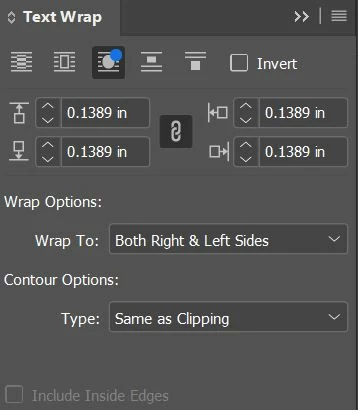 I cannot seem to turn off this version of text wrap for some reason. I click on other options and that blue dot remains. It's like it's locked. I even copied text from other sections of the document and once I placed them on this page the text wrap happened even though it works perfectly on the other pages. How do I turn off this little blue dot?
 AdChoices