


Hosun
Inspiring
May 23, 2024
Answered

border issue in Endnote

  • May 23, 2024
  • 1 reply
  • 3139 views

Hi,


I opened an EPUB with the Books app on Mac
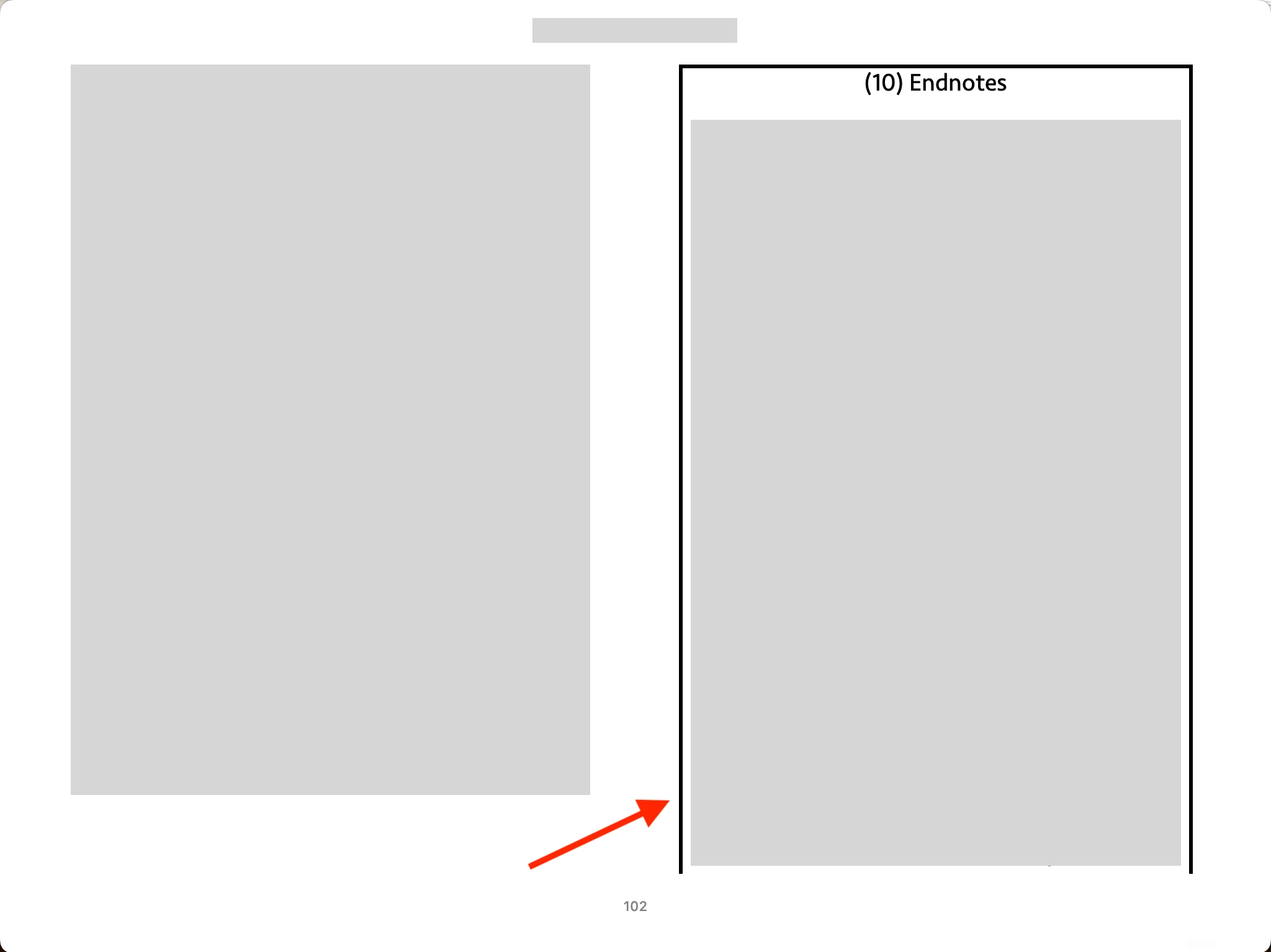
All of a sudden, I see a black border in Endnote. I haven't seen it before. 

How can I resolve the issue?


Hosun
 

Correct answer James Gifford—NitroPress

I guess something is not consistent between Id and the Books app.


A few years ago, I made my website.

The final version was good on Chrome and Edge. But on Safari, it's presented a little different from what I intended. So, I added a few line to CSS. I guess a similiat thing is happening now.


The Adobe people might monitor converstions in the Community. They would address the issue soon.


Thank you very much for your help. And I have two more questions.


Q1.

What is CJK version of Id?


Q2.

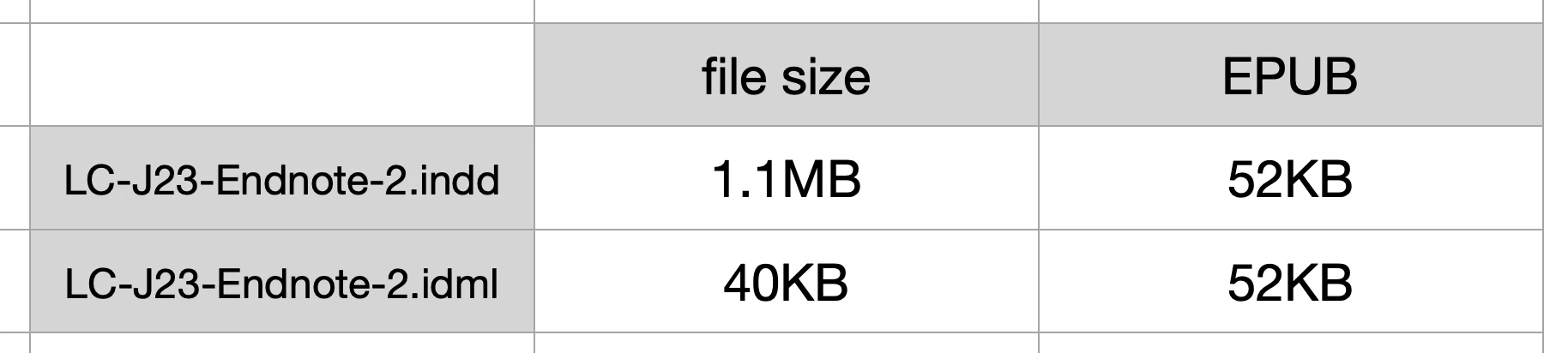
In the table below, converting indd to idml reduces the file size a lot.

When each is exported to EPUB, the file sizes are identical.


What is idml?

Should I convert indd to idml, before exporting to EPUB?


Hosun


First, the border appears on all readers I have tried. It has nothing to do with Apple's reader.


Since I cannot make it appear on any document except your source one, I conclude that your version of InDesign is doing something differently from my standard, Western/English version of 19.4. I assume (possibly wrongly) you are using the version that can handle Asian languages, known as the "Chinese-Japanese-Korean" version, or CJK. If not, I have no idea why your setup would produce this different result on EPUB export.


IDML is a more generic XML-based version of InDesign documents. It can be used to move docs from one version to another, especially to older versions from newer ones. It is key in fixing certain kinds of document corruption — if you export a problematic document to IDML, then open it and save again as INDD under a new name, it often fixes problems with things like formatting, numbering etc. that can't be fixed by regular adjustments. It has nothing to do with EPUB export.


I suspect that is at the root of the file size difference as well. Your INDD file is bloated with old editing and meta-data, and export to IDML purges that. Since the conversion to EPUB is about as total a format change as possible, the results are the same since the extra/bloated data is irrelevant to the export.


There is something different about your system and export; it may be that you have a corrupted document that has faulty settings for the Basic Text Frame, or that your setup is handling it differently. That's the whole of this problem, and simply omitting Basic Text Frame from the EPUB export cures it — at least, for me.

1 reply

James Gifford—NitroPress
Brainiac
May 23, 2024

Open the EPUB in any other reader, like Calibre. If the border is there as well, it's something in the file. However, I suspect it's an app thing, since almost no reader allows any kind of content display outside the viewport area (with small margins all around the screen).


Try any couple of EPUB readers you might have, good or bad, just to check for the border.


If it's only in the end notes, it may be a (new?) reader feature indicating you're out of the main content, or something.

Hosun
HosunAuthor
Inspiring
May 23, 2024

Thank you very much for your reply.

You are correct. It’s the app’s issue.


I can remove the border with

#_idContainer150 {border-style: none;}


The issue is; the text frame is squeezed on both sides. It is observed only in Endnote.


Is there any way to remove the space and enlarge the text frame?


The settings on Id are not presented only in Endnote on ePub.


James Gifford—NitroPress
Brainiac
May 25, 2024

Three weeks ago, I posted a question to Apple Community (Screenshots 1, 2, 3, 4).

I ecountered the boreder issue in Endnote, when I saw the bubble tip to Endnote. So, I was thinking it's the app's issue.


I've just downloaed Adobe Digital Editions and opened the EPUB. There is still the border (Screenshot 5).


The border issue might be related with BOTH Id AND Books app.


I can't figure out how to move forward. So, I send the files (Id and EPUB) to you via Messages.

Can you give me some advice?


I think going with CSS below might be the best.

#_idContainer150 {

                                  border-style: none;

                                  width: 100%;

                                }

ol._idFootAndEndNoteOLAttrs {padding: 0;}


Hosun


Okay, there is something very strange going on, but I think I've figured out how to get rid of it.


First, the INDD you uploaded was around 18M, which I assume is leftover bloat from stripping it down to this sample. My first step was to convert it to IDML, then open it again, to get rid of the bloat and fix any document corruption; it saved at 57kb.


However, nothing I could do directly in ID got rid of the black border, which appears in all three of my standard viewers. I think it is unquestionably a document artifact and not anything related to any one viewer or platform.


So in looking through the ID styles, I can''t find ANYTHING with a border defined that might be inappropriately applying to that text frame.


In the EPUB, none of the generated styles seem to have anything to do wtih it, either.


However... the basic text frame export style contained "border-style: solid;" — and all changes to this were reflected in the EPUB. I changed it to "border: none;" and the border disappeared. I changed it to "double" and the border became a double line. So this is the controlling element, but nothing I examined in the INDD file (either before or after the purge) shows any border defined on any Object Style. However, the Basic Text Frame style has a persistent override that nothing I tried would clear.


So the hack-fix would be to edit the CSS export for Basic Text Frame (or, try this — exclude it from export so it has no efect!). The proper fix would be to work backwards and figure out where that 'border-style: solid' is being applied to it. As to why the same style is only showing a border on that one frame... I am stumped.


ETA: yes, excluding Basic Text Frame and Basic Graphics Frame from the export fixed the border problem. As I don't know any good reason to export styles for these, that could be the fix you need. But the why of this is completely eluding me. I think it may be a corrupted style that IDML-to-INDD is not fixing.


Is dumping the whole project into a new, clean INDD file too big a step?
