


Answered
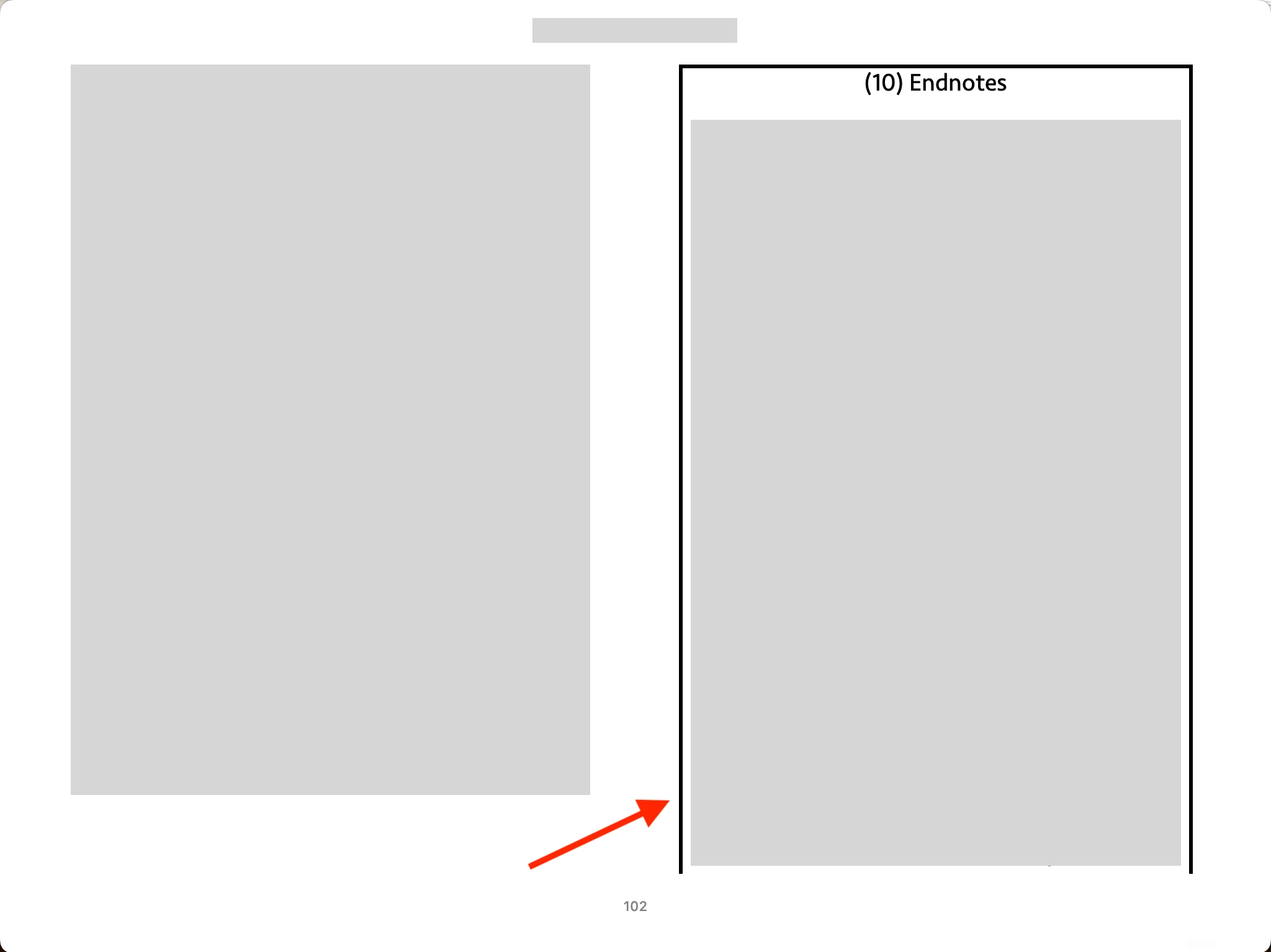
border issue in Endnote
Hi,
I opened an EPUB with the Books app on Mac.
All of a sudden, I see a black border in Endnote. I haven't seen it before.
How can I resolve the issue?
Hosun

Hi,
I opened an EPUB with the Books app on Mac.
All of a sudden, I see a black border in Endnote. I haven't seen it before.
How can I resolve the issue?
Hosun
I guess something is not consistent between Id and the Books app.
A few years ago, I made my website.
The final version was good on Chrome and Edge. But on Safari, it's presented a little different from what I intended. So, I added a few line to CSS. I guess a similiat thing is happening now.
The Adobe people might monitor converstions in the Community. They would address the issue soon.
Thank you very much for your help. And I have two more questions.
Q1.
What is CJK version of Id?
Q2.
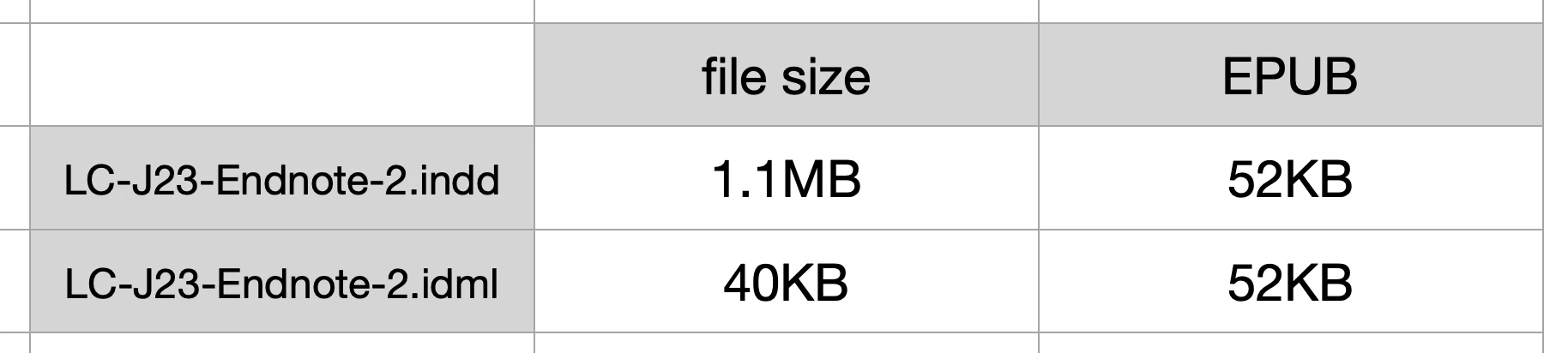
In the table below, converting indd to idml reduces the file size a lot.
When each is exported to EPUB, the file sizes are identical.
What is idml?
Should I convert indd to idml, before exporting to EPUB?
Hosun
First, the border appears on all readers I have tried. It has nothing to do with Apple's reader.
Since I cannot make it appear on any document except your source one, I conclude that your version of InDesign is doing something differently from my standard, Western/English version of 19.4. I assume (possibly wrongly) you are using the version that can handle Asian languages, known as the "Chinese-Japanese-Korean" version, or CJK. If not, I have no idea why your setup would produce this different result on EPUB export.
IDML is a more generic XML-based version of InDesign documents. It can be used to move docs from one version to another, especially to older versions from newer ones. It is key in fixing certain kinds of document corruption — if you export a problematic document to IDML, then open it and save again as INDD under a new name, it often fixes problems with things like formatting, numbering etc. that can't be fixed by regular adjustments. It has nothing to do with EPUB export.
I suspect that is at the root of the file size difference as well. Your INDD file is bloated with old editing and meta-data, and export to IDML purges that. Since the conversion to EPUB is about as total a format change as possible, the results are the same since the extra/bloated data is irrelevant to the export.
There is something different about your system and export; it may be that you have a corrupted document that has faulty settings for the Basic Text Frame, or that your setup is handling it differently. That's the whole of this problem, and simply omitting Basic Text Frame from the EPUB export cures it — at least, for me.
Already have an account? Login
Enter your E-mail address. We'll send you an e-mail with instructions to reset your password.
 AdChoices