



crashleyak
Participating Frequently
April 22, 2021
Question

Bounding boxes for text and images barely visible

  • April 22, 2021
  • 2 replies
  • 1111 views

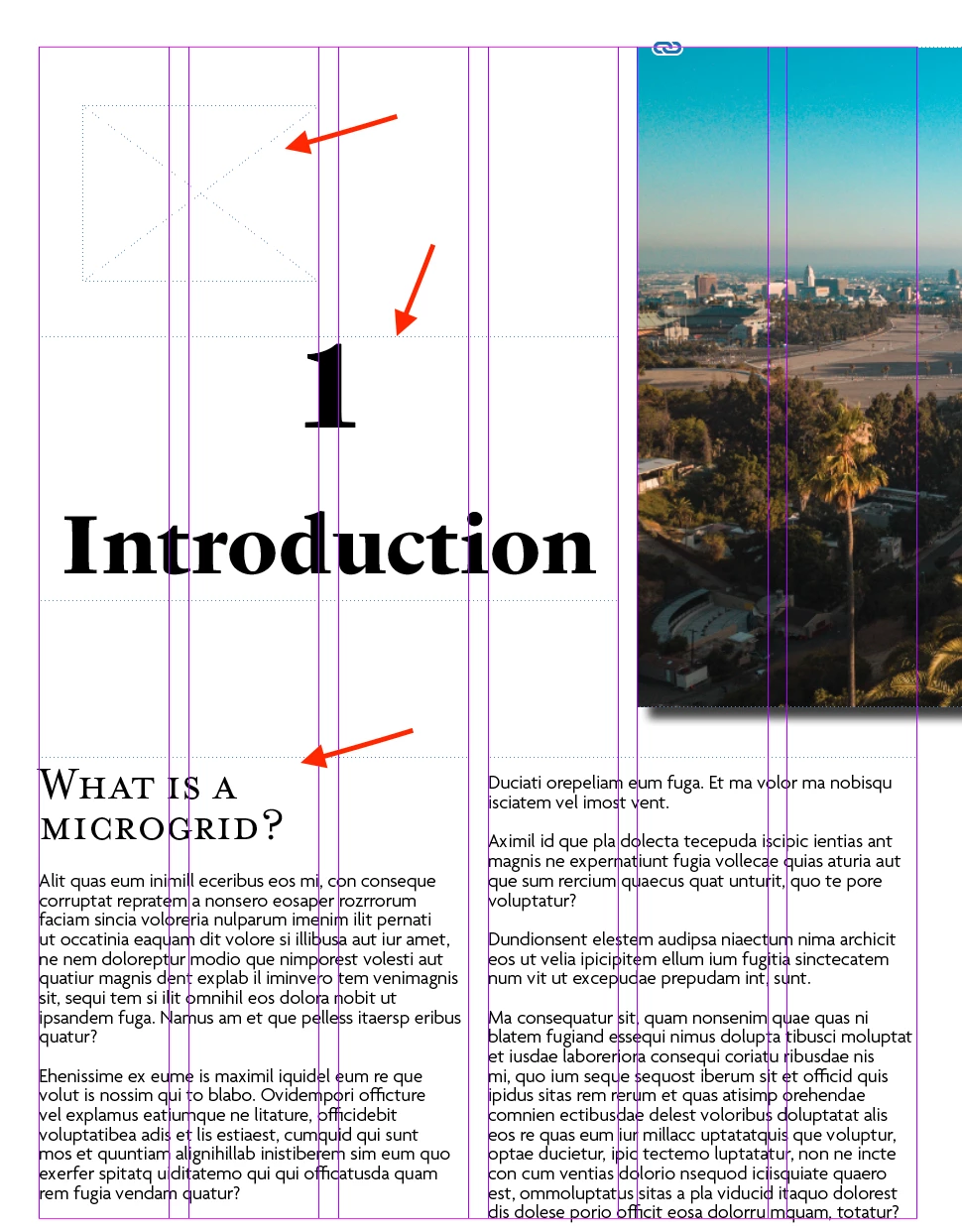
I created text boxes and image boxes in InDesign and unfortunately, they are extremely faint and hard to view.  See the attached image. 

The following did NOT fix the problem: "View > Extras > Show/Hide Frame Edges."

Can anyone help me, please?  


This topic has been closed for replies.

2 replies

John Mensinger
Community Expert
April 23, 2021

^Right, the dashed frame edges indicate the frames are on a Master Page.


Also, the frames on a given layer are displayed in the color of that layer. Visibility issues can be addressed by chnging the layer color. Double-click the layer in the Layers panel to change it.

crashleyak
Participating Frequently
April 23, 2021

Unfortunately, when I took text off of the master page, and go to page 3&4 (see photo), the bounding boxes are still dashed.  I'm only on one layer, no more layers have been created.  How can I better see the bounding boxes? 

crashleyak
Participating Frequently
April 23, 2021

Correction: see pages 2&3!

Brainiac
April 23, 2021

The dotted line means that the text frame is on the master page. It would be unusual to have all of that type in a master page, so I wonder if you are working on the master page when you meant to be working on the document page?

crashleyak
Participating Frequently
April 23, 2021

Thanks @ Migintosh. See my reply to John below.  I deleted the type on the master page (only placed it there b/c I couldn't see the bounding boxes), and the document pages' bounding boxes are still too hard to see.