


Inspiring
October 23, 2018
Answered

button in indesign which pops up image when clicked in acrobat

  • October 23, 2018
  • 1 reply
  • 1955 views

please check below screenshots,

below green highlighted text is button created in InDesign, when clicked in acrobat, Image pops up with close button at corner like second Image
I want to create a button of same in InDesign which creates output as below, is it possible and how, thanks...

Before :
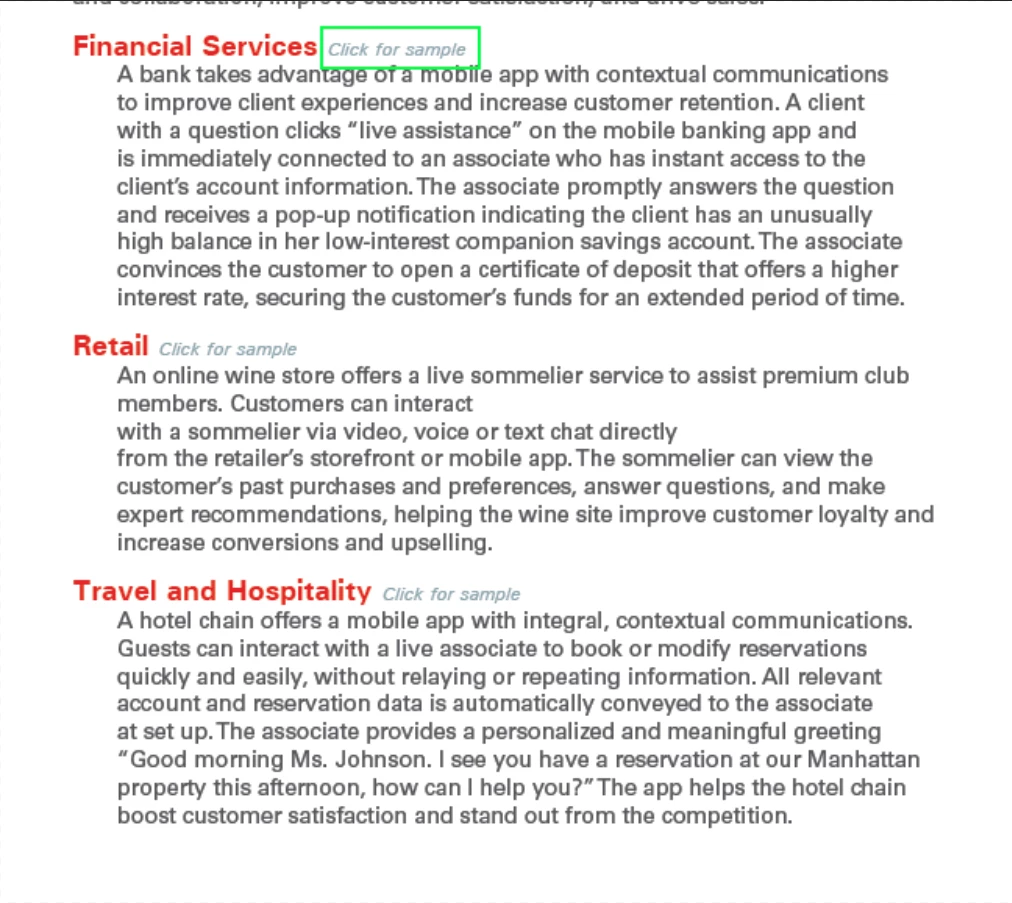
After :

    This topic has been closed for replies.
    Correct answer davidblatner

    Yes, you can make buttons like this in InDesign. However, note that button objects often do not work on mobile devices. (In fact, in many PDF readers on mobile, the button is not even visible! Very frustrating.)

    In order to make something visible or invisible, you have to change both objects into buttons (in the Buttons & Forms panel). Just select the objects and click the "Convert to a Button" icon. Then give each button its own name. Now, to make something visible or invisible, you use the Show/Hide Button action.

    Here's more details: https://indesignsecrets.com/showing-and-hiding-objects-in-interactive-pdf.php

    (There are other ways to make things appear, such as animations, but those do not currently work in PDF.)

    1 reply

    davidblatner
    davidblatnerCorrect answer
    Community Expert
    November 5, 2018

    Yes, you can make buttons like this in InDesign. However, note that button objects often do not work on mobile devices. (In fact, in many PDF readers on mobile, the button is not even visible! Very frustrating.)

    In order to make something visible or invisible, you have to change both objects into buttons (in the Buttons & Forms panel). Just select the objects and click the "Convert to a Button" icon. Then give each button its own name. Now, to make something visible or invisible, you use the Show/Hide Button action.

    Here's more details: https://indesignsecrets.com/showing-and-hiding-objects-in-interactive-pdf.php

    (There are other ways to make things appear, such as animations, but those do not currently work in PDF.)