


New Participant
August 31, 2023
Question

Can different parent pages have different margins

  • August 31, 2023
  • 3 replies
  • 2146 views

I want two-sided printed pages. Odd pages have one margin. Even pages have another. I have a master for odd pages and a master for even pages. InDesign is applying my page numbers correctly. When I try to change the margins in the document setup, it changes both masters.


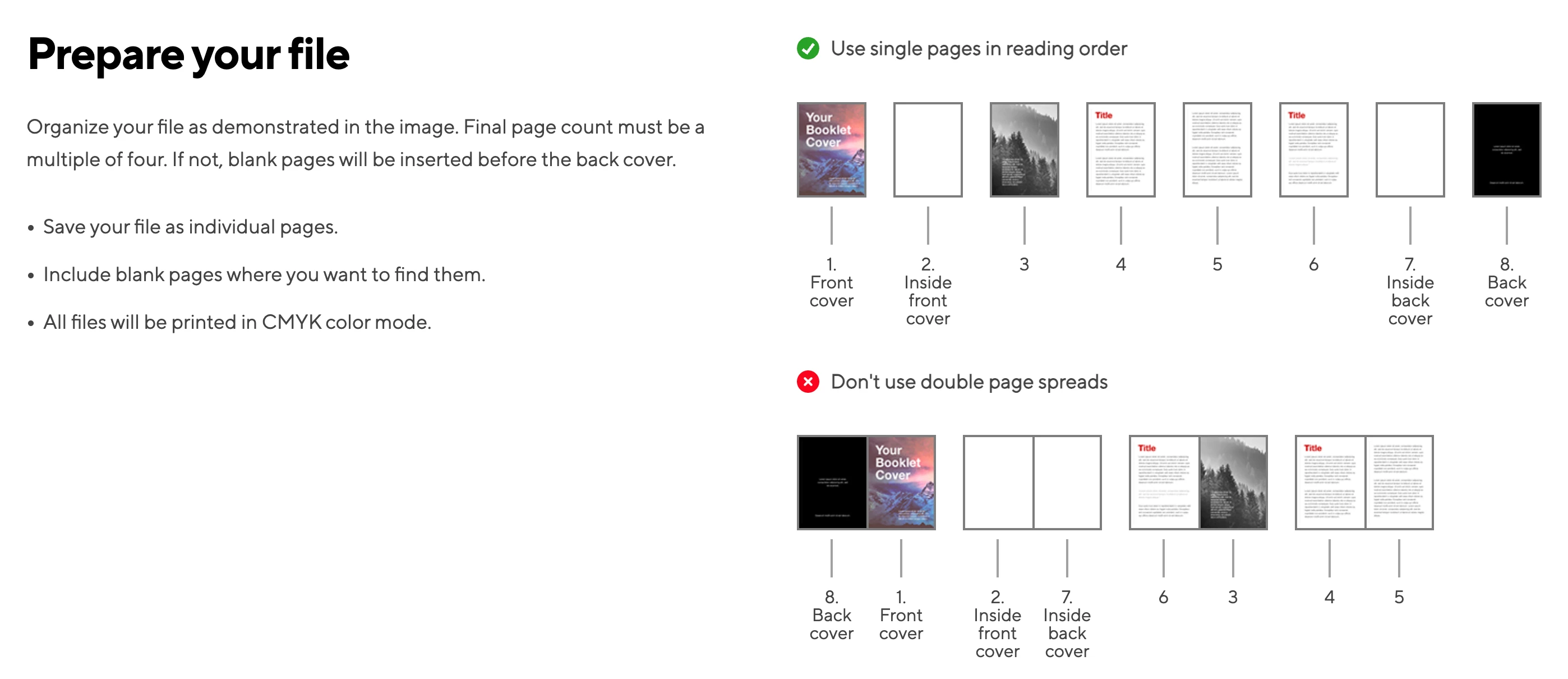
I created this document in spreads and all was well until printers started wanting PDFs with single pages. How can I get this to work?
 

This topic has been closed for replies.

3 replies

Willi Adelberger
Community Expert
September 1, 2023
  1. You should setup your document with facing pages, when you create a document or later in the menu > File > Document setup.
  2. A document with facing pages has normally master/parent page spreads with 2 pages, one for the left, one for the right side of the spine. So is no need to create 2 different masters/parent pages. 
  3. To select the whole spread of the master/parent pages (but also for any other pages) clcik twice on the name or number of the spread, to select a single page click only on the thumb of one page.
  4. To make the margins equal on both sides of the spine select the spread and edit the margins in the layout menu, to make a page different, selct those only.
  5. The advice you show us is irritating. In InDesign you have to setup multiple page spreads. The printer needs single pages. So you have to export as single pages even if the document is set up as facing pages document. It is not good done from your printer, maybe he does not know, how InDesign (and other DTP applications) work. He knows only, how he needs the file for print. 
Robert at ID-Tasker
Brainiac
August 31, 2023

As @Peter Spier said - you can set different Page Size / Margins / Number of pages / etc. for each Master - but you need to make it active first - double-click in the Pages Panel.


What you are setting up in the Document Setup - are just a "general" settings.


About the Printer's requirement ... they just don't want you to do "imposition".


Just in case clarify with them - but I'm pretty sure they just will need you to export your document as a "single page" PDF:


Peter Spier
Community Expert
August 31, 2023

Change the margins for a selected Parent/Master page using Layout > Margins and Columns... instead of File > Document Setup...

New Participant
August 31, 2023

Thanks! Problem solved.