


Answered
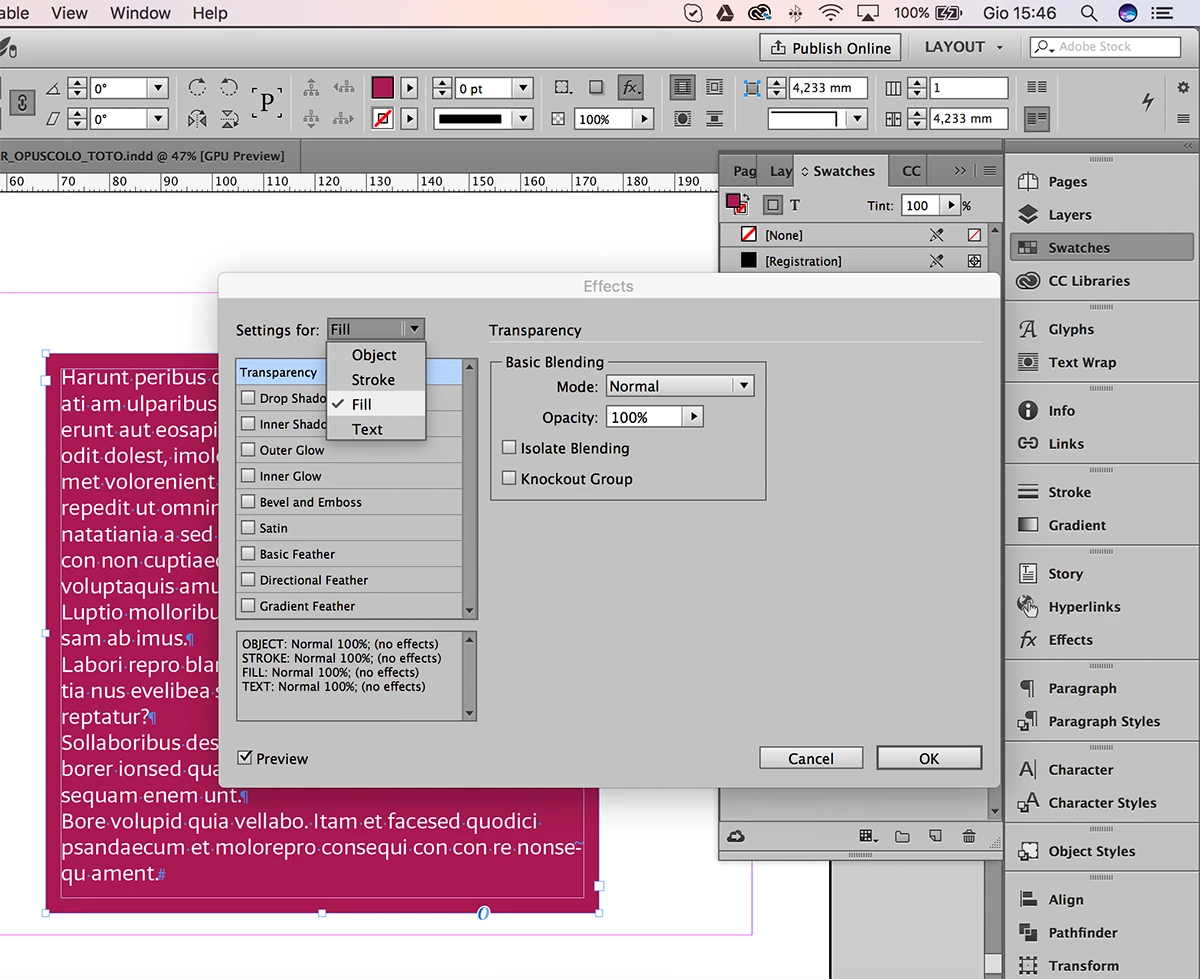
Can I change the box fill color's opacity without changing the text opacity?
I have a photograph in the background of the page. Over the top of the photo I would like to place text inside a box that has white fill color set to 80% opacity. I normally create a separate object for the box, set its fill to white and adjust its opacity, then place my text on top of the box and adjust the box size to fit the text correctly. Using two separate objects takes more time.
Instead, I'd like to use the text box by itself if possible. I was hoping to set the fill color of the text box to white and change its opacity to 80%, but the text opacity also changes. Is there anyway to keep the text opacity 100% while adjusting the fill opacity? I'm assuming there is no way to affect one without affecting the other?
Thanks,
Paul
 AdChoices