


Can someone please help explain linking/embedding image behaviour for files under 48kb?
Hi,
According to adobe help on "Manage Graphic Links" - Manage linked or embedded graphics in Adobe InDesign
"If the bitmap image you place is 48K or smaller, InDesign automatically embeds the full‑resolution image instead of the screen-resolution version in your layout. InDesign displays these images in the Links panel, so that you can control versions and update the file whenever you like; however, the link is not necessary for optimal output."
So, when I saw a linked image of size approx. 5kb, (see below) I couldn't understand why the image was missing and being reported as a "missing link". According to the above, it should have been embedded automatically? Does it have something to do with it being a PNG?
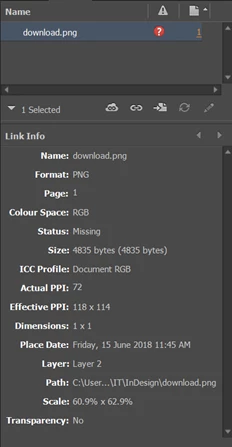
So then I was even more confused when I saw linked images that were also less than 48kb - in one case approx. 24kb - that were being reported as "missing link" - and yet seem to have been automatically embedded, as per Adobe's specification above?
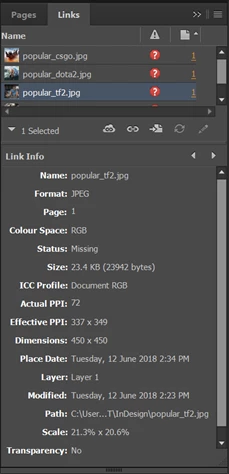
I understand why the missing link error is occuring - the InDesign file was moved to another computer without the images - that's not at issue here - what is at issue is.... the automatic embedding is happening, then it's not happening? And the 48kb limit is being observed and then it's not being observed? Have I done something wrong? Is this a bug? Help? Thanks.
 AdChoices