Alexandre Brandt
Inspiring
March 9, 2018
Question

Can't properly re-order pages

  • March 9, 2018
  • 2 replies
  • 3890 views

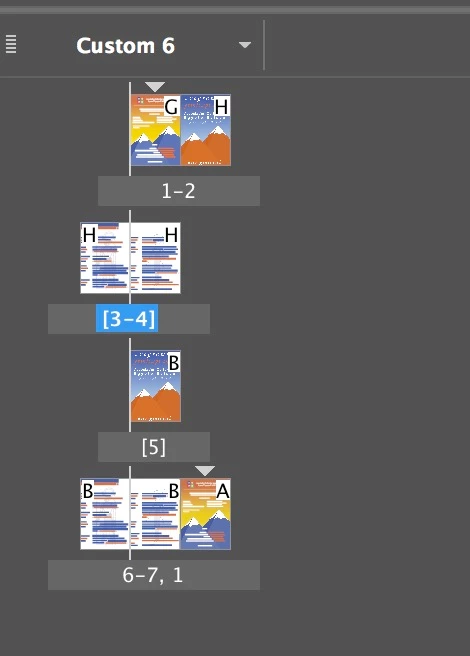
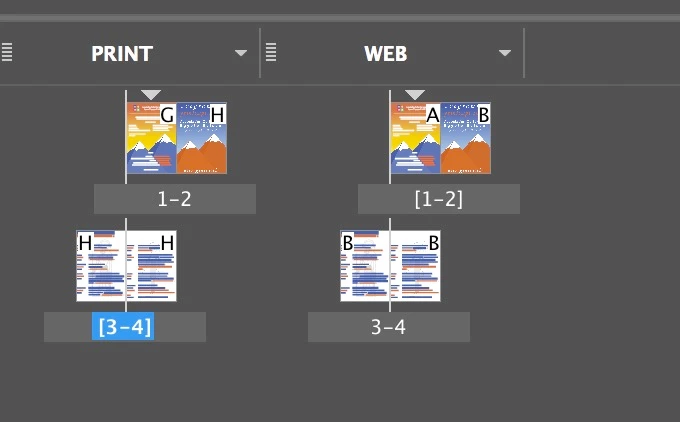
I've got an Indesign document with two layouts of 4 pages each.

For my print version I had to export a PDF a certain way, with page 4, next to page 1 on same sheet and then pages 2 and 3 on the other side.

For the web, I want to export in the correct page order. So I made a new layout to re-order the pages.

The problem I'm having is when I try to move pages around, they shuffle and some of them go to the other previous layout !

What the heck.
    2 replies

    Community Expert
    March 15, 2021

    Alexandre says:

    "For the web, I want to export in the correct page order. So I made a new layout to re-order the pages."


    To export pages to a PDF you can do a new order in the input field of the PDF Export dialog.

    No need for re-ordering pages in the InDesign document.


    With the example of the original post you simply export to:

    +6,+7,+8,+5


    Here an example with the PDF (Interactive) export dialog from my German InDesign:


    The plus in front of the number indicates an absolute page position in the document.

    So the 6th page in the document, follwed by the 7th, by the 8th and finally by the 5th page is exported to one PDF file.


    Regards,
    Uwe Laubender

    ( ACP )

    winterm
    Brainiac
    March 9, 2018

    So, what’s the problem? Here I change 'correct' page order (for web) to 'print' order. It just works.

    Well, left page shouldn't have odd page number (even 'for web'), but that's another story.

    Alexandre Brandt
    Inspiring
    March 10, 2018

    Hey winterm,

    Thanks for the video.

    My problem is : when I try re-ordering the pages in my web layout, they shuffle and get put in my print layout.

    winterm
    Brainiac
    March 10, 2018

    Aren't you just complicating things? What's the use of Alternate Layouts here? Why not just duplicate those two spreads and reorder pages in duplicates? Then export, say, first two spreads to 'web' pdf, and last two spreads - to 'print' pdf.

    Or vice versa