


Inspiring
August 10, 2018
Answered

Can't Select more than two objects inside a group

  • August 10, 2018
  • 2 replies
  • 5713 views

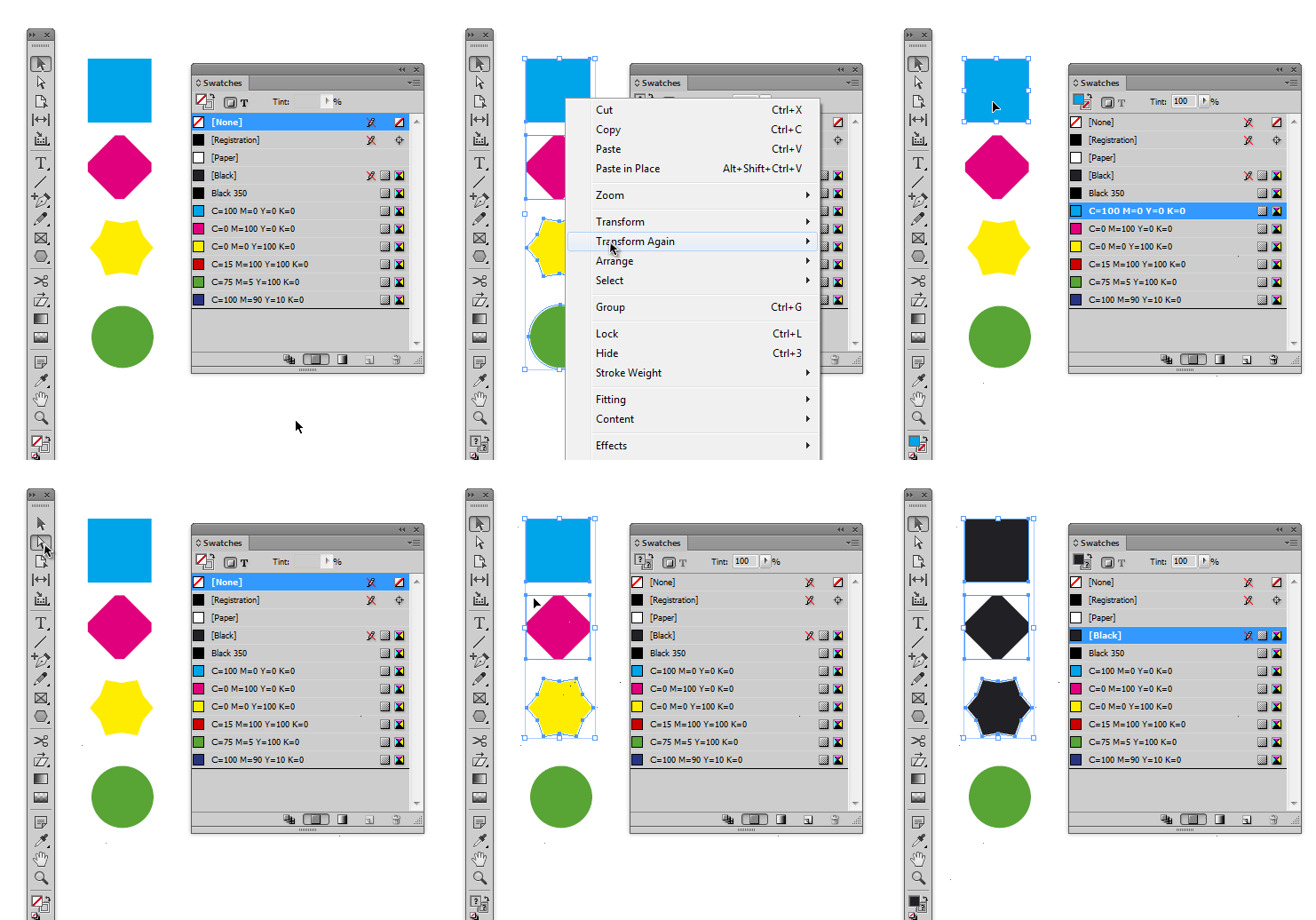
I have a number of shapes in a group as part of a design. I wish to adjust the position of several group elements as follows:

1. Double click the group to open it

2. SHIFT+click the desired objects

This is OK for the first two objects, but when I SHIFT+click the third object, all selected objects are deselected, and the parent group becomes selected.I can unselect individual objects if 2+ are selected, using the same method.

This happens with 100% consistency.

The objects can be selected as normal by meatballing them in the Layers panel.

Indesign 13.1 x64 on Windows 7 x64 Pro

Is this a known bug? Will file as usual anyway.

Thanks

Richard
    Correct answer winterm

    It’s rather a 'feature', than a bug. All versions of ID work exactly this way.

    However, with Direct Selection tool you can select more than two objects in a group.

    Well, it’s not the same, I know.

    2 replies

    New Participant
    May 7, 2025
    winterm
    wintermCorrect answer
    Braniac
    August 10, 2018

    It’s rather a 'feature', than a bug. All versions of ID work exactly this way.

    However, with Direct Selection tool you can select more than two objects in a group.

    Well, it’s not the same, I know.

    Inspiring
    August 10, 2018

    That's helpful thanks! It's not intuitive but at least there is a way to do it.

    Cheers

    Richard

    BobLevine
    Braniac
    August 11, 2018

    Even easier...use the layer panel.