


Can you lock text color for specific text boxes within a thread?
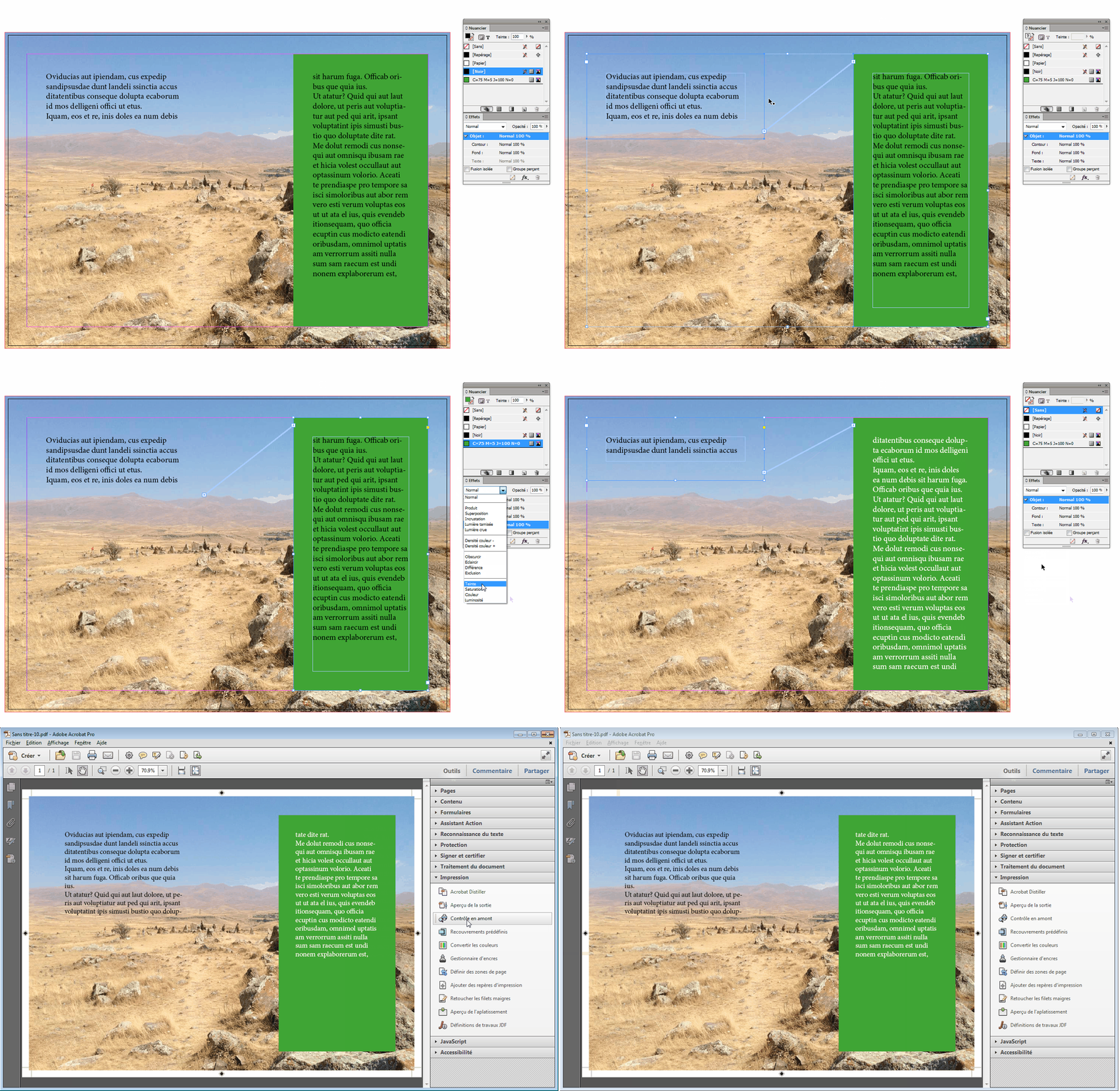
Generally new to Indesign and not sure how to figure this out. I'm working on a document that has multiple threads of text. Below is an example of two text boxes I have that are threaded together (left to right) but I have a problem. I'm trying to find a way to make it so the text in the box on the right side is always white. Is there a way that I can make it so whenever text is entered, or pushed, or added to the right side text box it will automatically turn white? And vise versa the text on the left always stays black?
I ask this because I'm a finicky designer and shift the assets around a lot. If (for example) I were to shorten the length of the text box on the left, it will in response push the excluded text to the box on the right, which will mean even if I just manually change the specific text in the right text box to white I'll need to manually fix every length of text's color if I decide to shift assets around (second example below shows the result of shortening the left text box).

 AdChoices