


Participating Frequently
June 13, 2018
Question

Cannot Open InDesign file... Need to upgrade plug-ins?

  • June 13, 2018
  • 2 replies
  • 2722 views

I know there are previous threads on this issue, but none of which have solved my issue.

My computer crashed last week, so I am having to re-install everything onto my new one, including the Adobe Suite CS5. I am using the disk I purchased in 2015(?), but now none of my files will open. I am getting the following screen whenever I attempt to open a file.
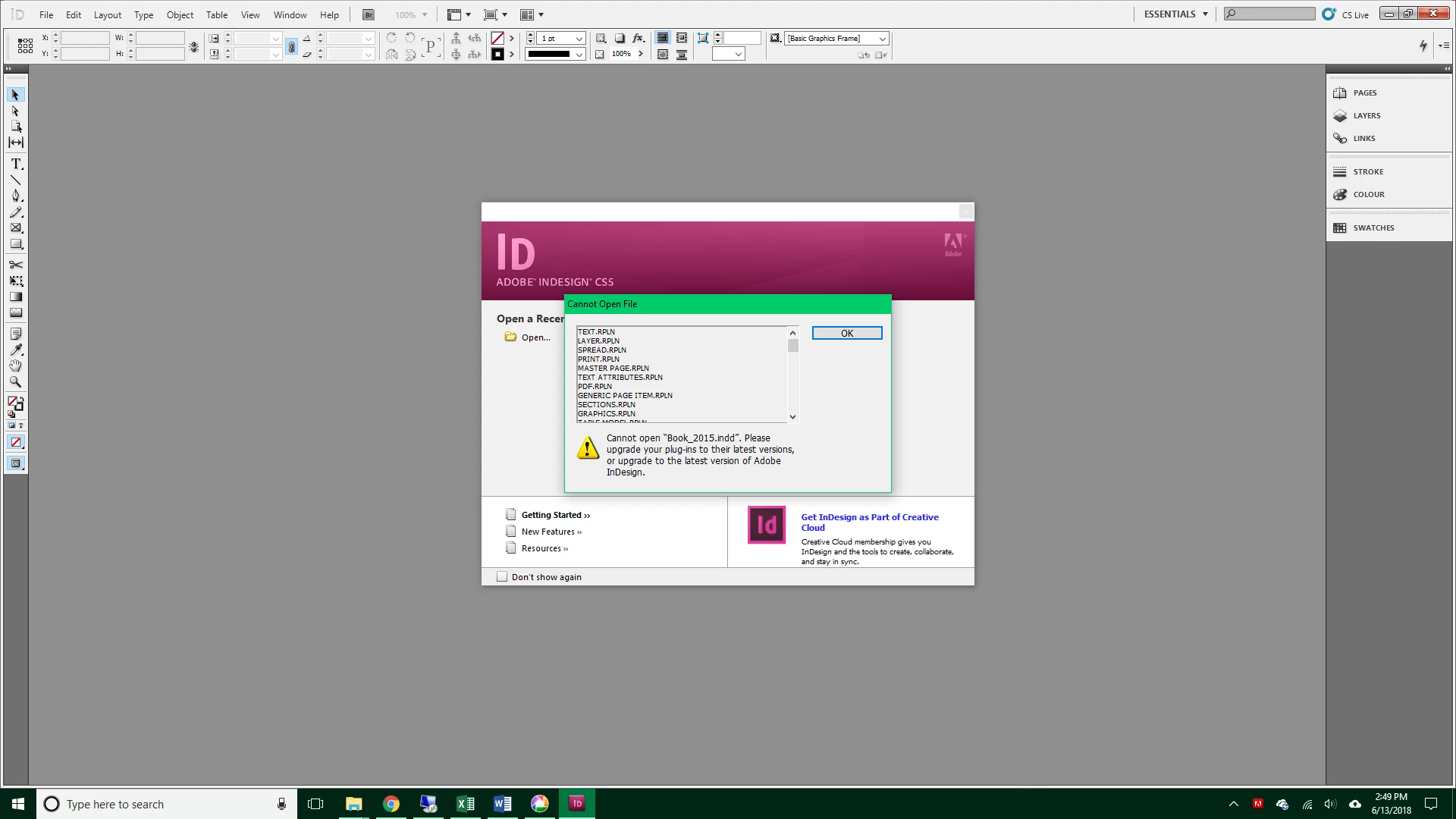
Unfortunately, there is no way for me to open the files and save a different version or as an .idml file. I only have the original .indd files. It also will not allow me to update the programs or plug-ins for some reason. It just keeps telling me there was an error and try again later.

I am stuck... PLEASE HELP!

This topic has been closed for replies.

2 replies

Jongware
Braniac
June 13, 2018

Step #1 would be to make sure your old files are actually CS5 files, and not from a newer version. Which, I must add, certainly looks to be the case.

Try my script in [Ann] Identify Your InDesign File  and report what it tells you on those non-opening files.

MccnkyaAuthor
Participating Frequently
June 13, 2018

Here is another report after I unpacked it. I am including both pages

Page 1

Page 2

MccnkyaAuthor
Participating Frequently
June 14, 2018

Mccnkya  wrote

I HAVE to upgrade in order to open the program?

You can open the program (as long as you remain on an old operating system) but you cannot open files created / saved with a newer version.

Mccnkya  wrote

I don't want to spend $600 per year on a set of programs that I already have.

Unfortunately for you, that's irrelevant. The cheapest way is to subscribe to InDesign for one month and find every single INDD file on your computer and save it back via IDML. Be prepared for some headaches when you re-open them in CS5 as text will likely reflow and any new features will be lost or badly mangled.


Thanks Bob, I didn't think of doing a month subscription just to change the file type back. This is a nightmare...

Bill Silbert
Braniac
June 13, 2018

Your new computer most certainly has Windows 10. CS5 is not supported for Windows 10 (especially after its last upgrade). You can try running the computer in compatibility mode with an earlier OS or you can get a subscription to Creative Cloud and upgrade to the latest version of InDesign.

Bill Silbert
Braniac
June 13, 2018

BTW CS5 was already five years old in 2015.