New Participant
December 16, 2024
Answered

Cannot process Devanagari Font through data merge

  • December 16, 2024
  • 3 replies
  • 1344 views

I have data consists of languages Hindi and English and I am not able to merge that data into indesign even if I put the source of the data as .csv or .txt. 

I have tried everything. Even coverted csv to UTF-16, but nothing seems to works. I am also using a versatile font family that works for both hindi and english, i.e, MUKTA. Indesign doesn't seem to process hindi language whereas I am having no problem writing them all individually. 
Correct answer Joel Cherney

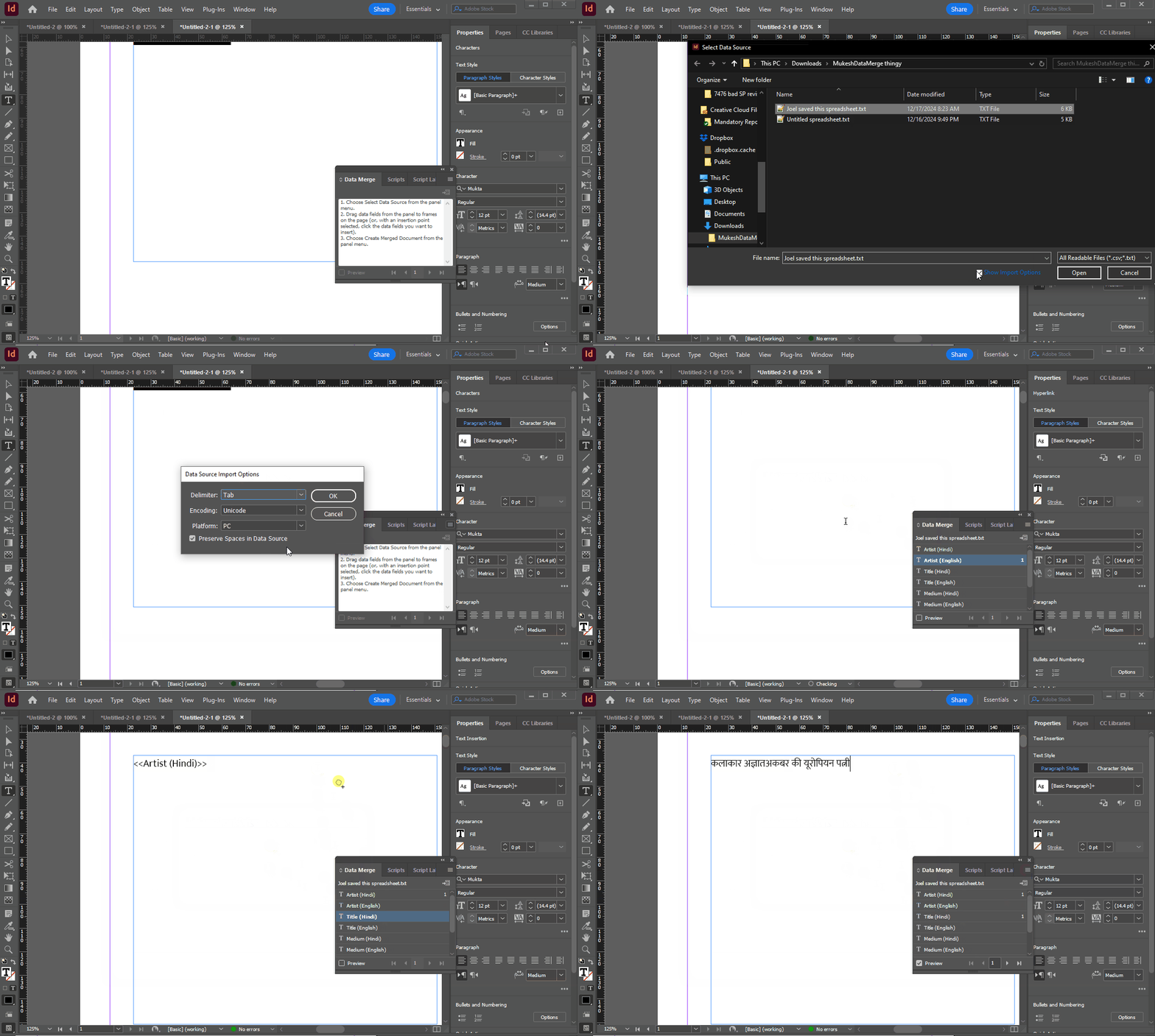
Well, if I try to use your text file, I get the same character drops as you. If I use your Excel file to save out "Unicode Text" the merge works fine for me. As a result, I think that your text file might be encoded improperly. Let me show you the "Import Options" checkbox on the tab-delimited Unicode text file I saved out of your Excel file:


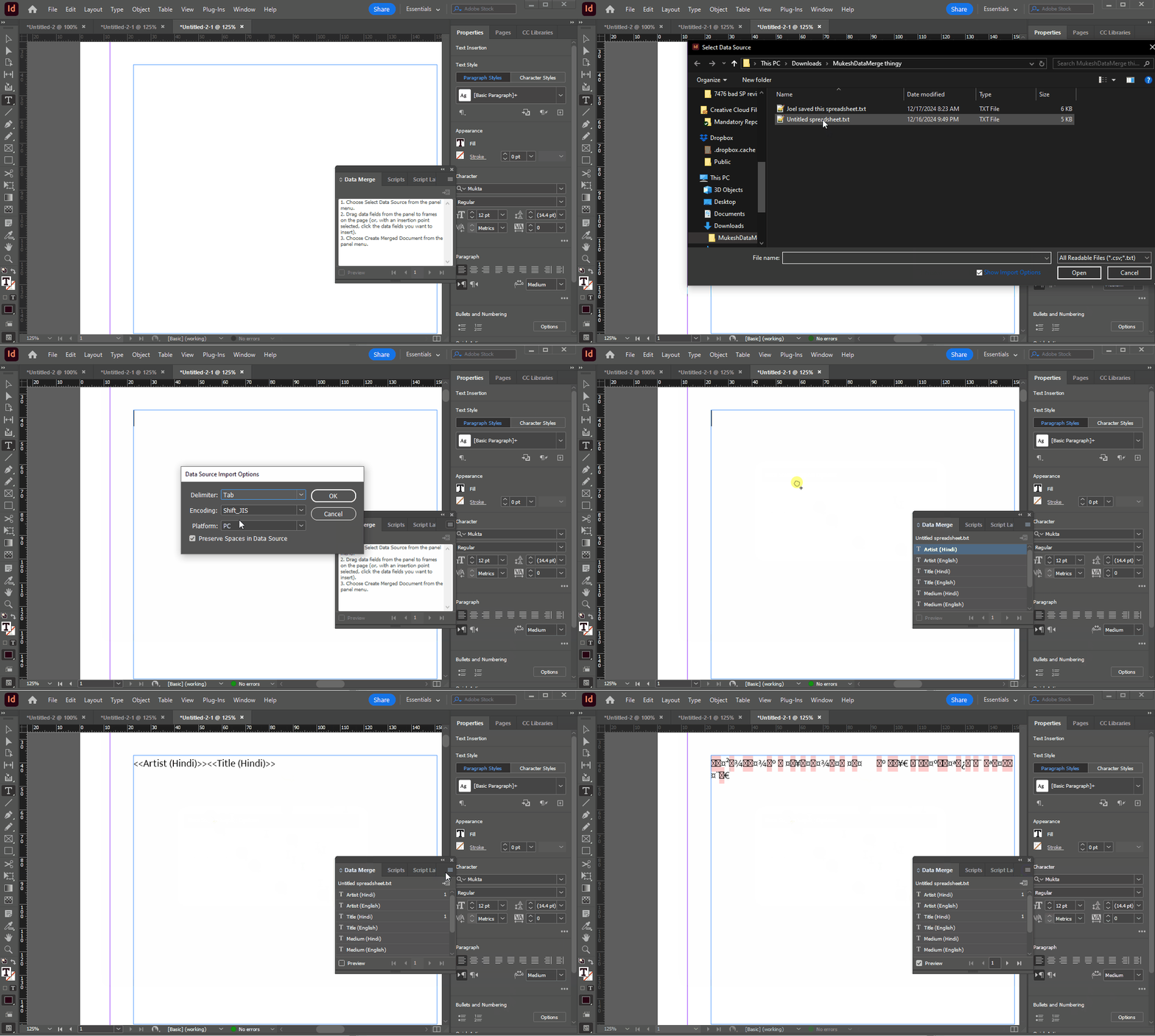
Now, let's do the same with the "Untitled spreadsheet.txt" you shared with us:


Because I can see the Import Options dialog, I can see that your text file is Shift_JIS encoded, which is a legacy Japanese text encoding. So, assuming your data source is starting in Excel, I think that your solution is to use the "Unicode Text" save format. If your data source is starting somewhere else, you'd need to take different steps to prepare the text file with the correct encoding, as shown in the Import Options dialog. 

3 replies

Robert at ID-Tasker
Brainiac
December 17, 2024

@MUKESH37155323ckq9 


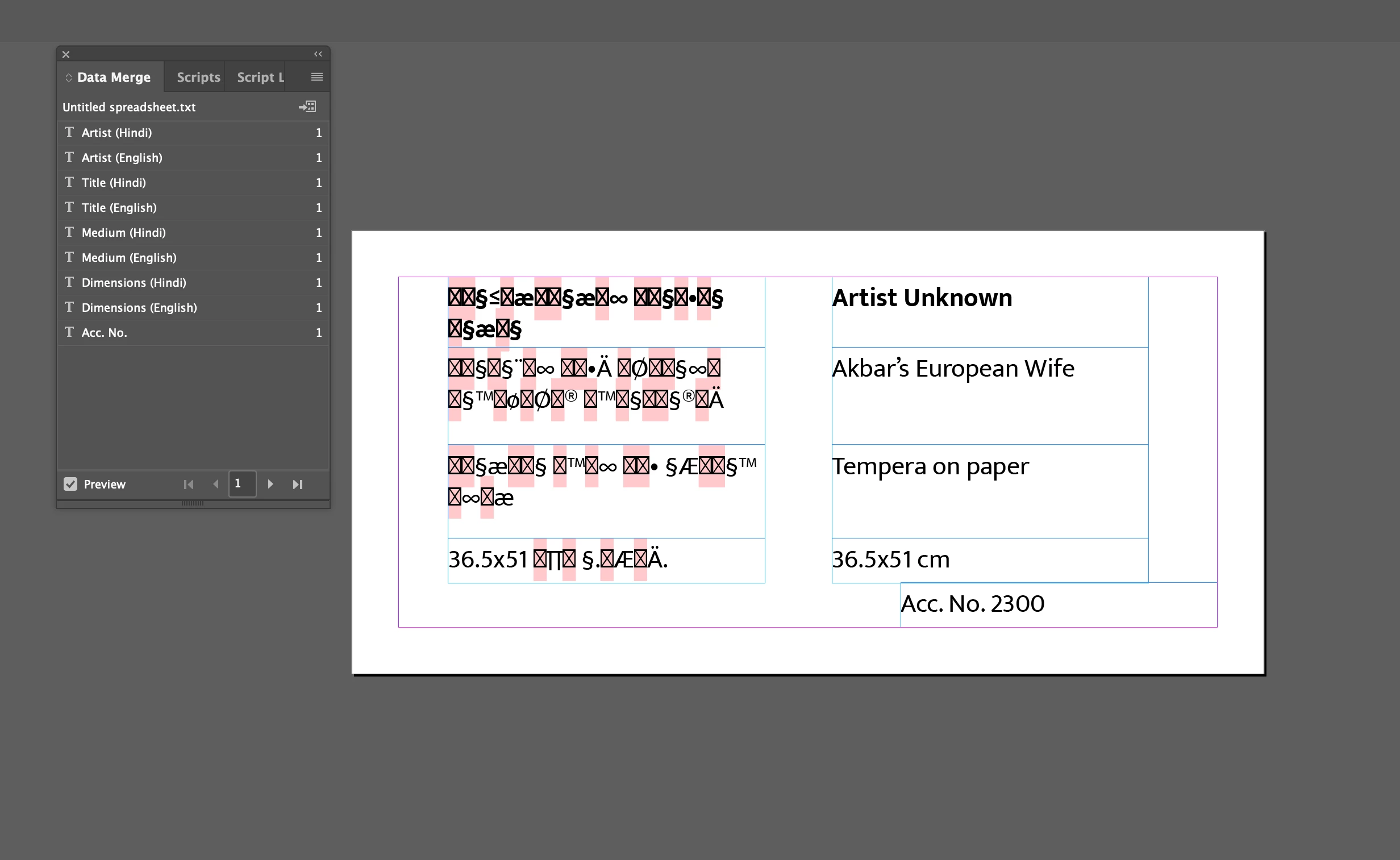
You need a different font - the one you are using right now doesn't have all glyphs:


New Participant
December 18, 2024

This is also working. I also had to enable Adobe World Paragraph Composer to process the complex spellings in Devnagari. 

Paragraph Style> Style Options> Justification> Adobe World Paragraph Composer

Thank you so much for your response.


Joel Cherney
Community Expert
December 17, 2024

Can you post a sample of your data? I just tested a quick Hindi data merge over here on both 2024 and 2025, with no issues.


It sounds like you haven't yet hit on the right format to save your data, which is weird, because you also describe doing all the right things, encoding-wise. Have you used the "Import Options" checkbox on the Select Data Source dialog to select encoding and platform? If you have, maybe something about your installation of InDesign is damaged, and it might be worth resetting your preferences to see if that resolves it. 


What I find most odd is that I can't recreate your problem, at all. Your screenshot looks like some kind of endianness-related drop, but I can't create anything that looks vaguely similar. I've been trying every permutation I can think of - wrong export formats from Excel, specifying Mac platform encoding when I'm using Windows, and so on. All I can create with Data Merge is either 1) a row of question marks, or 2) perfect Hindi.


It's very unlikely, but: are you sure that your data source isn't itself not in Unicode? Could it be something old, encoded for Shree-Lipi fonts, or something like that? 

New Participant
December 17, 2024

Yes I did everything as you mentioned. I am not able to understand what you meant by "Import Options", select data source dialogue.  Well, this is the sample of the data. I am using the latest version of Indesign 2025. 

Let me know if this is working you. Thank you so much for responding, I appreciate it. 

Abhishek Rao
Community Manager
Community Manager
December 17, 2024

Hi @MUKESH37155323ckq9,


Thanks for sharing the details! To help you further, could you confirm:

1. The exact version of InDesign you are using (e.g., 19.0, 20.0)?

2. Your operating system (Windows or macOS, and its version)?

Also, if possible, can you share your InDesign file along with the sample data? This will allow us to test it on our end and troubleshoot more effectively.


Looking forward to your response!


Best, 

Abhishek Rao

kglad
Community Expert
December 17, 2024

in the future, to find the best place to post your message, use the list here, https://community.adobe.com/

p.s. i don't think the adobe website, and forums in particular, are easy to navigate, so don't spend a lot of time searching that forum list. do your best and we'll move the post (like this one has already been moved) if it helps you get responses.


<"moved from cc desktop">