

elliotlipsh
Known Participant
July 25, 2018
Answered

Change footnote numbering NO superscript

  • July 25, 2018
  • 5 replies
  • 5085 views

Need some help to change footnote numbers, not to be superscript but to be normal case and a tab

    This topic has been closed for replies.
    Correct answer Barb Binder

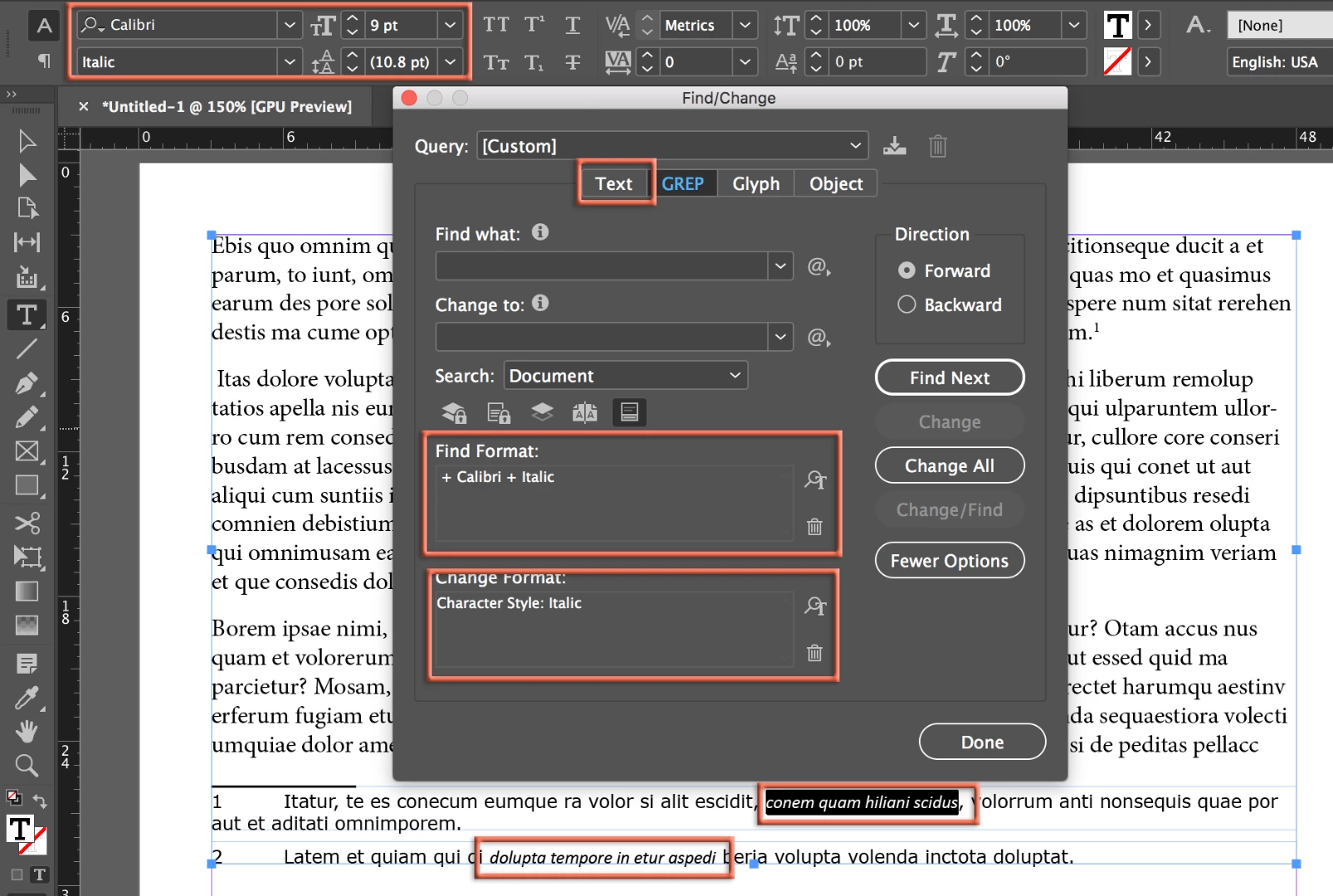
    Set up a character style defined as Verdana Italic. Then use Find/Change to :

       Find: Calibri + Italic
       Change Format: Your new character style

    ~Barb
    5 replies

    elliotlipsh
    Known Participant
    August 11, 2018

    thank you again, it appears the find change is the key to all and of course character styles

    appreciate.

    elliotlipsh
    Known Participant
    August 9, 2018

    hi all, thanks so much.  All worked perfectly.

    but...  now I have another doc with a similar but different problem again with footnotes...

    A Word doc has been supplied by client.  There are italics in the footnotes and these are not coming into my InDesign doc correctly.  The footnote para style for example I have set up is Verdana 9pt, but the italics are coming in as Calibri italic 9pt.

    how do I change it?

    thanks in advance

    Barb Binder
    Barb BinderCorrect answer
    Community Expert
    August 10, 2018

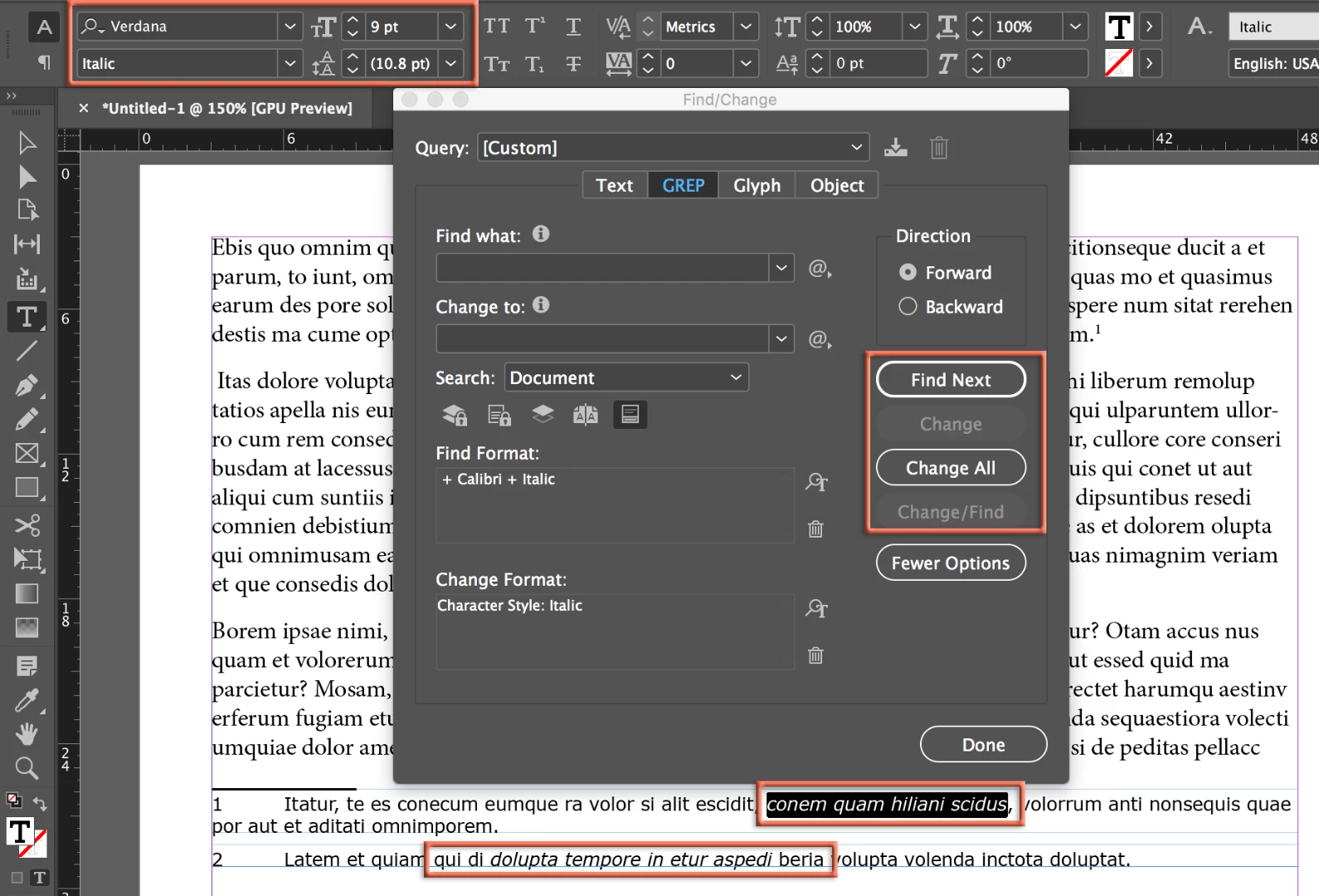
    Set up a character style defined as Verdana Italic. Then use Find/Change to :

       Find: Calibri + Italic
       Change Format: Your new character style

    ~Barb
    ~Barb at Rocky Mountain Training
    Barb Binder
    Community Expert
    July 25, 2018

    Can you what space or a tab to the text itself,

    I'm not sure what you are asking here.

    ok, want the superscript in the reference up the top to be say 14pt

    If you want to reduce the size of the superscript in the document, you handle it via Preferences > Advanced Type. You can increase or decrease the size relative to the size of the text.

    then want the footnote 13 to be normal size, not superscript and a tab to the first word.

    Create a paragraph style for the footnotes themselves, include the type size and the tab stop. Assign it through the dialog box as shown in the bottom orange rectangle.

    ~Barb

    ~Barb at Rocky Mountain Training
    elliotlipsh
    Known Participant
    July 26, 2018

    pretty sure I am good now...

    thanks to all

    will be back if not.....

    Barb Binder
    Community Expert
    July 25, 2018

    Supporting vladan saveljic's answer with an English-language screen shot:

    Use Type > Footnote Options > Layout to specify how the references look in the text and in the note.

    ~Barb

    ~Barb at Rocky Mountain Training
    elliotlipsh
    Known Participant
    July 25, 2018

    ok, thanks had that bit but had a style applied which was conflicting.  Can you what space or a tab to the text itself, ie between the reference number and the text

    elliotlipsh
    Known Participant
    July 25, 2018

    ok, want the superscript in the reference up the top to be say 14pt

    then want the footnote 13 to be normal size, not superscript and a tab to the first word.

    do I need separate char or para styles to do this?

    vladan saveljic
    Inspiring
    July 25, 2018

    set here tab:

    Type > Document Footnote Options.

    footnote number "Normal" (not superscript - only in footnotes text) in paragraph style > grep > character style "Normal"

    Jongware
    Community Expert
    July 25, 2018

    Relevant section of the Online Help: Create footnotes in InDesign

    If the official Online Help does not help you, explain with more words what you are having troubles with.