



Lavitas Macutis
Inspiring
November 2, 2023
Answered

change page size cutting on one end, shortening bottom up … ?

  • November 2, 2023
  • 2 replies
  • 1734 views

Dear Community, 


in Photoshop, you can change the canvas size cutting on one or two sides rather than all four (or opposing two) equally (by setting the Anchor in the Canvas Size panel (Image > Canvas Size or opt-cmd-C). Anything like that in InDesign? 


Thanks!

This topic has been closed for replies.
Correct answer rob day

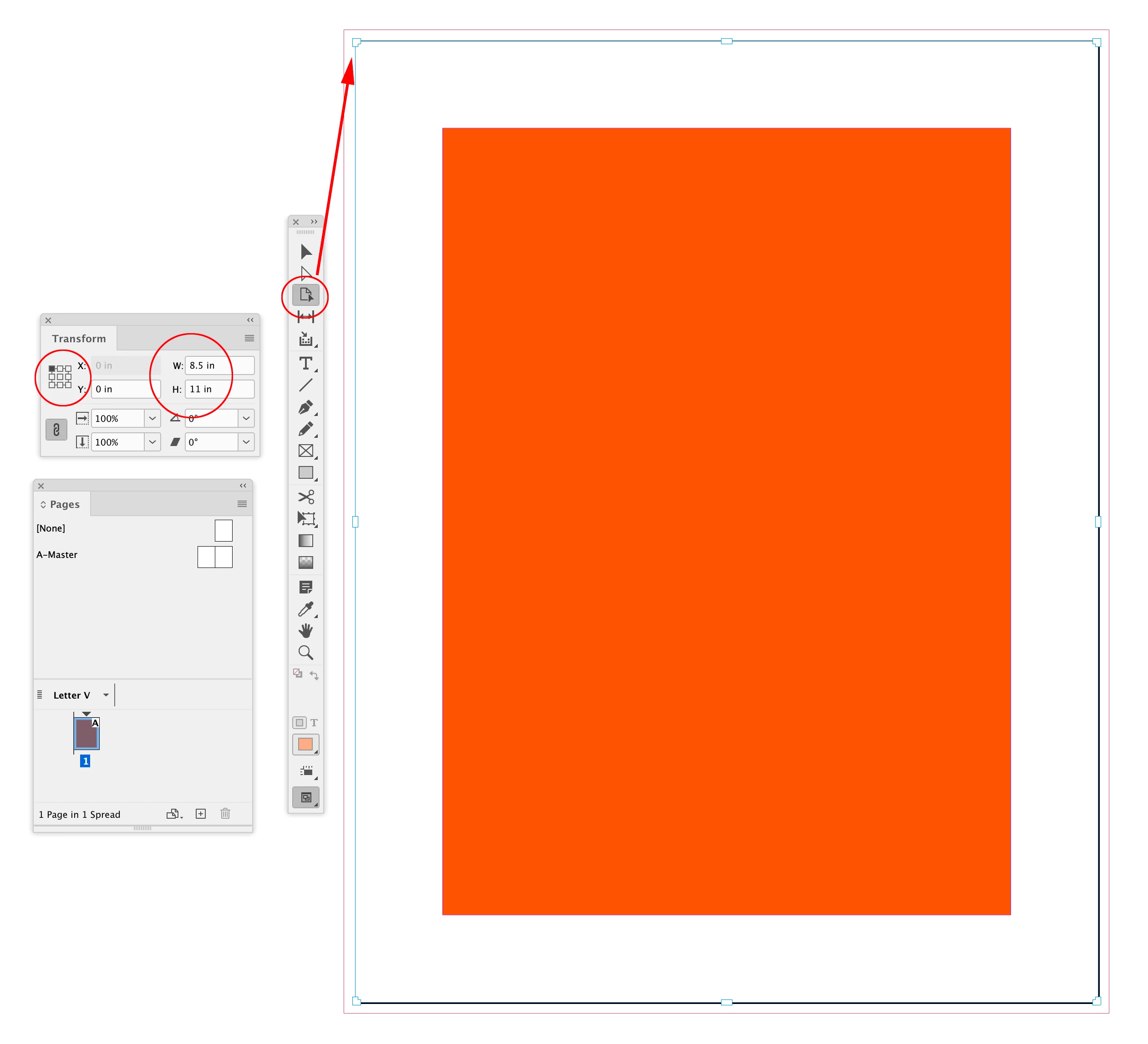
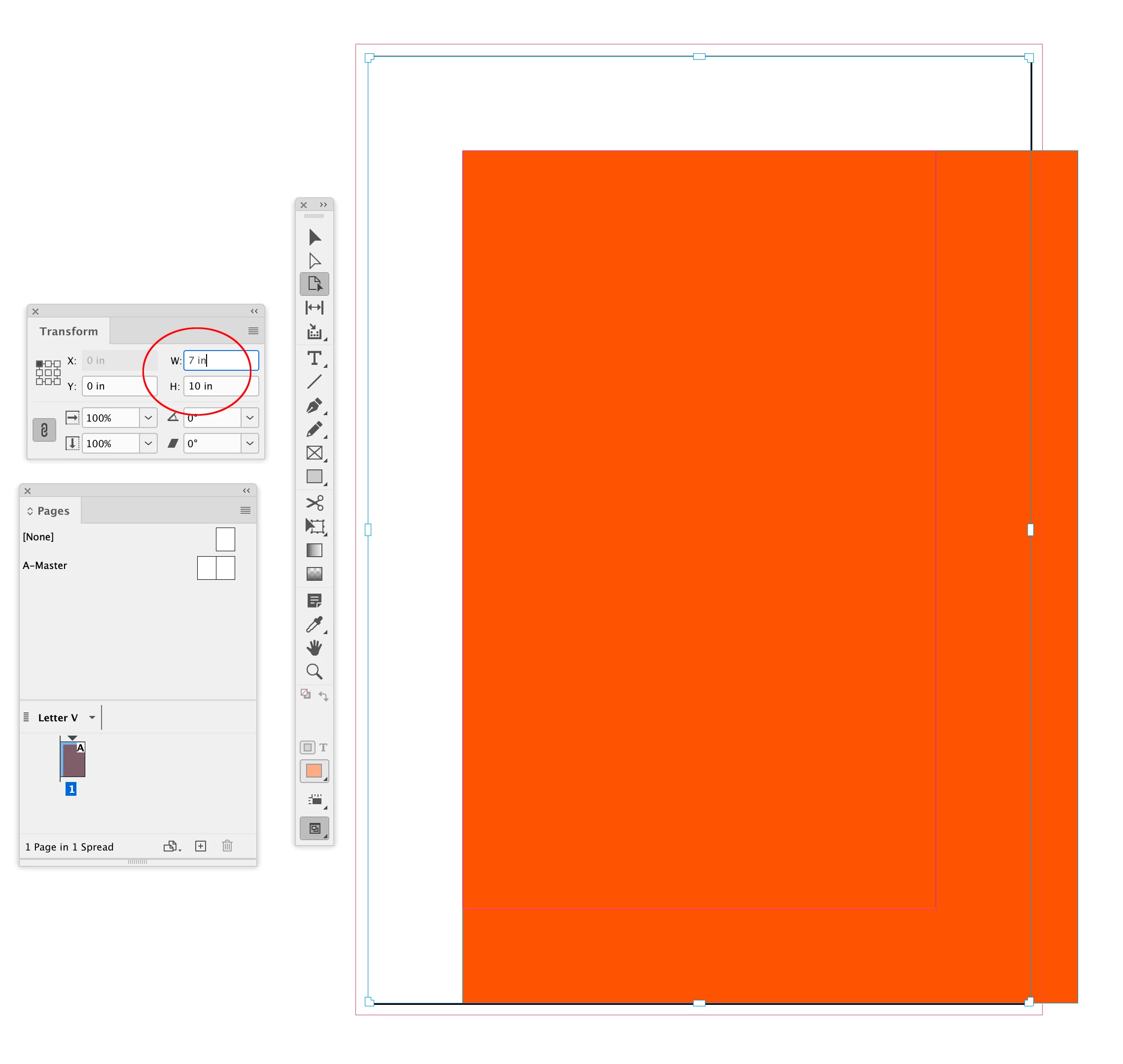
on one or two sides rather than all four (or opposing two) 


The Pages tool responds to the Transform panel’s reference Point:
 

2 replies

rob day
Community Expert
rob dayCommunity ExpertCorrect answer
Community Expert
November 2, 2023

on one or two sides rather than all four (or opposing two) 


The Pages tool responds to the Transform panel’s reference Point:
 

James Gifford—NitroPress
Legend
November 2, 2023

Wallaby d*mned. 😛

rob day
Community Expert
Community Expert
November 2, 2023

I use it rather than Document Setup for resizing pages—doc setup always uses the center reference point.

James Gifford—NitroPress
Legend
November 2, 2023

Not that I know of. I assume you mean shortening a page and having the top and bottom margins remain proportional, or some variation of that. InDesign is fixed with its origin point at the upper left of each page, and page contents are positioned relative to that origin. So changing the page size will not move any content relative to that point — meaning that all changes in page size are effectively to the bottom and right side.


As with so many things, it's possible a script could be developed to adjust all content proportionally to a page size change, but I think that would either be trivially easy (if there's a universal 'hook' to be used) or quite messy.


There are also layout alternatives that allow resizing — 'Liquid Layout' — but in general their action is more complex than just moving items proportionally when a page size changes. You might look into that feature to see if it serves your needs.