Obi-wan Kenobi
Brainiac
November 30, 2016
Question

Change text color in tables! …

  • November 30, 2016
  • 1 reply
  • 4712 views

Hi Scripters,

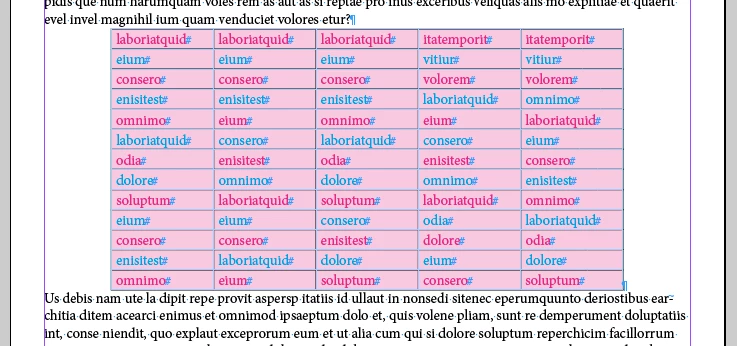
I'm trying to change color of the text in some rows but not all! As:
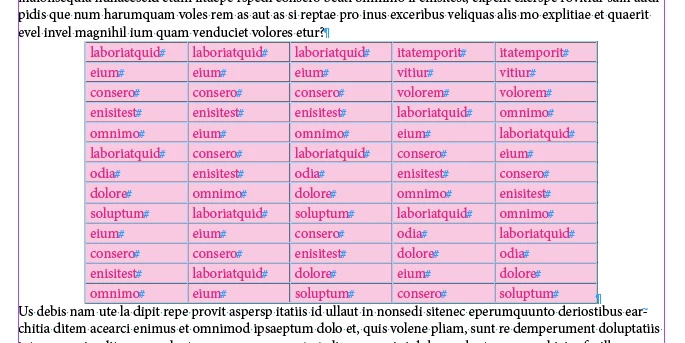
… with this code:

var

myDoc = app.activeDocument, 

myTables = myDoc.stories.everyItem().tables.everyItem().getElements(); 


for ( var t = 0 ; t < myTables.length; t++ ) 

        var myRows = myTables.rows;        

        for ( var r  = 1 ; r  < myRows.length; r += 2 ) 

        { 

                   var myCells = myRows.cells;                   

                   for ( var c = 0 ; c < myCells.length; c++ ) 

                   { 

                    myCells.contents.fillColor = myDoc.colors.itemByName("Blue");

                   } 

        }

}

… But, of course, it doesn't work!

As usual, thanks for your help! 

(^/)

This topic has been closed for replies.

1 reply

Obi-wan Kenobi
Brainiac
November 30, 2016

… Apparently, my error is at line 13. To be corrected as:

                    myCells.texts[0].fillColor = myDoc.colors.itemByName("Blue");

… But I find this script very slow! 

Is there a different writing to make it faster!

Thanks again! 

(^/)

Brainiac
November 30, 2016

This is probably quicker (it's certainly quicker to type):

app.findGrepPreferences = app.changeGrepPreferences = null;

app.findGrepPreferences.fillColor = 'Black';

app.changeGrepPreferences.fillColor = 'Blue';

app.documents[0].stories.everyItem().tables.everyItem().changeGrep();

Peter

Brainiac
December 1, 2016

Hi Peter,

Totally right! [ ] … if I wanted to change all "Red" text in "Blue"! …

But it's more complex: To simplify, I've not included a header row, but here I want to change only the "even" rows.

That's why I used 3 "for" loops [see the second one especially]! … surely the reason of the script slowness.

(^/)


Hi Obi-wan,

what does slow mean? How many seconds for how many tables with how many rows?

There is an faster approach, but you'll need in advance to know the maximum number of rows of all the tables of your document.

Getting that value needs some time for calculation. That would be the "overhead" so to speak. But from then on its much faster than looping every row of every table.

On an old MacBook Pro from late 2008 with only 4 GB of RAM and InDesign CS6 with about 1200 rows in total—maximum rows of one table was: 1000—the script below took about 34 seconds to finish:

var startTime = Date.now();

var rowsMax = 0;

app.scriptPreferences.userInteractionLevel = UserInteractionLevels.interactWithAll;

app.doScript

    (


    colorTextOfEverySecondRow,

    ScriptLanguage.JAVASCRIPT,

    [],

    UndoModes.ENTIRE_SCRIPT,

    "Color text of every second row in document"


    );

var endTime = Date.now();

var elapsedTimeInSeconds = ((endTime - startTime)/1000);

$.writeln(elapsedTimeInSeconds+"\t"+"Sec."+" with rowsMax: "+rowsMax);

function colorTextOfEverySecondRow()

{

    var doc = app.documents[0];

    var color = doc.colors.itemByName("Blue");

    // Some preprocessing of the maximum number of rows:

    var tables = doc.stories.everyItem().tables.everyItem().getElements();

    var tablesLength = tables.length;

    for(var n=0;n<tablesLength;n++)

    {

        var currentRowsLength = tables.rows.length;

        if(currentRowsLength > rowsMax){rowsMax = currentRowsLength};

    };

    // And here a demonstration of the power of everyItem()

    tables = doc.stories.everyItem().tables.everyItem();

    for(var n=1;n<rowsMax;n=n+2)

    {

        tables.rows.cells.everyItem().texts.everyItem().fillColor = color;

    };


    return rowsMax;

};

Note: No header or footer rows were defined in the tables.

I tested your code with my sample.

It took about 192 seconds to finish.

See also Marc Autret on everyItem() :

Indiscripts :: On ‘everyItem()’ – Part 1

Indiscripts :: On ‘everyItem()’ – Part 2

Regards,
Uwe