


Participating Frequently
August 26, 2024
Answered

How to Adjust Text Inset Spacing for Specific Paragraphs Within a Text Box

  • August 26, 2024
  • 2 replies
  • 1618 views

Hello,


I'm very new to InDesign, and I'm having trouble figuring out the best way to achieve something:


There are certain segments of text that I would like to "set off" from the rest of the text by placing it in boxes and/or changing the inset setting.


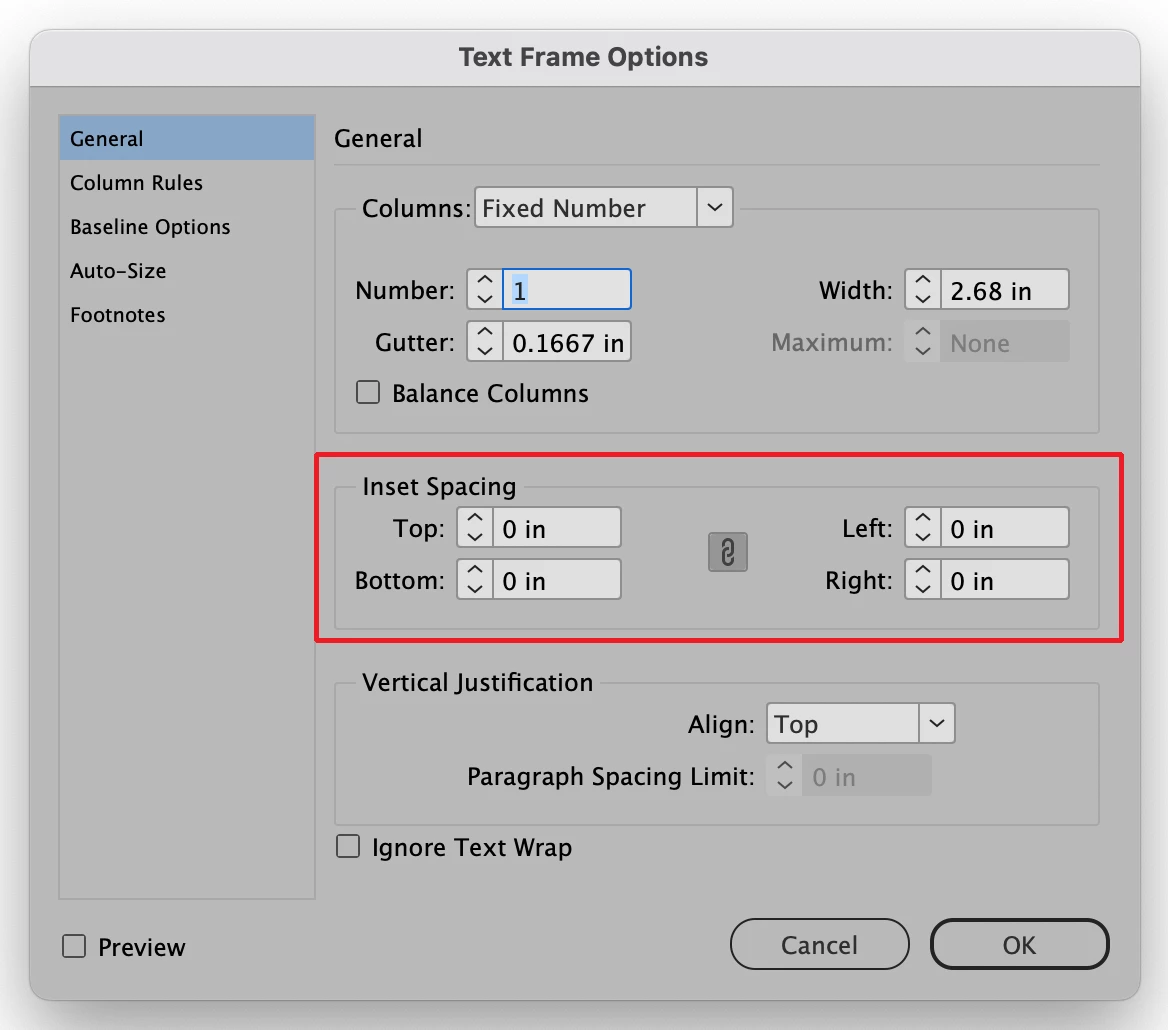
So far, when I select a paragraph from within my larger text box and perform object > text frame options... And adjust the insets from there, the action affects the entire text box, not just my selected text.


Is there a good way to change these settings for just a few paragraphs within my document? I don't know how to do it without messing up the placement of all the text that comes after these paragraphs.


Thank you for any help 


<Title renamed by MOD>
This topic has been closed for replies.
Correct answer Bill Silbert

I just want to make it clear that what Robert is (correctly) suggesting is using indent settings (as he shows). Indent is what is applied to individual paragraphs. Inset which is set in the Text Frame Options dialog (Object>Text Frame Options) is applied to an entire text frame. For example, if you had a stroked border around a text frame and you want all type to be set away from the stroke you would set text inset either uniformly or non-uniformly as needed. 


2 replies

Mike Witherell
Community Expert
Community Expert
August 27, 2024

Your new paragraph style should also include Paragraph Border and/or Paragraph Shading. See the Paragraph Style Options dialog box as you build a style that will provide for the inset, the border, the shading... as much or as little as you design.

Mike Witherell
Participating Frequently
August 27, 2024

Thank you Mike! That will be very helpful in my work

Robert at ID-Tasker
Legend
August 26, 2024

You should define a new Paragraph Style - and set Inset and Spacing:


Then apply this style to selected paragraphs.


You can also play with Border and Shading:


https://creativepro.com/using-paragraph-shading-to-create-corners-in-a-table/ 


Bill Silbert
Community Expert
Bill SilbertCommunity ExpertCorrect answer
Community Expert
August 27, 2024

I just want to make it clear that what Robert is (correctly) suggesting is using indent settings (as he shows). Indent is what is applied to individual paragraphs. Inset which is set in the Text Frame Options dialog (Object>Text Frame Options) is applied to an entire text frame. For example, if you had a stroked border around a text frame and you want all type to be set away from the stroke you would set text inset either uniformly or non-uniformly as needed. 


Participating Frequently
August 27, 2024

Thank you for explaining this in more detail, Bill. This differentiation will be really helpful in retaining the info (and finding the controls!) going forward. Appreciate the help