


Inspiring
March 14, 2019
Answered

Changing the gutter size in a facing pages document

  • March 14, 2019
  • 3 replies
  • 15672 views

I have improper gutter settings in my .indb I need to know how to MODIFY the gutter for both left and right pages at once. If I do this in the margin settings it moves the gutter to the right which is correct on the the right spread but the wrong on the left.

??

MD
    This topic has been closed for replies.
    Correct answer Barb Binder

    Hi Mathew:

    Some people use "gutter" to describe the space between 2 columns, other use it to describe the space between two pages. InDesign uses the first definition in margins and columns so I'm going to guess that is what your question is about.

    Assuming I guessed correctly, are you trying to define the gutter width or gutter position?

    When Uwe asked the same question, you responded with column values. A screen shot would be very helpful to help us figure out what you are asking.

    ~Barb

    3 replies

    Community Expert
    April 26, 2021

    Hi Van5CD3,

    some screenshots of all pages selected in the Pages panel of a particular spread together with the Margins and Columns dialog will help. Also one of your document setup regarding margins and if you are working in a facing-pages document or not. Also state the exact version of your InDesign and the operating system.


    Thanks,
    Uwe Laubender

    ( ACP )

    Barb Binder
    Community Expert
    Barb BinderCommunity ExpertCorrect answer
    Community Expert
    March 14, 2019

    Hi Mathew:

    Some people use "gutter" to describe the space between 2 columns, other use it to describe the space between two pages. InDesign uses the first definition in margins and columns so I'm going to guess that is what your question is about.

    Assuming I guessed correctly, are you trying to define the gutter width or gutter position?

    When Uwe asked the same question, you responded with column values. A screen shot would be very helpful to help us figure out what you are asking.

    ~Barb

    ~Barb at Rocky Mountain Training
    Inspiring
    March 14, 2019

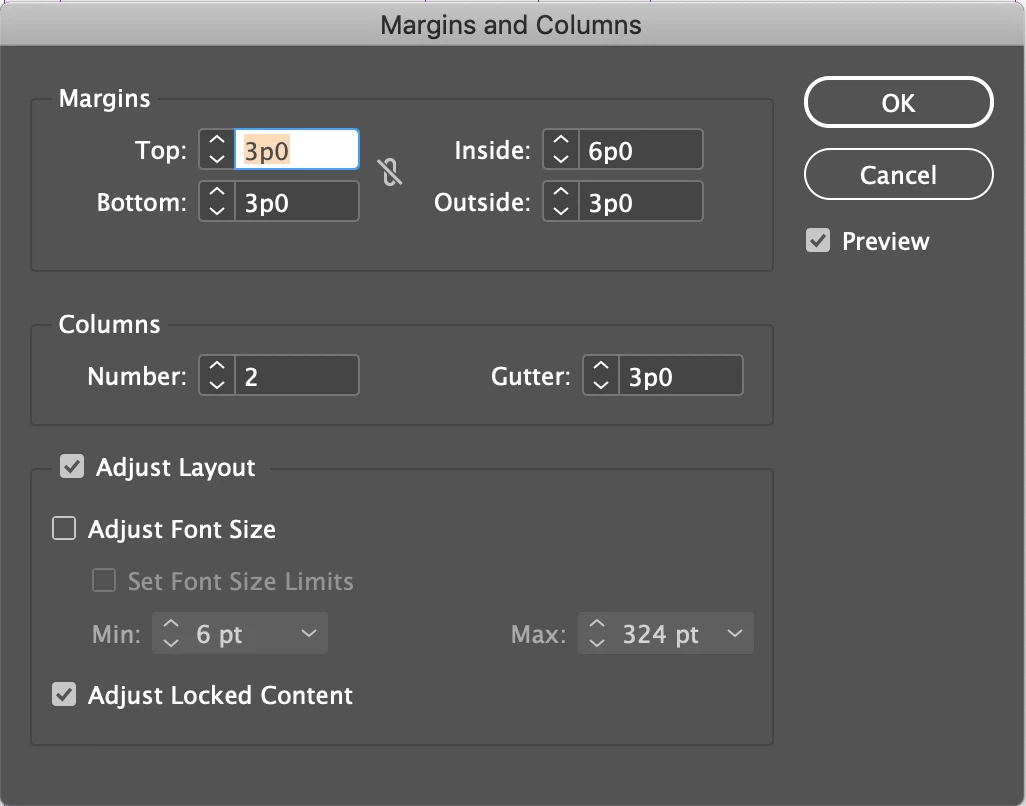
    So sorry I see now, i need to adjust the INSIDE margin on both facing pages, is there a way to do this in an existing document?

    I'm sure there is. ??

    New Participant
    April 26, 2021

    Hi ma'am and sir! I'm confused why my margins and columns window does look the same with the screenshot above, my goal is to create a gutter of 0.2 but increasing number of column is not an option since my file does have a facing pages for printing a book soon.
    I tried also to adjust my master page "inside" margin but it seems that all page margins are adjusted on the left only.
    Tried also to do it on the adjust layout button but its still the same result.


    Community Expert
    March 14, 2019

    Hi MD,

    what are your desired gutter values and gutter positions for facing pages?

    Regards,
    Uwe

    Inspiring
    March 14, 2019

    left side

    0.25  all around except inside 0.625

    same for the right