


New Participant
July 2, 2020
Question

CMYK color is not displaying correctly

  • July 2, 2020
  • 4 replies
  • 4487 views

Hi, 


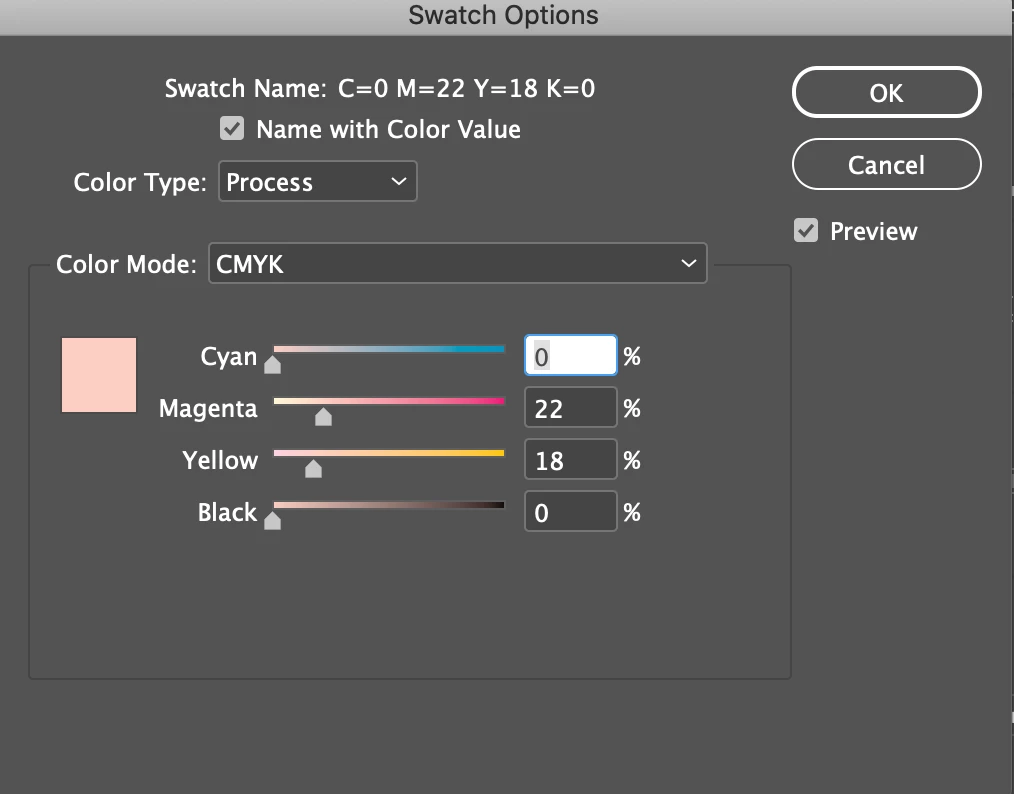
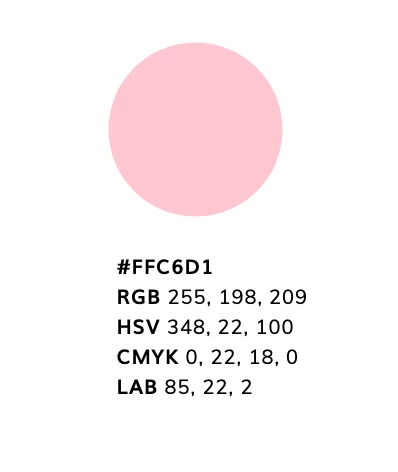
I am working on a brochure in InDesign, but the CMYK color that I am using looks different than the actual CMYK color. I've attached screenshots of what the color in InDesign looks like versus what it is supposed to be.


Does anyone know why this might be? I'm newer to Indesign, so please respond with easier instructions/language. 🙂
This topic has been closed for replies.

4 replies

Brainiac
December 11, 2020

The key point: CMYK is a mixture of inks: cyan, magenta, yellow and black. Different brands of colour ink have different colours, and they also change their colour depending on the paper you use. So CMYK is NOT an exact colour, it is a recipe for mixing inks. Is it hopeless? No. "ICC profiles" describe a brand of ink and type of paper. If you use the same ICC profile everywhere, and match the actual ink and paper used, then you should get reasonably consistent colours. NEVER TRUST A WEB SITE OR SWATCH BOOK THAT GIVES A "CMYK COLOUR" WITHOUT A SPECIFIC CONTEXT. 

rob day
Community Expert
July 2, 2020

It looks like your conversion chart is from the Adobe Color website?


Web based conversion charts are not color managed or reliable— a CMYK or RGB color’s appearance would change depending on the output device, and the color profile assigned to your InDesign document.


If you want to use Adobe Color for picking color themes and need CMYK values, use the Lab value and convert the swatch to CMYK in InDesign or Photoshop, which will give you a color managed conversion. If the color is in the CMYK gamut (it’s printable with CMYK inks), the appearance will be maintained when you make the conversion.


Here you can see the conversion from your Lab color to the default US Web Coated SWOP CMYK profile is 0|28|5|0:


New Participant
February 25, 2022

Thanks!! This was very helpful and very clear to follow with the screen shot. You made my day much easier! 🙂

Frans v.d. Geest
Community Expert
July 2, 2020

"I'm newer to Indesign, so please respond with easier instructions/language. 🙂"


Ah, let me try again: it is normal, your screen is not CMYK but RGB remember? Trust a printed Swatch book. If you want to 'trust' your screen you will have to invest in more knowledge on the subject 😉

gracevenescaffi
New Participant
December 11, 2020

I think the problem it, on the same screen her color that is meant to be the same is rendering differently in the preview pane as in the actual document. If it's on the same screen the same color code should render the same. I am having a similar problem, I chose a royal blue, and the swatch looks royal blue, and I created a full opacity rectangle, applied the swatch, but it renders as some muted navy/purple. So odd. The screen hypothesis only works if there are different screens with comparatively different hues of the same shade.

Frans v.d. Geest
Community Expert
July 2, 2020

You do realize that your screen is RGB? So you always see a RGB  rendering of the CMYK color? And you do know how to set your colour managent correctly, how to profile your display and how to turn on a softproof rendering on screen?

If not, make sure you do and know those things first. Then only rely on a printed Swatch book, that is how it will print (if you have all setting and profiles set correctly of course). Without the correct profiling, rendering and softproof you always have a different RGB-rendering on screen.