



Color Theme Tool vs Color.Adobe.com
Why is there such a difference between the colors generated out the same image with both color.adobe.com and InDesign's own Color Theme Tool?
After much experimenting, I can only conclude that the Color Theme Tool is far from "matching" color.adobe.com in quality.
I may be missing something obvious, after all this time.
Here's a simple example, an sRGB image I picked the other day on Facebook.
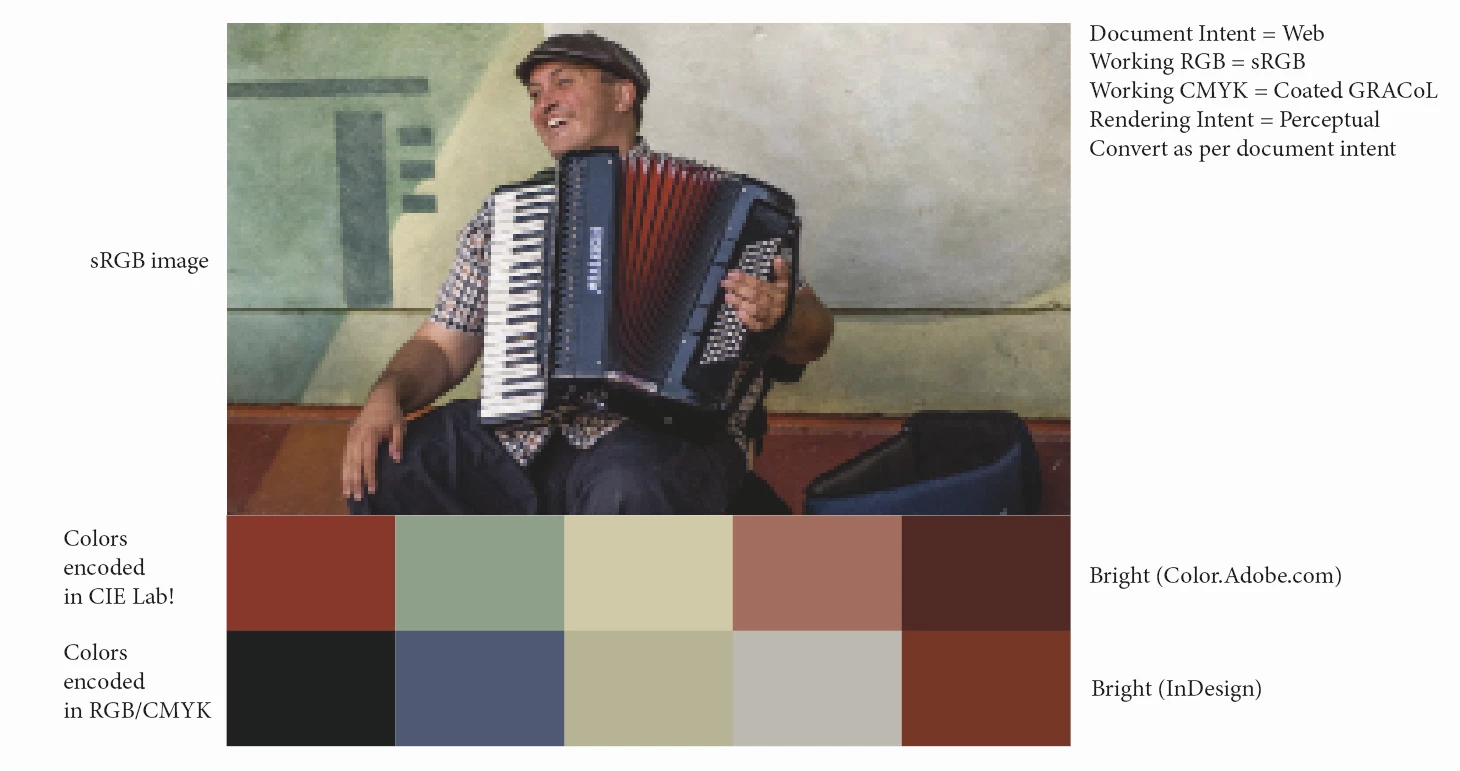
The Document Intent is "Print" ("Web" in the above screen capture), so the Color Theme Tool generates CMYK colors, out of the sRGB image. That's expected.
Granted, color.adobe.com generated themes are encoded in CIE Lab space.
To do a fair comparison, I made sure to "Proof" colors, so that the CIE Lab colors don't overly look "bright" as compared to their InDesign counterpart.
Don't get me wrong, I think the Color Theme Tool is a neat little addition to InDesign's toolbox but, as it stands, according to my limited understanding, it systematically "dumbs down" the colors of ANY image, regardless of the Document Intent (I experimented both ways, Print and Web, tried all the settings in the Color Theme Tool options).
The cherry on the icing, if I may say so, with the implementation on color.adobe.com, is the fact that, upon completion, it's plain to see where the "tool" sampled the colors from, as shown here:

 AdChoices