markd66074679
Inspiring
February 15, 2023
Answered

Colour difference between Indesign and Acrobat preview

  • February 15, 2023
  • 3 replies
  • 13918 views

Hi there,
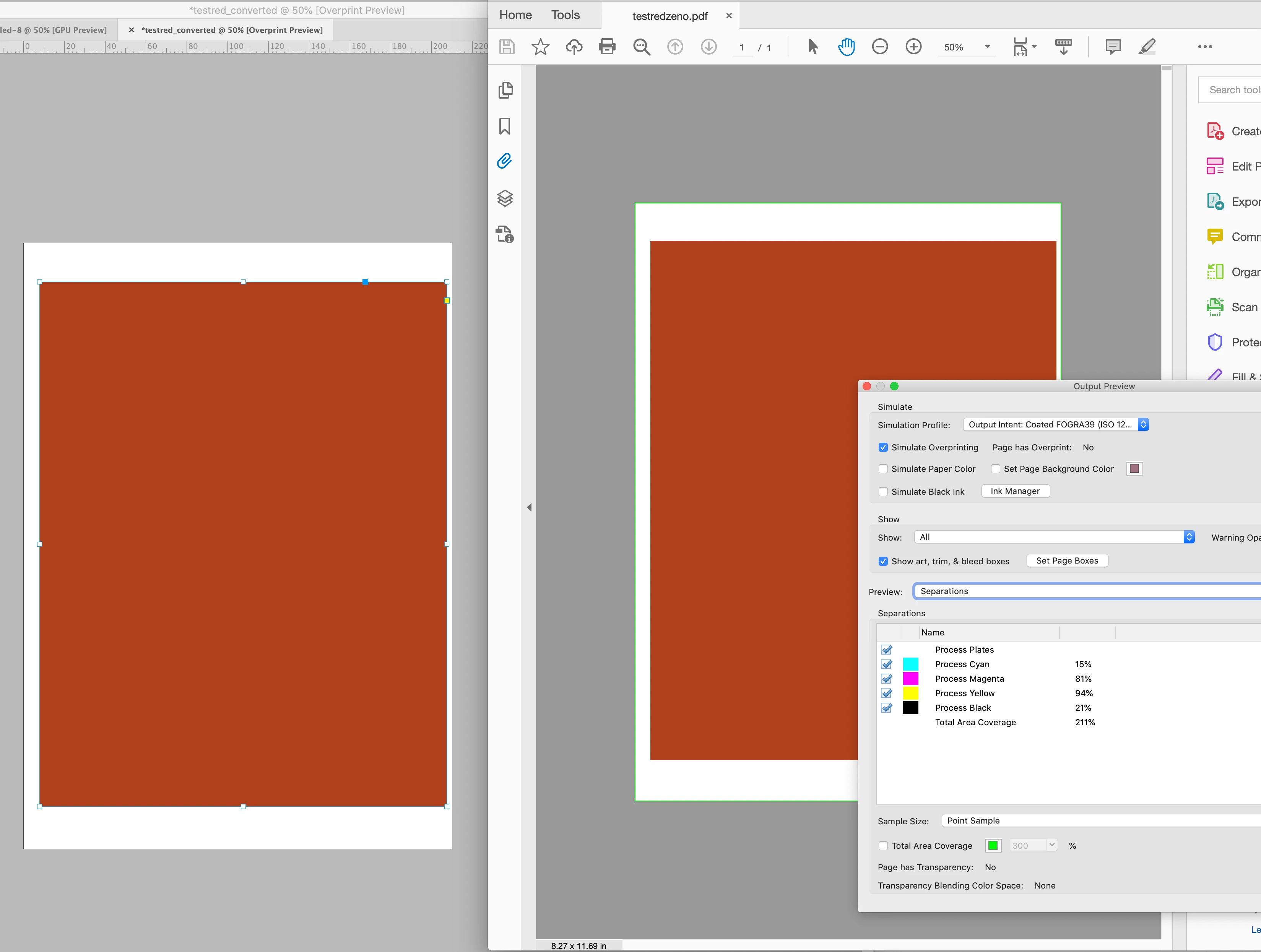
Colour in my Indesign documents often look different once i exported them to PDF. My colour settings are synchronized, in Indesign i'm previewing with Coated FOGRA39, the same profile i use when exporting and viewing in Acrobat.
CMYK values in Acrobat are correct but most of the time colours look slightly different, which always makes me wonder which i should trust most.
Of course i know that in print it will be different anyhow, but i'd like my on screen previews to be as accurate and reliable as possible.
Is there a reason they don't match and can i correct this?
Thanks!

Indesign 17.1 / Acrobat Pro 2022.003.20314
Correct answer rob day

Yes, the pdf is PDF/X and the color is process. Here's the files. Thanks!


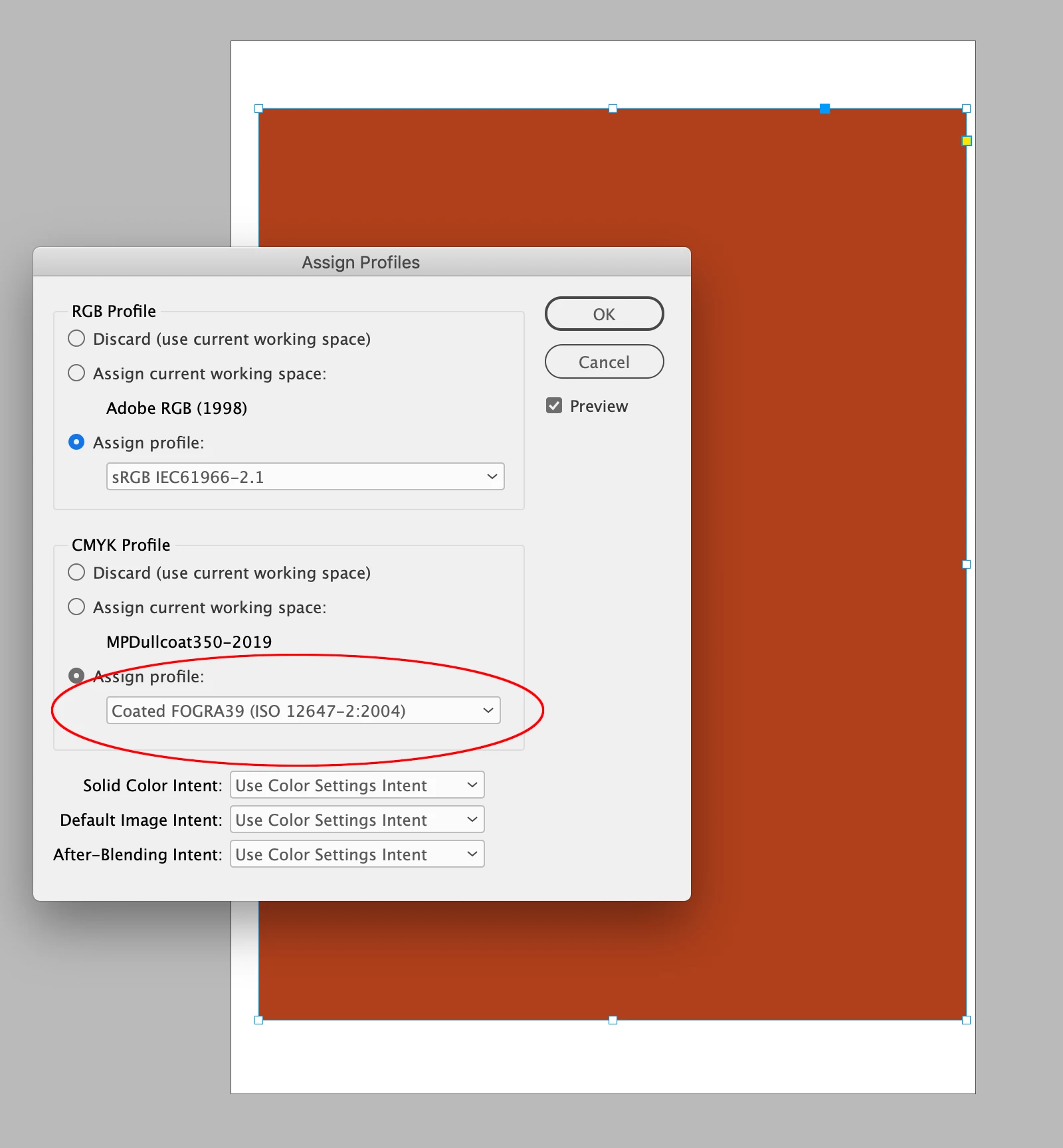
I noticed that your InDesign test file has no assigned CMYK profile. Does it happen if you assign FOGRA 39 via Edit>Assign Profiles... and export to Document CMYK? If I do that I get a match:


3 replies

Erica Endicott
Participating Frequently
August 16, 2023

I just had the weirdest thing happen, as I was trying to solve this same problem. I tried all kinds of different ways to output my PDF and kept getting a mismatch in the color. I tried all kinds of different color settings in all my programs (InDesign, Photoshop, and Acrobat) and kept getting a mismatch. Finally I tried looking at Acrobat's Preferences. Under Page Display, I tried changing the transparency color blending space from RGB to CMYK, no change. I then tried changing the Overprint Preview to Always, no change. Then I tried, on a lark, changing the Smooth Text from For Laptop/LCD Screens to None. BINGO! Now, here's the weirdest thing: when I tried to change it back, the color did not go back to being wrong. It seems it's not a setting problem, it's a bug. Somehow I triggered it to display my colors correctly. Hopefully others can try this and see if it works for them. If Adobe has a bug reporting page, I'll post this there.

markd66074679
Inspiring
August 17, 2023

Hi, that'sfunny because with me it definitely is the Indesign CPU performance setting, like i mentioned before. When i turn it on, Indesign displays the colors incorrectly and different from Acrobat. When i turn it off colors are the same.
This only happens on my MacBook screen, by the way, on my 30" Apple monitor colors are good, also when CPU performance is turend on.

rob day
Community Expert
Community Expert
August 18, 2023

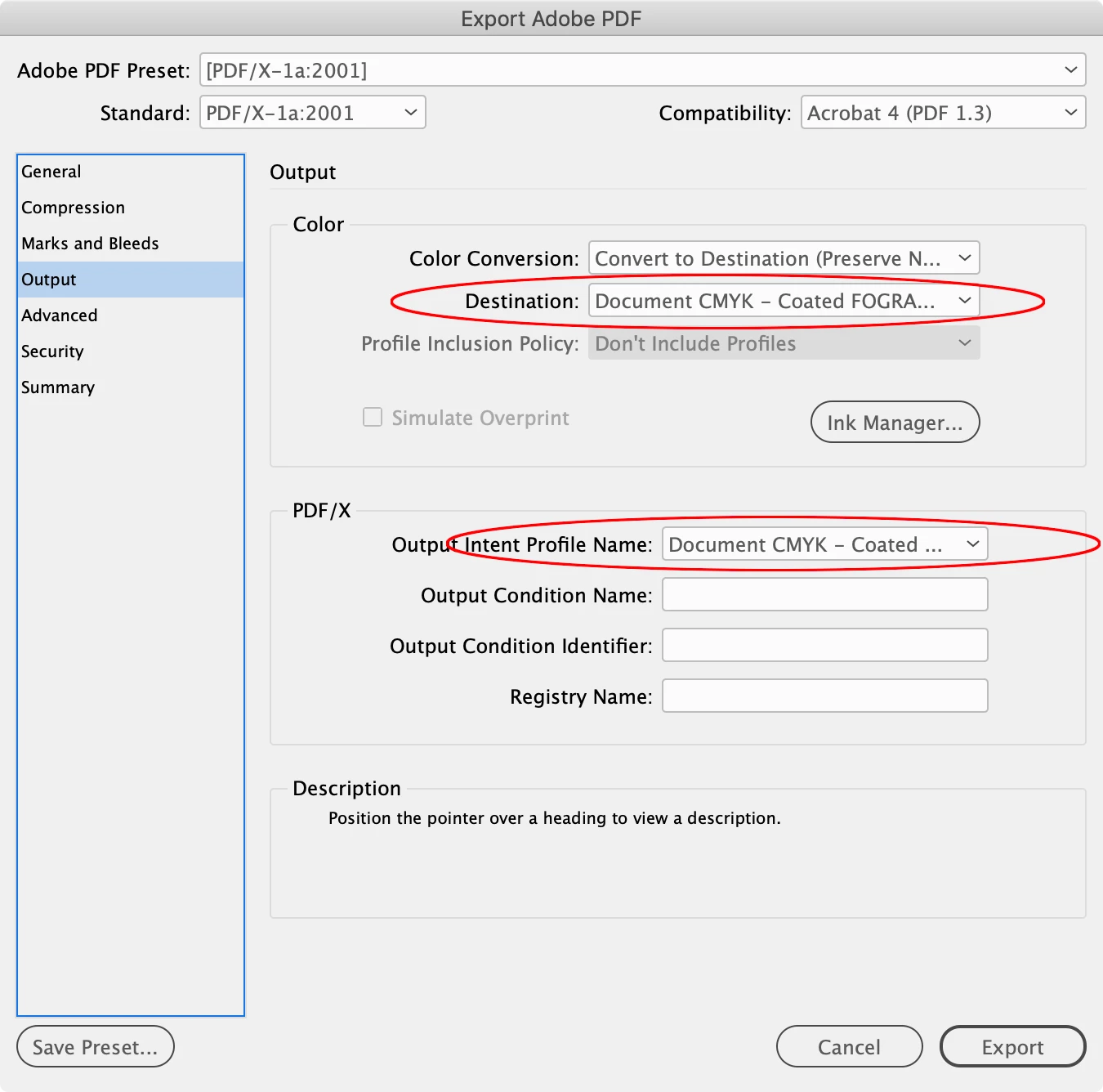
When you Exported the PDF was the Destination and Output Intent set to Document CMYK–US Sheetfed Coated? Is your InDesign document’s assigned profile is US Sheetfed Coated?

Yes, and yes.

you only need Overprint Preview turned on—don’t also turn on Proof Colors

Not getting any difference that compares to what I was seeing in Acrobat anyway.

the problem would have to be with the Monitor Profile

Why would the monitor profile matter when I'm seeing both things on the same monitor? Also, I use a Spyder to calibrate monthly.


Also, I use a Spyder to calibrate monthly.


Have you double checked that the Monitor Profile generated by the most recent calibration of the HP Z27 external monitor is the one chosen for that display in the Display Prefs?


Rishabh_Tiwari
Community Manager
Community Manager
February 15, 2023

Hi @markd66074679 ,


Thank you for reaching out. I understand the importance of accurate on-screen previews, and I'm here to help you resolve this issue. To better understand your issue, would you mind sharing a few more details like:


  1. Are you exporting your PDF with settings such as downsampling or compression?
  2. Have you tried exporting your PDF with different color profiles to see if the color match improves?
  3. Have you tried checking the color profiles of your monitor and printer to ensure they match?


We're here to help - Just need more information.


Thanks

Rishabh

markd66074679
Inspiring
February 15, 2023

Hi, yes i tried different settings. For instance i often have to deliver files for printing on uncoated paper so i then use PSO Uncoated v3. But then also the PDF preview differs from Indesign. See attached file.
Yes, the PDF settings contain compression and downsampling, but the 'normal' settings as in standard PDF/X-1a:2001.
I think color profile of my monitor doesn't really matter because i'm viewing Indesign and Acrobat on the same monitor.

rob day
Community Expert
Community Expert
February 15, 2023

Hi @markd66074679 , If you are soft proofing for Document CMYK, you don’t need to turn on Proof Colors with the Proof Setup set to Working CMYK. Try turning off Proof Colors, and turn on Overprint/Separation Preview, that will give you the correct Document CMYK soft proof preview:


Inspiring
February 15, 2023

Hi markd66074679
What are your export-settings?

markd66074679
Inspiring
February 15, 2023

Normally i use PDF/X-1a:2001. But i also tried with PDF/x-4:2010